
If you're spending more time than you'd like writing emails in Gmail, you're not alone. For most professionals, writing and responding to email is one of the single biggest time drains in the workday - and the tools built into Gmail by default don't go very far in solving that.
This guide covers the best AI email assistants for Gmail available in 2026. We'll look at what separates a genuinely useful tool from a gimmick, compare eight options across different use cases and budgets, and give you a clear recommendation based on your actual situation - whether you're writing 5 emails a day or 50.
Why Gmail Users Are Looking for AI Help
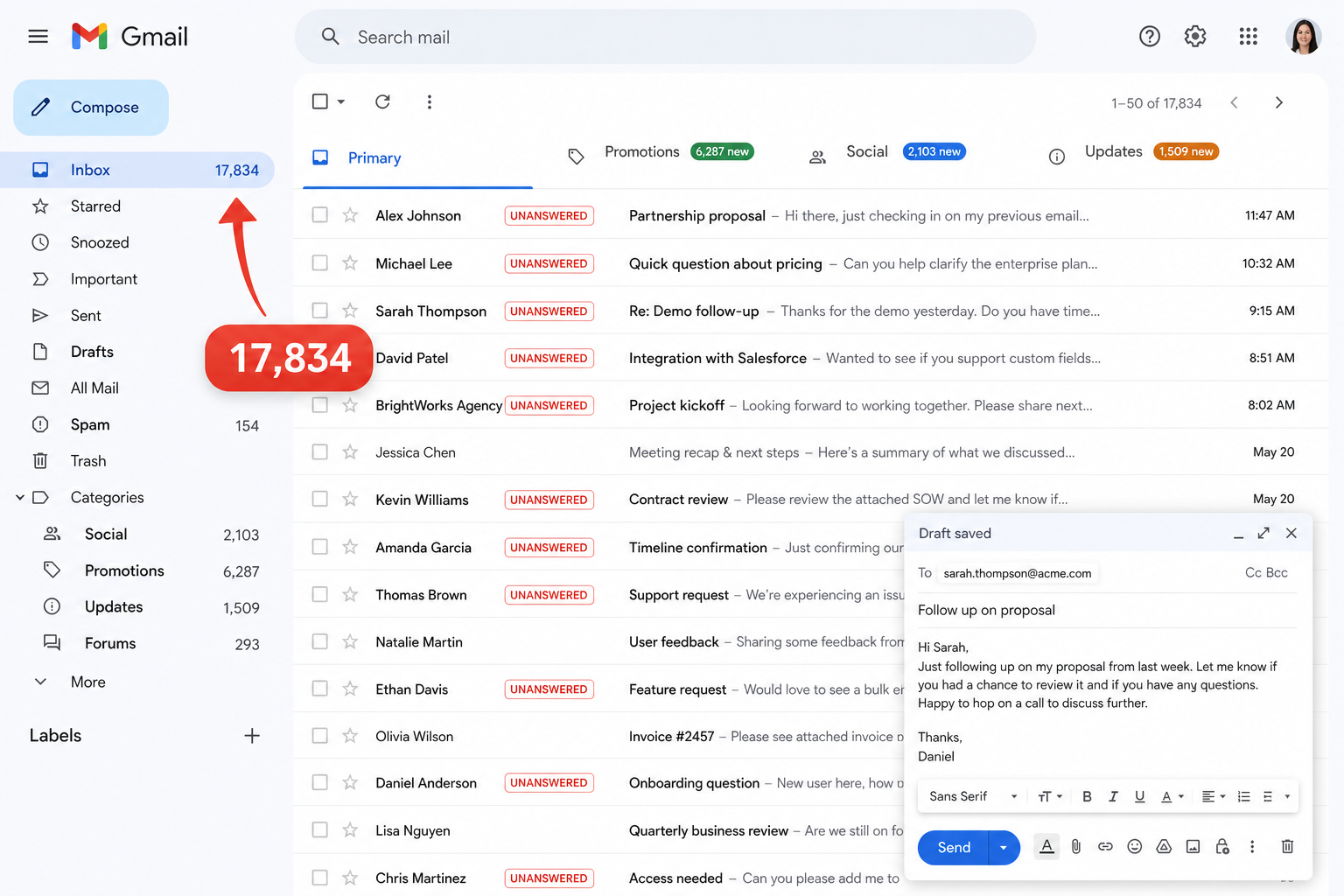
The Real Cost of Writing Emails Manually
Writing a professional email from scratch takes most people between 10 and 30 minutes, depending on the complexity. Multiply that by 10–20 emails a day and you're looking at several hours of your workday spent on email - before you've actually done any of the work the emails are about.
The problem isn't that people write slowly. It's the mental overhead that builds up with every message. You have to figure out the right tone, structure your thoughts clearly, check grammar, come up with a subject line, and then second-guess all of it before hitting send.
For customer-facing roles, sales teams, recruiters, and freelancers, this overhead is even higher because the quality of every email actually matters for how they're perceived professionally. That's why dedicated AI email assistants are becoming standard workspace tools.
Why Copy-Pasting Into ChatGPT Is Not a Real Solution
A lot of Gmail users have tried using ChatGPT as an email assistant, and it does work - but the workflow is painful.
"Copy-pasting context between tabs is not an email workflow upgrade; it is just manual context switching disguised as AI efficiency."
You open ChatGPT in a new tab, write a detailed prompt explaining what the email needs to say and who it's for, copy the result, switch back to Gmail, paste it in, reformat it, and then send. That process takes 5–10 minutes per email. At scale, that's not meaningfully faster than writing manually.
The real need is for an AI tool that works directly inside Gmail - one that reads the thread you're already in, generates a draft in the compose window, and lets you edit and send without ever leaving your inbox. That's what the tools in this guide focus on, starting with specialized extensions like Foresty.
What to Look for in an AI Email Assistant for Gmail
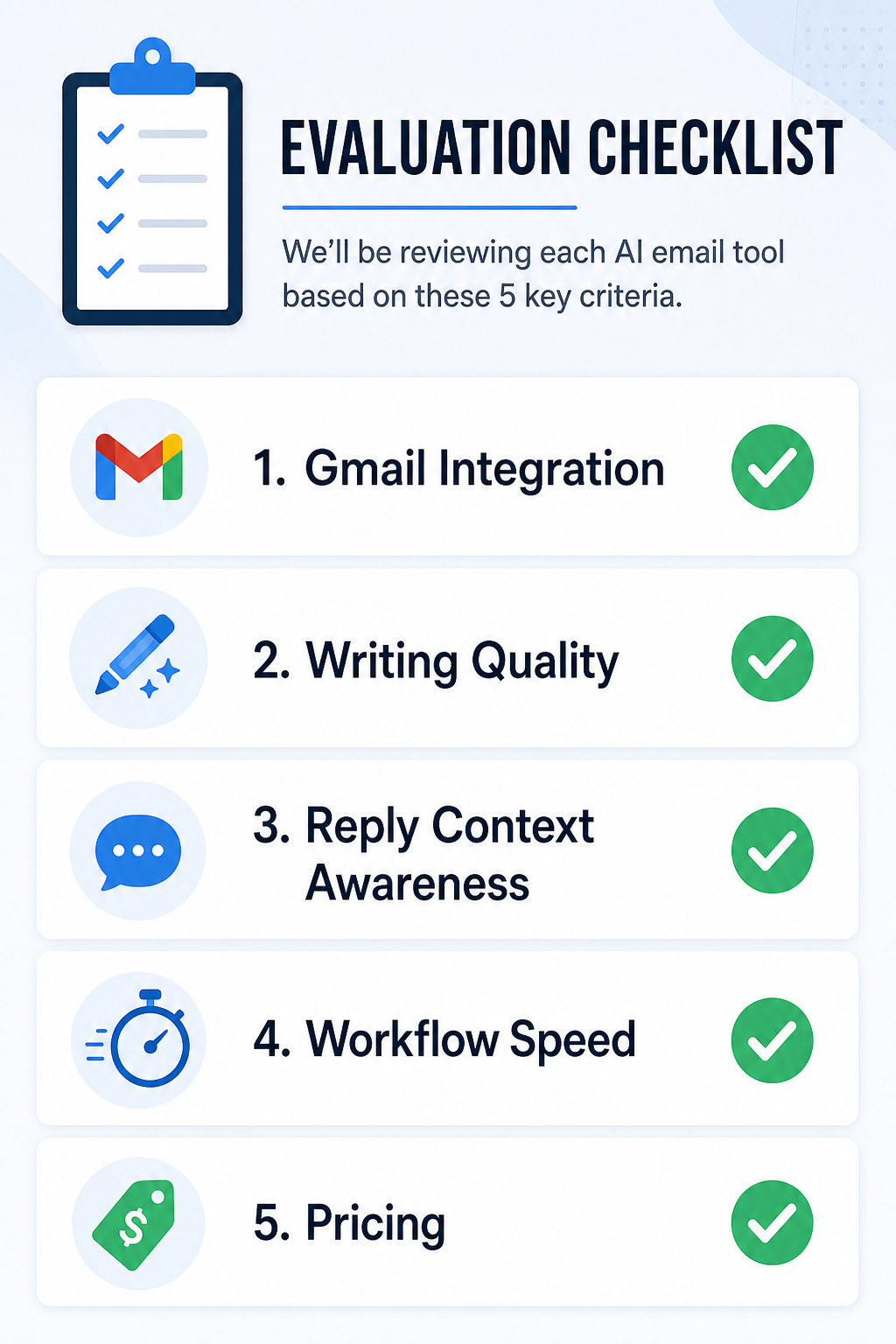
Gmail Integration - Native vs. Extension vs. Copy-Paste
How a tool connects with Gmail is the most important factor in how much time it actually saves you. There are three types of integration:
- Native (built into Gmail): The AI lives inside the Gmail interface itself. Gemini is the only real example of this.
- Browser extension (works inside Gmail via Chrome): The AI overlays onto Gmail through a Chrome extension, appearing within or alongside the compose window. Foresty, Grammarly, and Compose AI work this way.
- Copy-paste (external tool): You write prompts in a separate tab, copy the output, and paste it back into Gmail. ChatGPT and Claude work this way.
Native and extension-based tools tend to save the most time because they don't require context switching. Copy-paste tools are more flexible but slower.
Writing Quality and Tone Control
Not all AI-generated email drafts are equal. Some tools produce outputs that sound robotic or overly formal. Others generate text that closely matches how a human professional would actually write.
Good tone control means being able to specify whether the email should be warm, direct, formal, or casual - and getting a result that reflects that without sounding like a template.
Reply Generation and Context Awareness
Reply generation is one of the most useful features in an AI email assistant. A good reply generator reads the email you've received and generates a response that's relevant to the specific conversation - not just a generic reply.
Context awareness means the tool understands whether you're responding to a complaint, a meeting request, a follow-up, or a sales inquiry, and adjusts the tone and content accordingly.
Speed and Workflow Fit
The best tool for you is the one that fits your actual workflow. If you're already in Gmail all day, an extension-based tool means AI is always one click away. If you prefer a general AI assistant you use for many tasks, a ChatGPT workflow might make more sense despite the friction.
Pricing and Value for Individual Users vs. Teams
Most AI email tools offer free tiers, but the limits vary widely. Some free plans are genuinely usable for light users; others are effectively demo modes. For individual users, the best value tends to come from tools with clear per-user pricing and meaningful free tiers. For teams, look for tools with shared templates, admin controls, and multi-seat pricing.
Quick Comparison - Best AI Email Assistants for Gmail
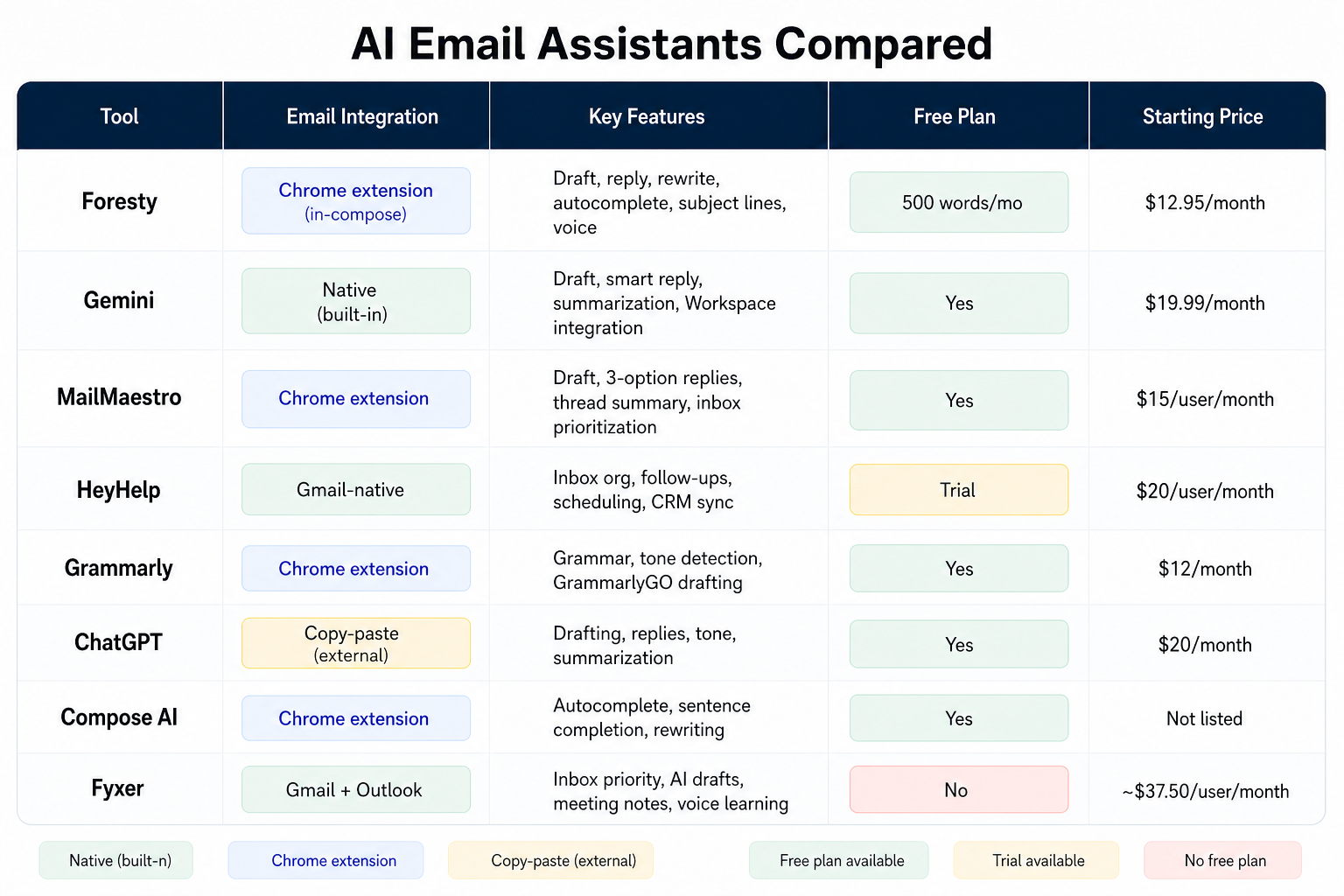
| Tool | Gmail Integration | Free Plan | Starting Price |
|---|---|---|---|
| Foresty | Chrome extension (in-compose) | 500 words/mo | $12.95/month |
| Gemini | Native (built-in) | Yes | $19.99/month |
| MailMaestro | Chrome extension | Yes | $15/user/month |
| HeyHelp | Gmail-native | ! Trial | $20/user/month |
| Grammarly | Chrome extension | Yes | $12/month |
| ChatGPT | Copy-paste (external) | Yes | $20/month |
| Compose AI | Chrome extension | Yes | Not listed |
| Fyxer | Gmail + Outlook | No | ~$37.50/user/month |
The Best AI Email Assistants for Gmail, Reviewed
Foresty - Best for Writing and Replying Directly Inside Gmail
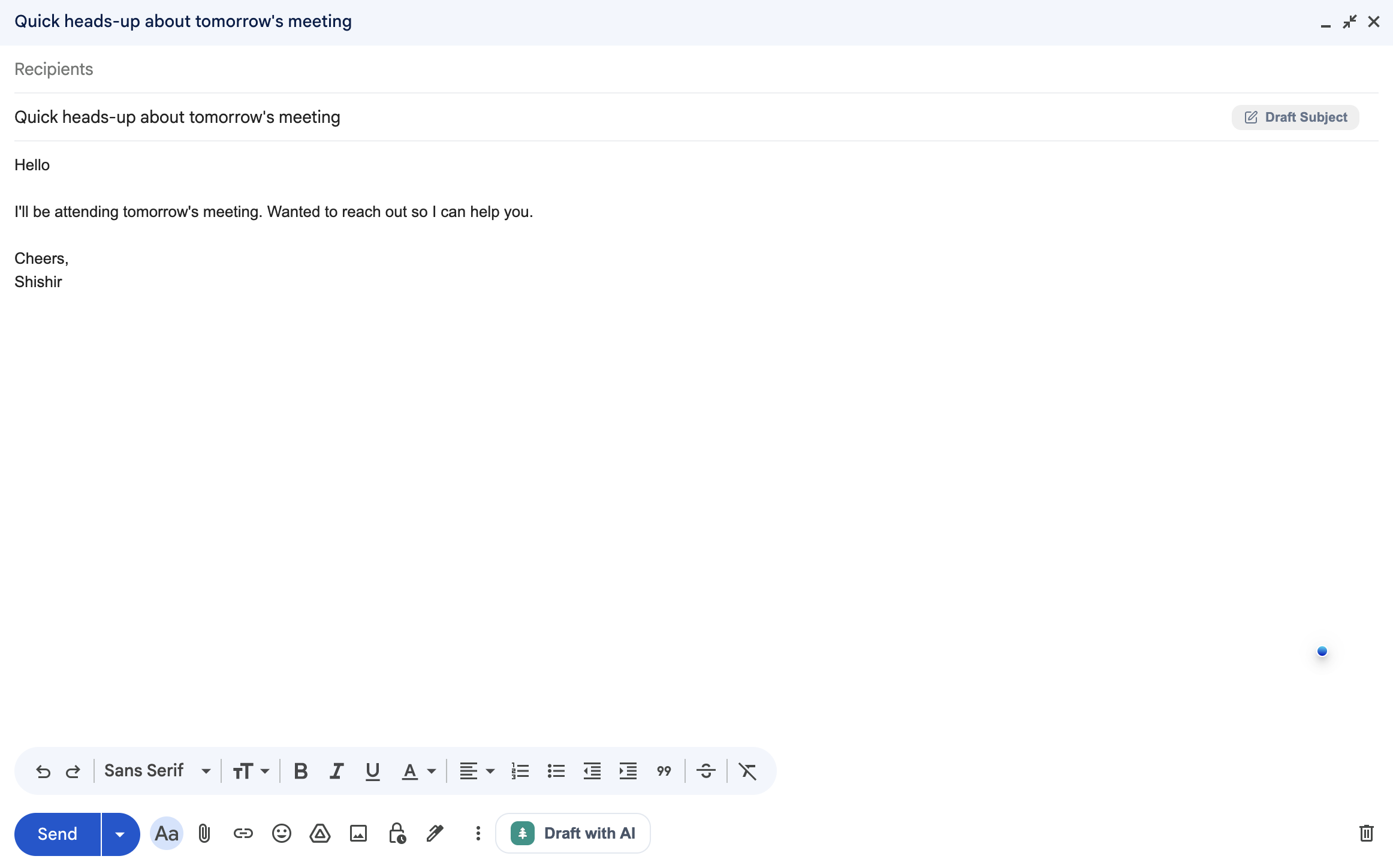
What it is: Foresty is a Chrome extension that works directly inside your Gmail compose window. You never switch tabs or copy and paste anything. When you open a compose window or reply thread, Foresty is already there.
Key features:
- Email draft generation: Describe what you need to say in a few words and get a polished draft in seconds.
- AI reply generator: Reads the thread you're in and generates a contextually relevant reply - not a generic one.
- Email rewriter: Highlight any draft and rewrite it for tone, clarity, or length with one click.
- Smart autocomplete: Predicts and completes your sentences as you type, based on the conversation context.
- Subject line generator: Analyzes your email body and suggests multiple subject lines.
- Voice assistant: Dictate your email instead of typing - useful for longer messages or when you're away from the keyboard.
Voice dictation draft composer in Foresty
Gmail workflow example: You receive a client email requesting a project update. Instead of manually drafting a reply, you click the Foresty reply button inside the Gmail thread. Foresty reads the email, generates a professional, context-aware response in under 30 seconds. You review, make any personal adjustments, and send. Total time: under two minutes.
Pricing: Free (500 words/month), Basic ($12.95/mo or $8.08/mo annually), Pro ($29.95/mo or $21.41/mo annually). See full plan details on the Pricing Page.
Who it's best for: Professionals, freelancers, sales teams, recruiters, and customer support reps who write a high volume of emails daily and want a native Gmail AI writing assistant that works inside Gmail without disrupting their workflow.
Limitations: The free plan's 500-word monthly limit is only enough to test the tool, not rely on it daily. Users who write very long, complex emails with lots of company-specific context will still need to review and edit drafts carefully.
Gemini - Best for Google Workspace Users
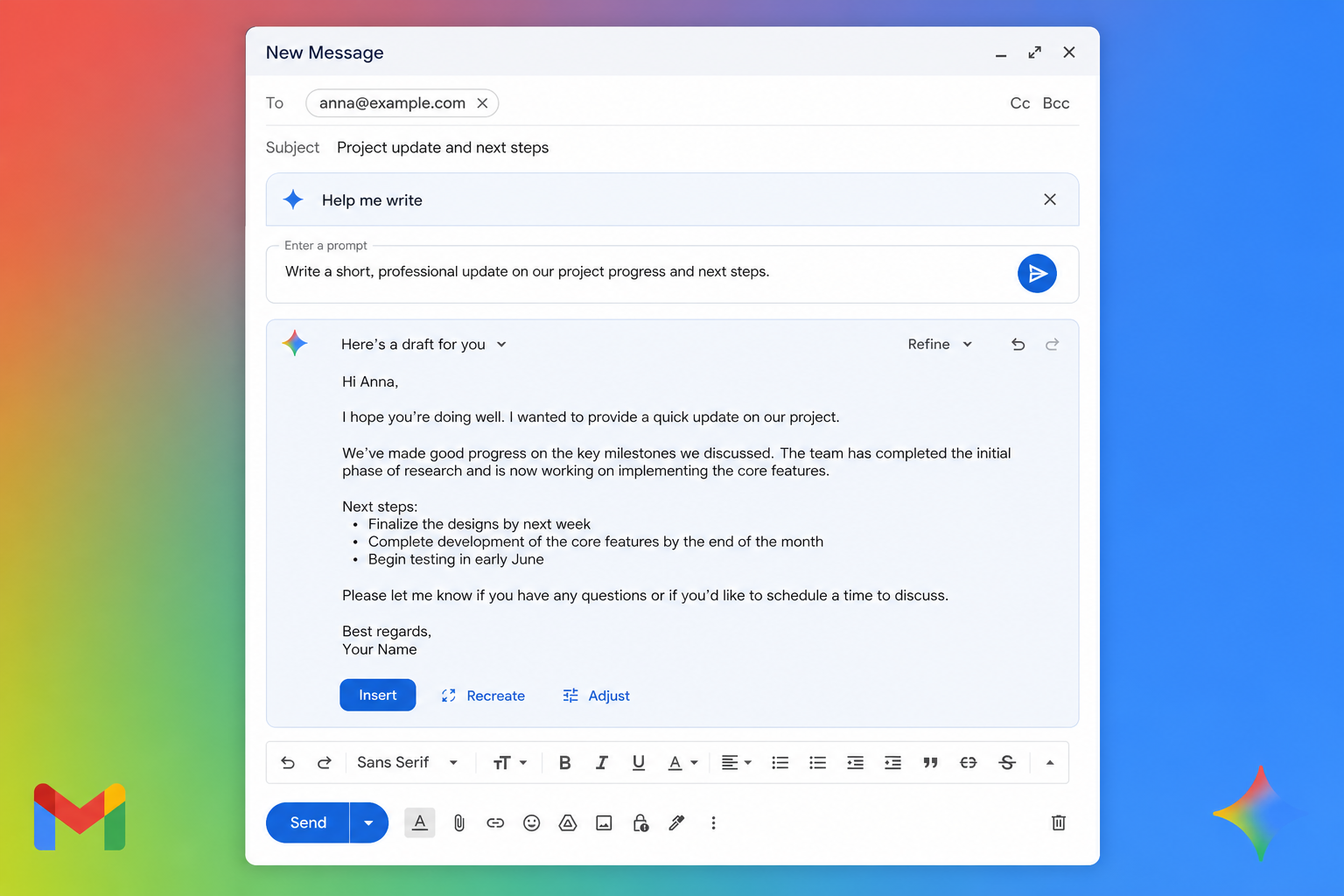
What it is: Gemini is Google's AI assistant, and it's the only tool on this list that lives natively inside Gmail. If you have a Google account or Google Workspace subscription, you've likely already seen the "Help me write" button in your compose window.
Key features: Email drafting with natural language prompts, smart replies, email summarization, integration across Docs, Sheets, Drive, and Meet, and research capabilities directly from Gmail.
Gmail workflow example: You click "Help me write" in a Gmail compose window, type "Follow up on the proposal I sent last week and ask if they have any questions," and Gemini generates a draft inside the compose window without any extension required.
Pricing: Free plan available. Google AI Pro at $19.99/month. Enterprise pricing through Google Workspace.
Who it's best for: Teams already deep in the Google Workspace ecosystem - particularly organizations using Google Docs, Drive, and Meet alongside Gmail. Gemini's value compounds when you use it across multiple Google apps.
Limitations: Gemini's Gmail integration is solid but primarily focused on drafting and summarizing. It lacks features like inline rewriting, autocomplete as you type, and voice-to-email - areas where dedicated tools like Foresty have an edge. Full features also require a paid Google subscription.
MailMaestro - Best for Teams and Enterprise Gmail Users
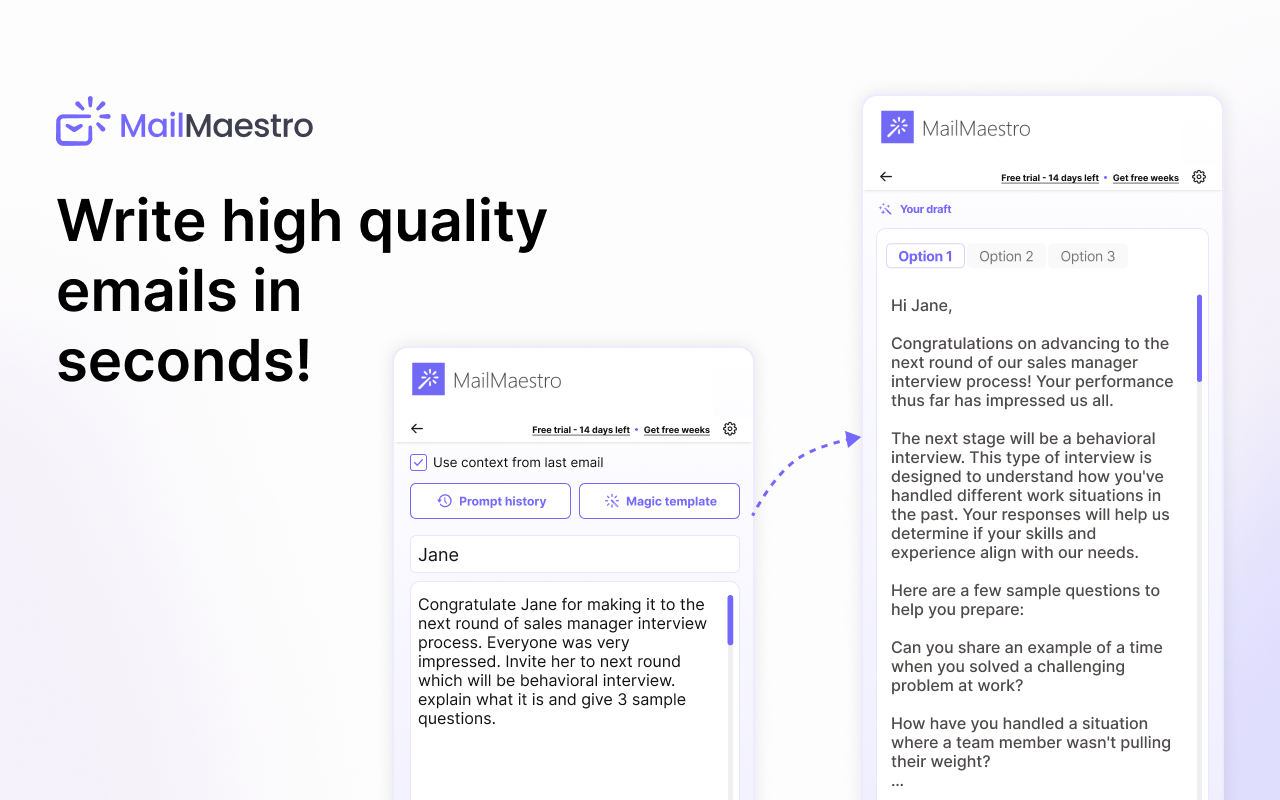
What it is: MailMaestro is a secure AI email productivity suite built for professional teams. It integrates with Gmail and Outlook and is one of the few tools on this list with enterprise-grade security certifications.
Key features: AI email drafting, three draft options per email, email thread summarization, inbox prioritization, smart labeling, magic templates, and grammar/tone improvement. It also has a separate meetings module.
Pricing: Free plan available. Professional at $15/user/month ($12/user/month annually). Team plans available. Enterprise pricing on request.
Who it's best for: Teams and organizations that need shared AI writing tools, inbox management, and security compliance (SOC 2 Type II, GDPR, HIPAA). It's a stronger fit for corporate environments than for individual freelancers.
Limitations: Heavier feature set than most individual users need, and the pricing adds up quickly at the team level. For solo users who just want to write and reply faster, it's more than necessary.
HeyHelp - Best for Gmail Inbox Management and Scheduling
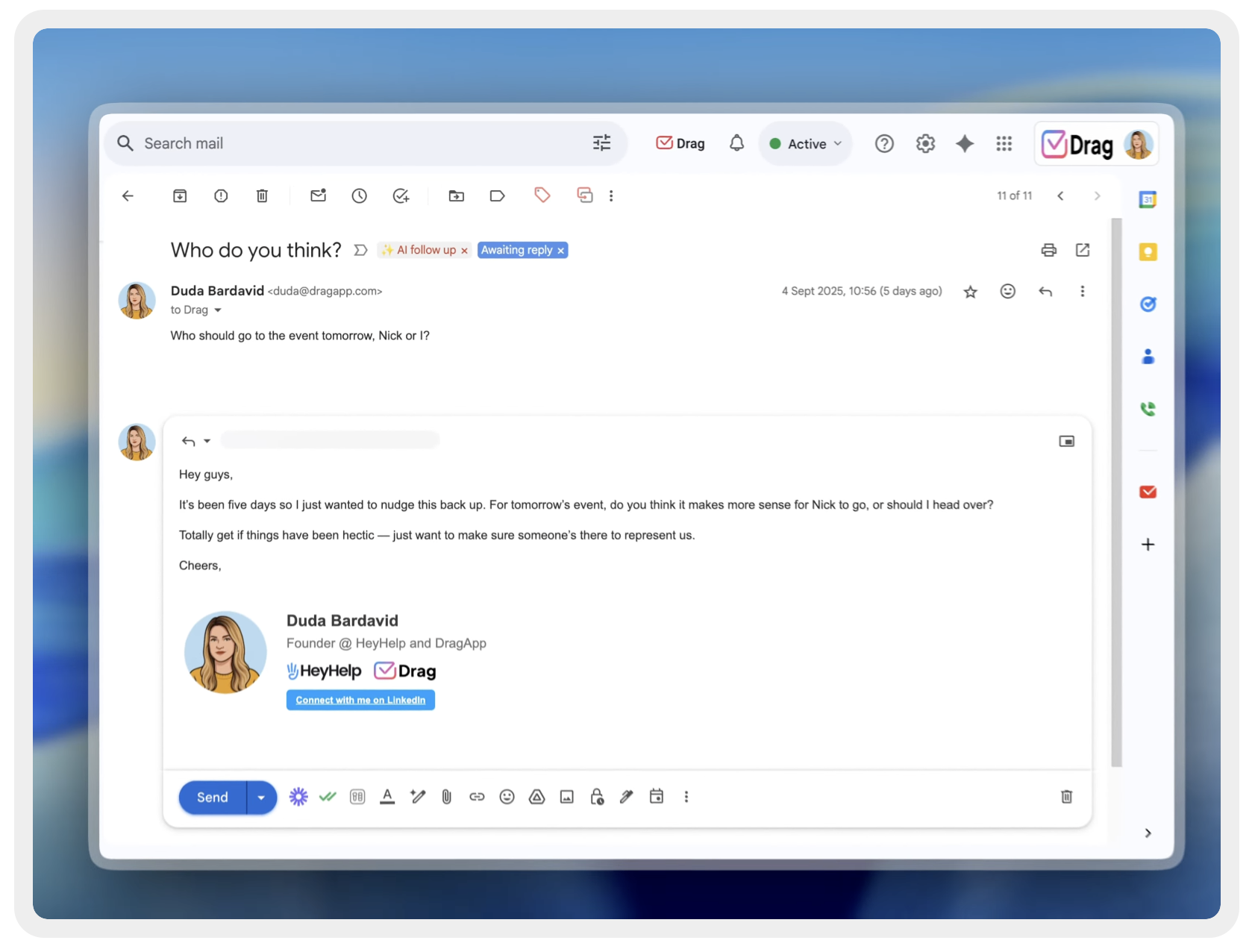
What it is: HeyHelp is a Gmail-native AI assistant focused on inbox organization, smart drafting, follow-up automation, and scheduling. It's verified by Google and holds CASA Tier 2 certification.
Key features: AI inbox organization, email drafting, personalized writing style learning, automatic follow-up reminders, meeting scheduling, and CRM synchronization.
Pricing: Monthly at $20/user/month. Annual at $12/user/month. A $199 lifetime plan is also available. Free trial available.
Who it's best for: Gmail users who struggle with inbox management as much as email writing - particularly people who lose track of follow-ups or spend too much time triaging messages. It's useful if your problem is organized inbox as much as writing speed.
Limitations: No free plan (trial only). At $20/month without a trial commitment, it's one of the more expensive starting points for individual users. Also less focused on raw writing speed than tools like Foresty or Grammarly.
Grammarly - Best for Improving Gmail Writing Quality
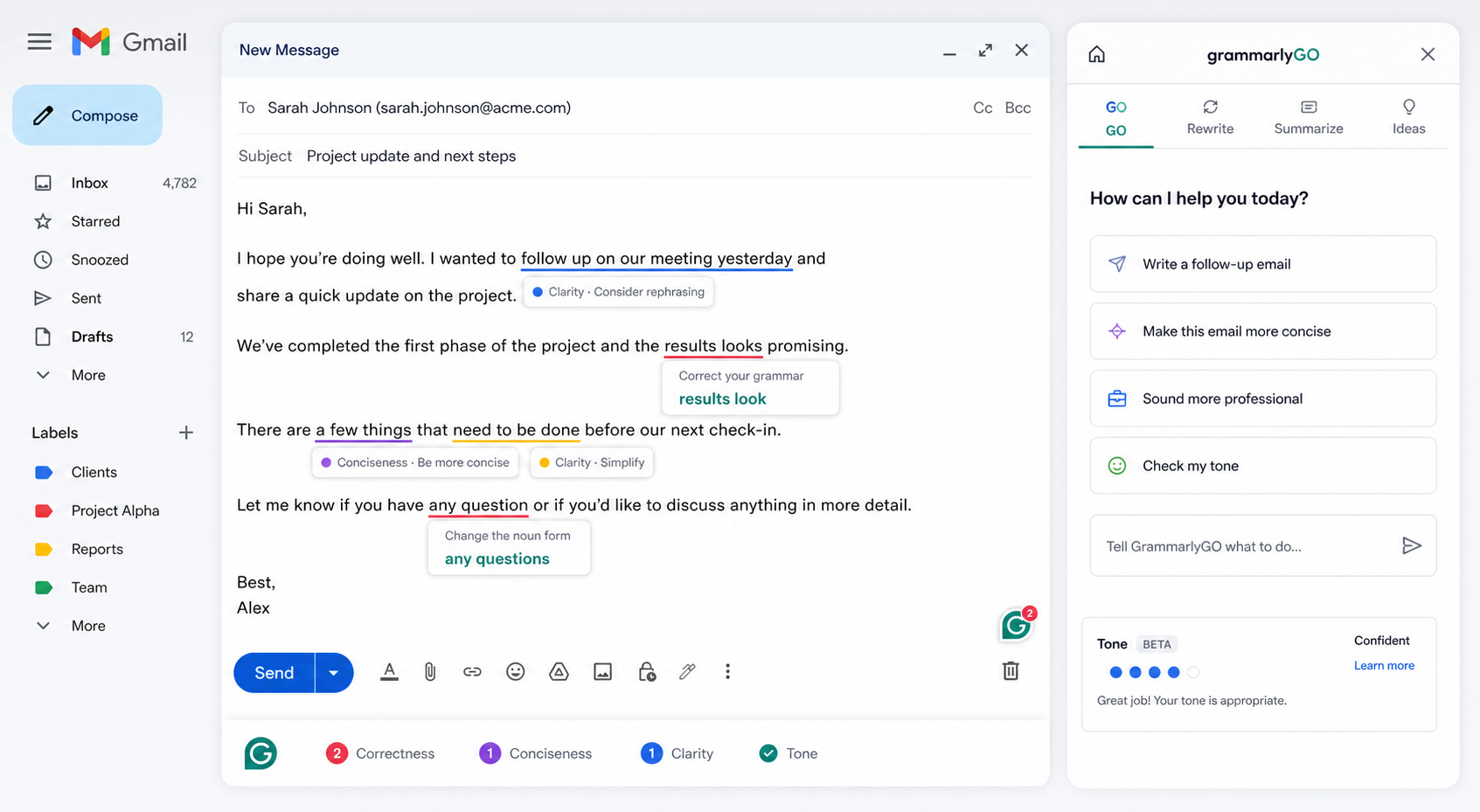
What it is: Grammarly is primarily a writing quality tool that also includes AI drafting features (GrammarlyGO). Its Chrome extension works inside Gmail to flag grammar errors, suggest tone improvements, and offer full rewrites.
Key features: Real-time grammar and spelling corrections, tone detection, sentence-level rewrites, plagiarism detection, GrammarlyGO for drafting and replying, vocabulary suggestions, and team style guides.
Pricing: Free plan (basic writing checks). Premium at $12/month (annual) or $30/month (monthly). Business at $15/user/month annually.
Who it's best for: Writers and professionals who send emails where quality matters - marketing communications, client proposals, executive messaging. Also useful for anyone whose grammar confidence is lower and who wants live feedback as they type.
Limitations: Grammarly is not primarily an email drafting tool. GrammarlyGO can generate drafts, but the tool's core strength is improving what you already wrote. If your main problem is writing speed rather than writing quality, you'll get more value from a purpose-built email drafting tool.
ChatGPT - Best General-Purpose AI for Email Drafting
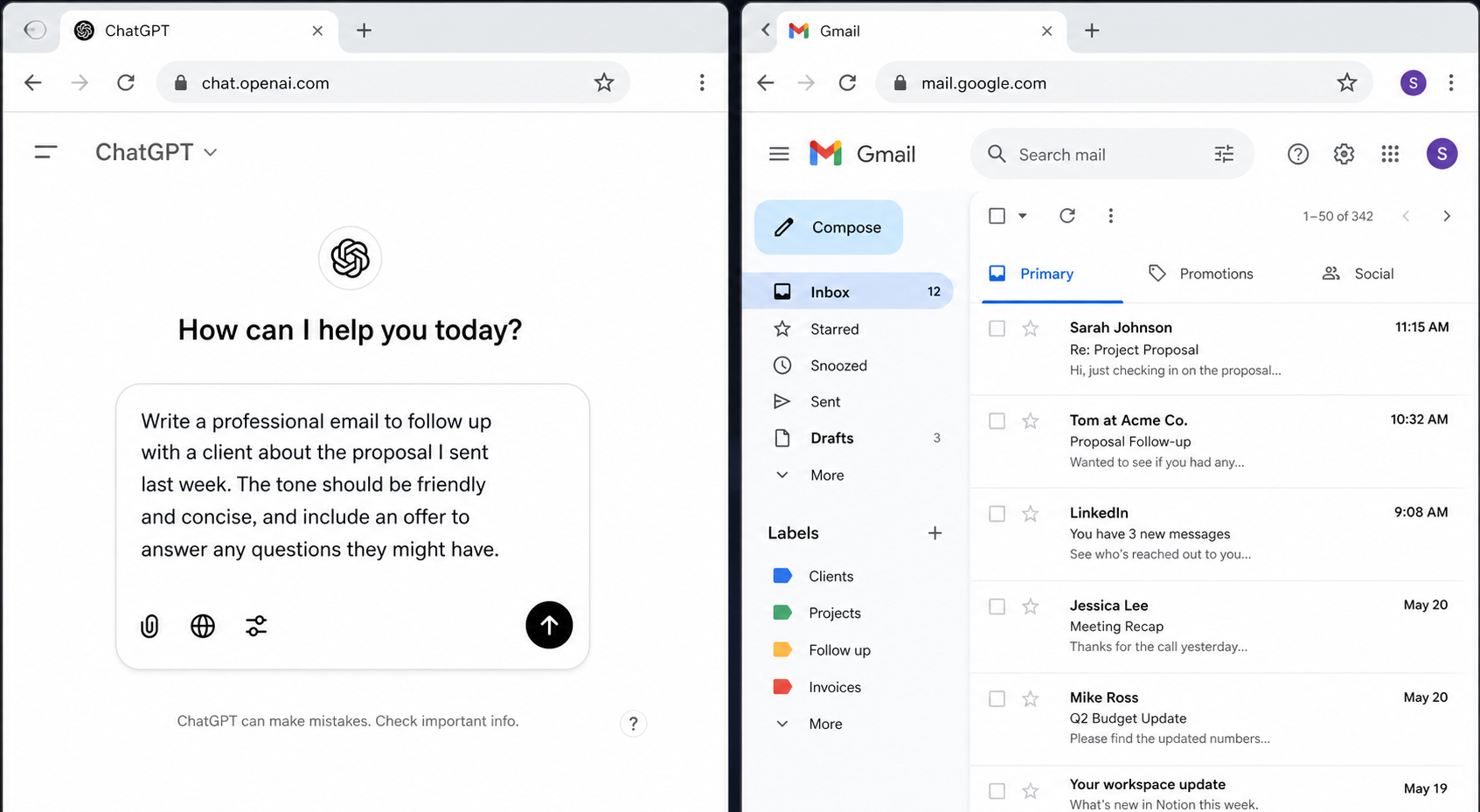
What it is: ChatGPT is a general-purpose AI assistant that many people use to draft emails. It writes well and handles a wide range of tones and formats. The catch is that it has no Gmail integration.
Key features: Email drafting, replies, tone customization, grammar correction, summarization, long-thread analysis, and document analysis. Available via web, desktop, and mobile apps.
Gmail workflow example: You copy the email you've received, open ChatGPT in a new tab, paste it in with a prompt like "Write a professional reply declining this meeting request," copy the response, return to Gmail, paste it, and adjust formatting. Total time: 5–10 minutes.
Pricing: Free plan available. Plus at $20/month. Team at $25–30/user/month. Enterprise pricing available.
Who it's best for: People who already use ChatGPT for many tasks and are comfortable with the copy-paste workflow. Also useful for complex, high-stakes emails where you want to iterate on the draft with back-and-forth prompting.
Limitations: No Gmail integration. Tab switching adds significant friction at scale. The workflow that works fine for 3 emails a day becomes tedious at 20. ChatGPT also doesn't read the email thread you're in - you have to provide that context manually every time. For a direct comparison, see Foresty vs ChatGPT.
Compose AI - Best Free Browser Extension for Gmail Autocomplete
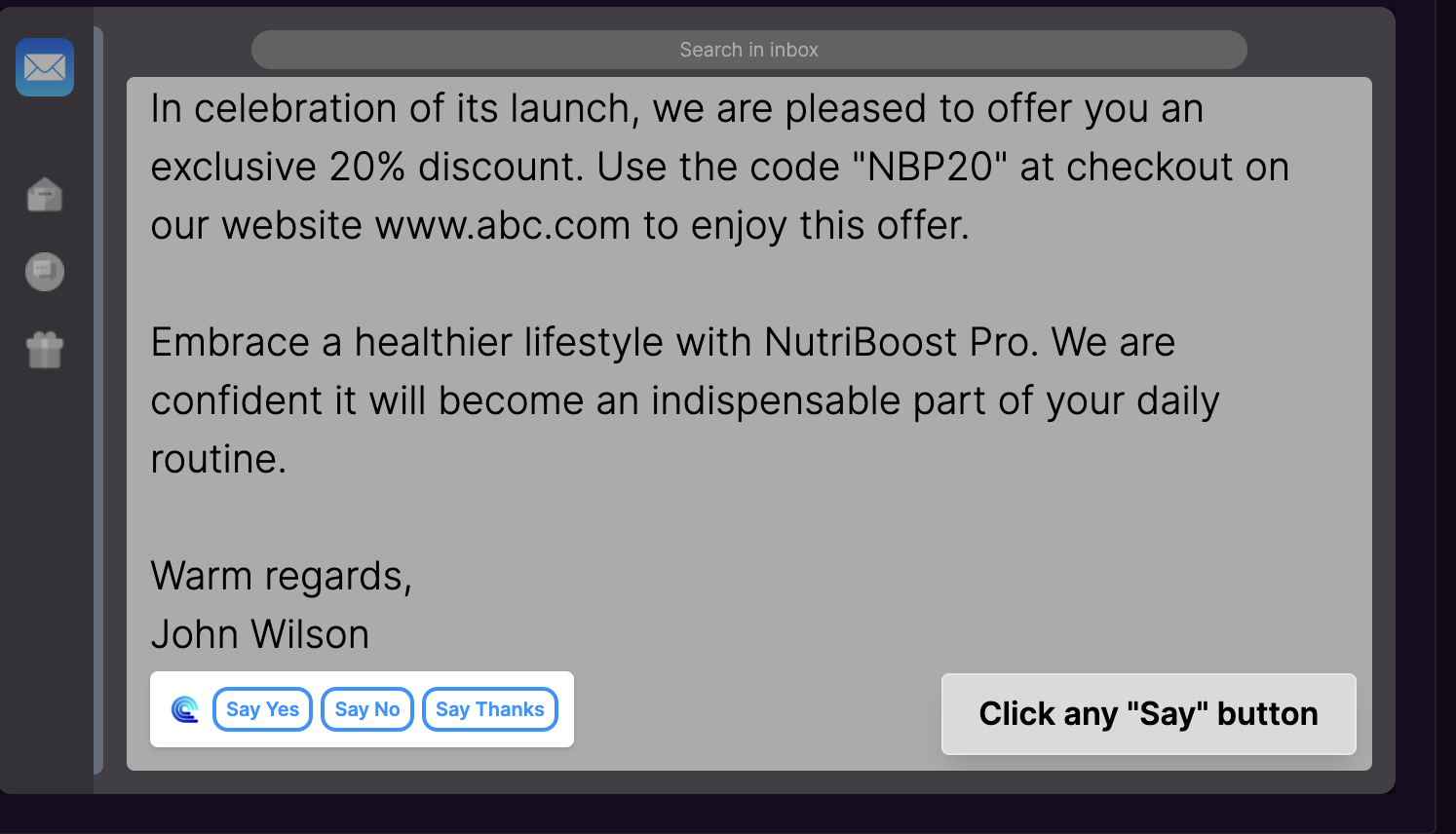
What it is: Compose AI is a Chrome extension focused on autocomplete and sentence completion. It works across any text field in the browser, including Gmail. It's light, fast, and has a free tier.
Key features: Autocomplete everywhere, personalized writing style adaptation, AI sentence completion, text rewriting, and email writing assistance.
Pricing: Free plan available. Premium and enterprise plans available, though pricing is not publicly listed.
Who it's best for: Gmail users who want a low-friction autocomplete tool that speeds up typing without changing their existing workflow. Good for people who write their own emails but want help finishing sentences faster.
Limitations: Compose AI is primarily an autocomplete tool, not a full drafting or reply-generation tool. If you need to generate full emails or replies from scratch, it's not the right fit. The lack of transparent pricing for paid plans is also worth noting.
Fyxer - Best for Executive and Team Inbox Organization
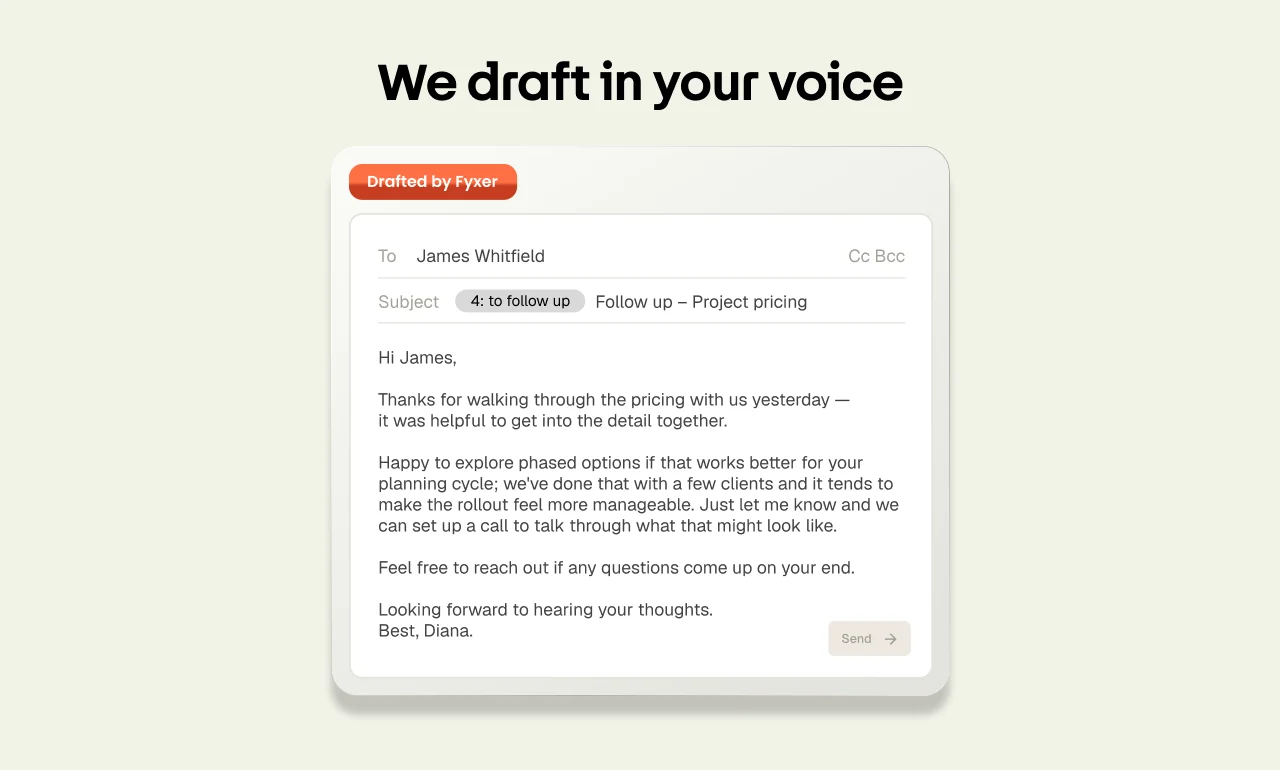
What it is: Fyxer is an AI-powered inbox assistant that learns from your email history and generates highly personalized drafts. It's built more for teams and executives dealing with high message volumes than for individual users trying to write faster.
Key features: Email categorization, inbox prioritization, AI-generated personalized drafts, meeting note capture, action item identification, and context-aware responses based on past conversations.
Pricing: Professional plans start around $37.50/user/month. Team and enterprise pricing available.
Who it's best for: Executive assistants, team leads, and agencies managing high-volume inboxes where personalization and organization matter as much as speed. The tool's value increases with time as it learns your communication patterns.
Limitations: The most expensive option on this list, with no free tier. For individual professionals who simply need to write and reply faster, the cost is hard to justify when cheaper or free alternatives exist.
How These Tools Actually Work Inside Gmail
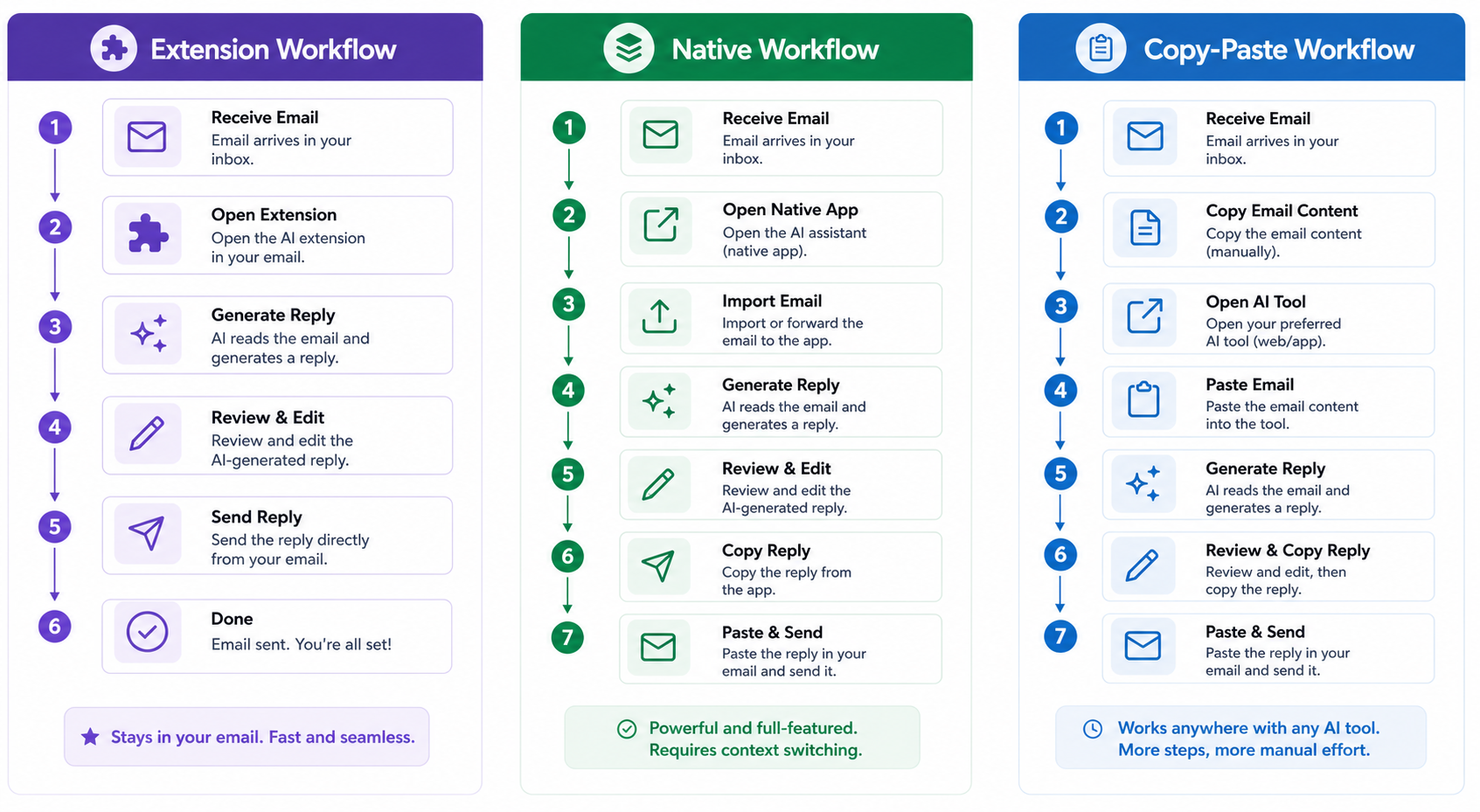
Browser Extension Workflow (Foresty, Grammarly, Compose AI)
With a browser extension, the tool loads alongside Gmail in your Chrome browser. When you open a compose window or reply thread, the extension's UI appears within or beside your Gmail interface.
For Foresty, this means a draft/reply panel appears directly in your Gmail compose window. You click one button, the AI reads the thread or your prompt, and a draft appears inline - ready to edit and send. No new tabs, no copy-pasting.
For Grammarly, the extension overlays feedback icons onto your text as you type, flagging issues in real time. GrammarlyGO adds a prompt bar for generating drafts.
For Compose AI, gray-text suggestions appear as you type, and you accept them with Tab.
Gmail-Native Workflow (Gemini, HeyHelp)
Native tools are built directly into Gmail, either by Google (Gemini) or through deep Gmail API integration (HeyHelp). You access them through Gmail's own interface - a button inside the compose window or a sidebar panel.
Gemini's "Help me write" button sits inside the compose window toolbar. HeyHelp's inbox management features appear in a Gmail sidebar panel.
The advantage is seamless integration and no extension installation. The downside is that native tools are limited to what Gmail's API allows, and feature depth can be narrower than dedicated extensions.
Copy-Paste Workflow (ChatGPT, Claude)
Copy-paste tools have no Gmail integration. You open ChatGPT or Claude in a separate browser tab, write a prompt that includes the email context you want to respond to, generate the draft, and then manually move it into Gmail.
For longer, more complex emails where you want to iterate on the draft, this workflow is acceptable. For fast-paced daily email management, it adds too much friction.
Which Workflow Saves the Most Time?
For high-volume Gmail users, the browser extension workflow saves the most time in practice. The AI is always one click away, works with the context of the email you're already reading, and keeps you inside Gmail throughout.
Pro-tip: When comparing browser extensions to copy-paste solutions, the main difference isn't the AI model's quality - it's the reduction of friction. A tool that keeps you in your workflow saves hours of micro-distractions every week.
The native workflow (Gemini, HeyHelp) is close but limited by what Google exposes through its API. The copy-paste workflow works but adds 3–5 minutes per email in context-switching and formatting.
Real-World Use Cases - Which Tool Fits Your Situation
You Write Lots of Client or Customer Emails Every Day
If you're in sales, customer success, recruiting, or consulting, you're likely sending 15–30 emails a day - many of which are variations of the same types: follow-ups, check-ins, proposals, rejection responses, onboarding notes.
The best fit here is a tool that generates full drafts and context-aware replies quickly, without friction. Foresty's AI reply generator is built exactly for this workflow - it reads the thread and generates a relevant reply in under a minute.
You Manage a High-Volume Inbox and Need Help Prioritizing
If the problem isn't just writing speed but also managing which emails actually need responses, and when, you need a tool that also handles inbox organization. HeyHelp and Fyxer are better suited here. Both offer smart inbox sorting, follow-up reminders, and action item identification alongside AI drafting.
You Need Help With Grammar and Tone, Not Just Speed
If you already write well but want to make sure your emails land correctly - especially for important client or executive communications - Grammarly is the strongest choice. Its tone detection and real-time suggestions help you polish drafts without rewriting them from scratch.
You Work in a Team and Need Shared AI Writing Tools
For teams that want consistent communication across multiple users, MailMaestro and Fyxer both offer team-level features including shared templates, admin visibility, and enterprise security compliance. Grammarly Business also has team-level features including shared style guides, which is useful for marketing or communications teams.
You Just Want a Free Option to Get Started
If you're not ready to pay and want to try AI email writing without commitment, both Foresty and Compose AI have usable free tiers. Foresty's free plan includes all core features (drafting, replying, rewriting, voice, autocomplete) but caps usage at 500 words/month.
Compose AI's free plan has no clearly advertised limit and is a good starting point for autocomplete-only use. ChatGPT's free plan is also functional for email drafting, though the copy-paste workflow applies.
Limitations You Should Know Before Choosing
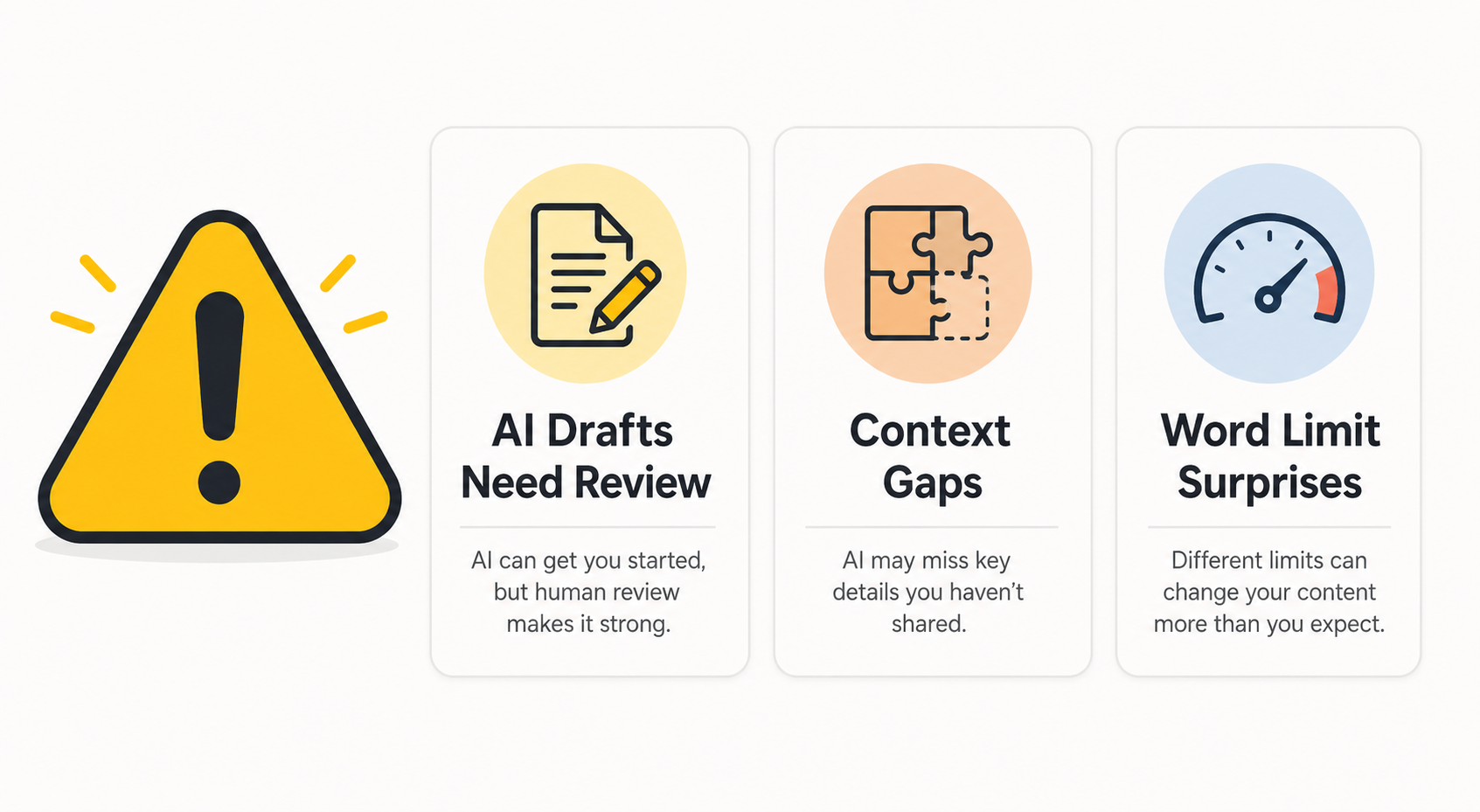
AI Drafts Still Need a Human Review
Every AI email tool on this list will occasionally produce a draft that's slightly off - wrong tone for the specific relationship, too formal when casual was needed, or missing a detail you mentioned somewhere else in the thread.
Warning: Always double check names, dates, pricing, and project facts generated by the AI before hitting send. An AI has no way of knowing info that isn't present in the active conversation thread.
The workflow for any of these tools is: generate draft → review → edit → send. Not: generate → send. The review step is not optional for professional email. It's usually quick - 30 seconds for a well-generated draft - but it's absolutely necessary.
Context Gaps - When AI Gets It Wrong
AI tools can only work with what they can see. If your email requires knowledge of an ongoing internal project, a specific past conversation that happened on a call, or a detail in an attachment the tool can't read, the draft will miss that context.
You'll need to either add that context to the draft manually or use a more detailed prompt. This is a real limitation, and being aware of it prevents the frustration of expecting a draft that accounts for information the tool doesn't have.
Word Limits and Pricing Can Creep Up on You
Several tools on this list charge based on word output. Foresty's free plan is 500 words/month, which runs out quickly if you use the tool daily. The Basic plan's 15,000 words/month is more workable for regular use.
Before committing to any paid tier, estimate how many emails you write per day and what the average word count is. For someone writing 10 emails a day averaging 150 words each, that's roughly 1,500 words of AI output per day - which puts you in the Pro tier within two weeks on most plans.
Foresty vs. ChatGPT for Gmail - A Closer Look
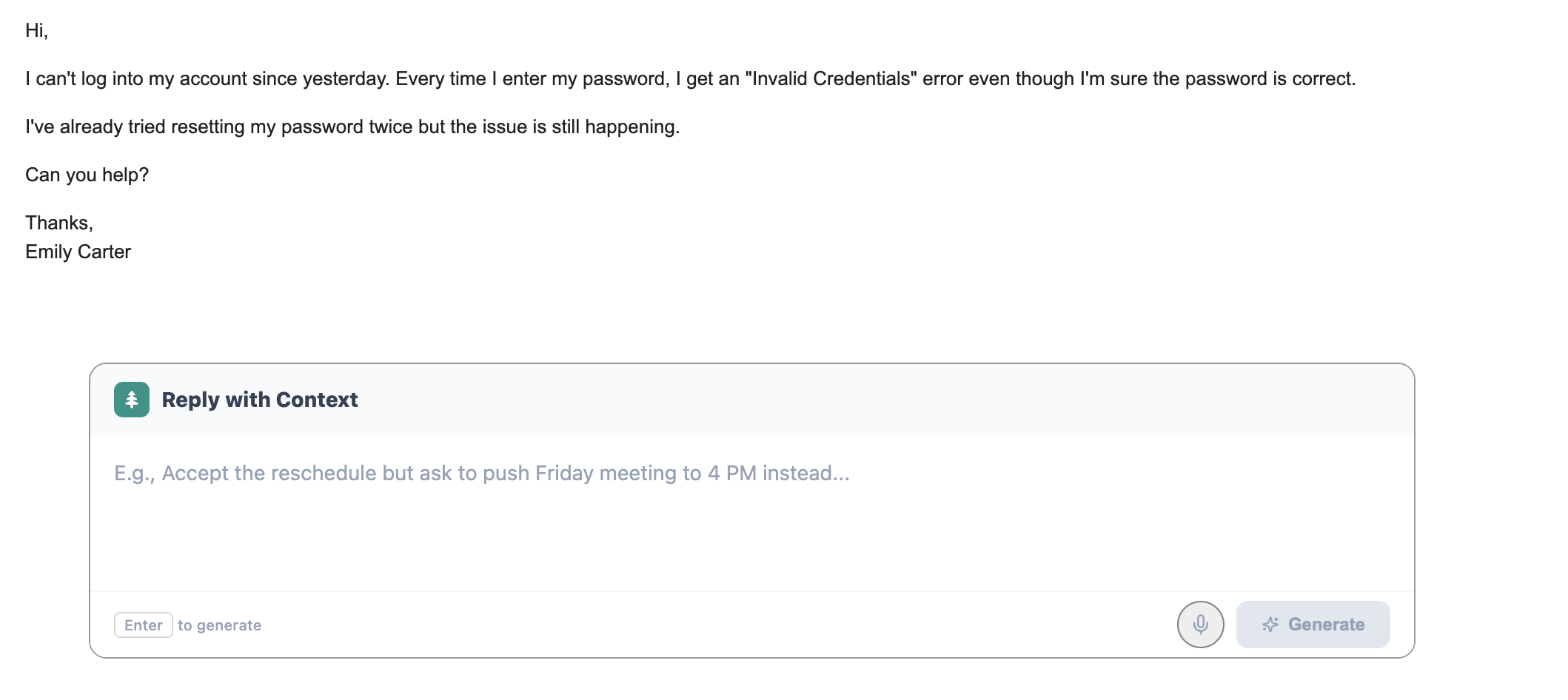
This comparison comes up frequently because many Gmail users are already using ChatGPT informally for email and wondering if there's a better way. For a deeper look, check out our Foresty vs ChatGPT comparison.
| Factor | ChatGPT | Foresty |
|---|---|---|
| Gmail integration | None (copy-paste) | Works inside Gmail |
| Tab switching required | Yes | No |
| Reads email thread context | Manual - you provide context | Automatic - reads the thread |
| Time per email | 5–10 minutes | 1–2 minutes |
| Email quality | Good, with good prompts | Polished and ready |
| Tone control | Strong (with prompts) | Strong (inline) |
| Voice-to-email | No (in Gmail) | Yes |
| Free plan | Yes | Yes (500 words/month) |
| Starting paid price | $20/month | $12.95/month |
Which scenario suits each tool:
Use ChatGPT when you need to iterate extensively on a complex, high-stakes email and want to go back and forth refining the draft before committing to anything. The open-ended prompting environment is useful for tricky situations.
Use Foresty when you're processing your daily email queue and need to move fast. The in-inbox workflow, automatic thread context, and reply generation make it dramatically faster for standard professional email at volume.
Why switching tabs costs more than you think: Every time you leave Gmail to use an external tool, you lose your inbox focus. You spend 30–60 seconds reorienting when you return, you have to reformat pasted content, and the mental overhead of managing two active workflows adds up across a day. For someone writing 20 emails a day, that friction is worth eliminating.
Final Recommendation - Which One Should You Pick?
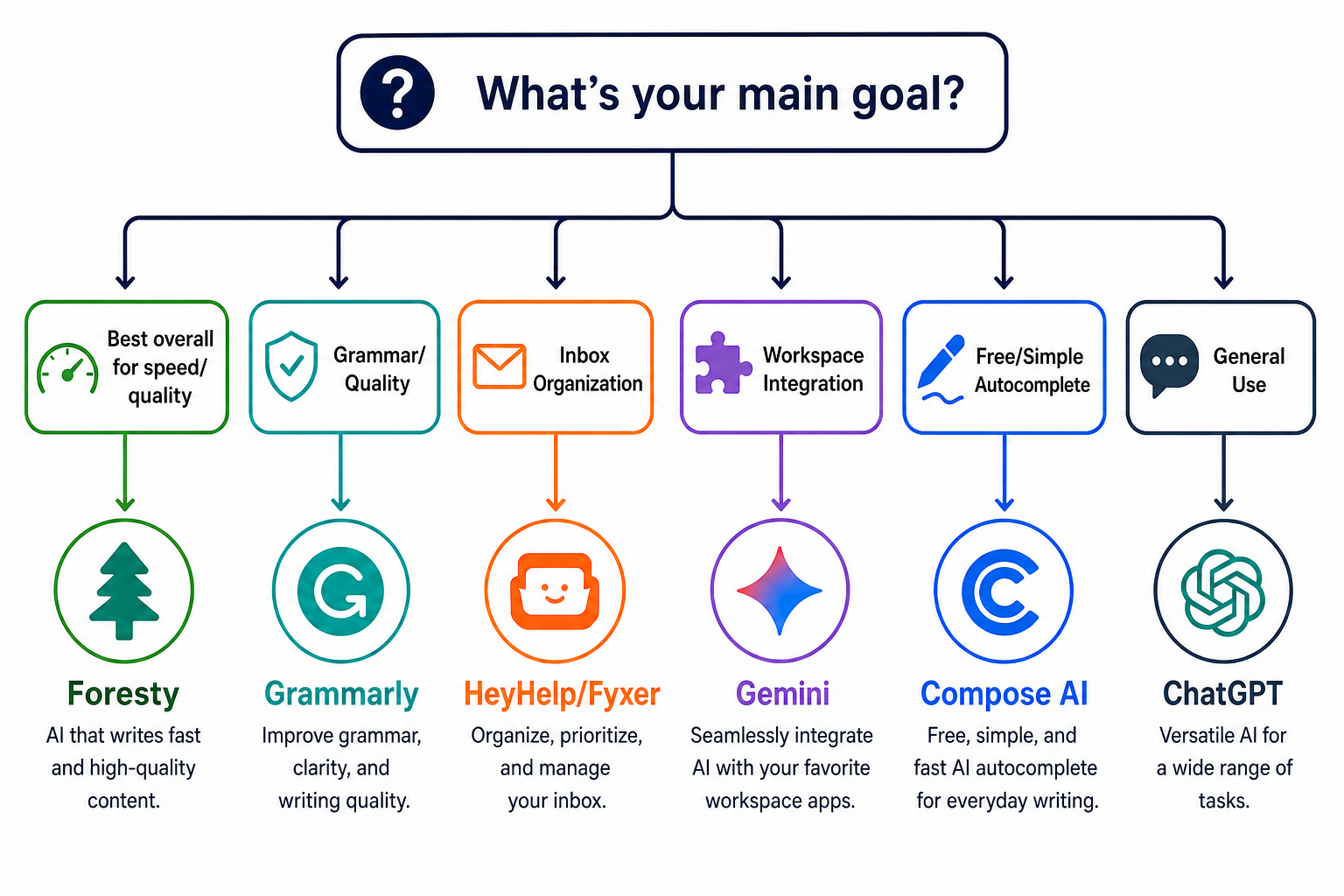
| Your Primary Need | Best Pick |
|---|---|
| Write and reply faster inside Gmail | Foresty |
| Deep Google Workspace integration | Gemini |
| Team email with enterprise security | MailMaestro |
| Inbox organization + scheduling | HeyHelp |
| Grammar and tone improvement | Grammarly |
| Complex email with heavy iteration | ChatGPT |
| Free autocomplete everywhere | Compose AI |
| Executive inbox management | Fyxer |
For the majority of professionals looking for a faster Gmail email workflow, Foresty is the most practical starting point. It works directly inside Gmail, covers the full email writing workflow (drafting, replying, rewriting, subject lines, autocomplete, voice), has a usable free tier, and starts at $12.95/month - less than most alternatives.
If you're already paying for Google Workspace and want AI that connects across your full Google stack, Gemini is a natural fit. If grammar quality is your primary concern rather than speed, Grammarly is the right pick.
For teams needing enterprise-grade tools, MailMaestro or Fyxer are worth evaluating - though the price point reflects their team-focused positioning.
Frequently Asked Questions
What is the best free AI email assistant for Gmail?
Does Google have a built-in AI email assistant for Gmail?
Is it safe to use an AI assistant that reads my Gmail?
Can AI email assistants write emails in my tone and style?
What is the difference between Foresty and ChatGPT for Gmail?
Do I need a Google Workspace account to use AI in Gmail?
Can I use an AI email assistant for Gmail on mobile?
Which AI email assistant is best for sales and outreach emails?
The Right Tool Is the One You'll Actually Use
Choosing an AI email assistant for Gmail comes down to one question: where does email writing slow you down the most?
If the problem is raw speed - generating drafts and replies takes too long - a tool that works directly inside Gmail is the practical answer. The in-inbox experience removes the friction that makes copy-paste AI workflows tedious at scale.
If the problem is writing quality - your emails are slow to write because you're not confident in your grammar or tone - Grammarly gives you the real-time feedback layer you need.
If the problem is inbox management - you're losing track of threads, missing follow-ups, or spending too long triaging - HeyHelp or Fyxer address those workflow problems alongside drafting.
For most individual Gmail users who want to write and reply faster without disrupting how they already work, Foresty is the most practical starting point in 2026. You can start on the free plan without a credit card, test it across a few real emails, and decide if the paid tier makes sense based on your actual usage.
If you're also using Outlook alongside Gmail, the AI writing assistant for Outlook covers that workflow with the same in-inbox approach.