
If you have ever looked at an email, thought "I'll reply to this in a minute," and then found it still sitting there three hours later - you are not alone, and you are not disorganized.
Most people assume that slow email replies are a writing problem. Write faster, use better templates, maybe try an AI tool. That is the conventional advice, and it almost entirely misses what is actually happening.
The writing itself typically takes 2 - 3 minutes. The other 17 minutes? That is something else entirely.
This article breaks down the real reason it takes so long to reply to emails - the context-switching problem, the psychology behind reply delays, the hidden cognitive load that accumulates across an inbox session, and what experienced professionals actually do differently. If you want the tactical side - how to cut that 17 minutes down significantly - we will get there too.
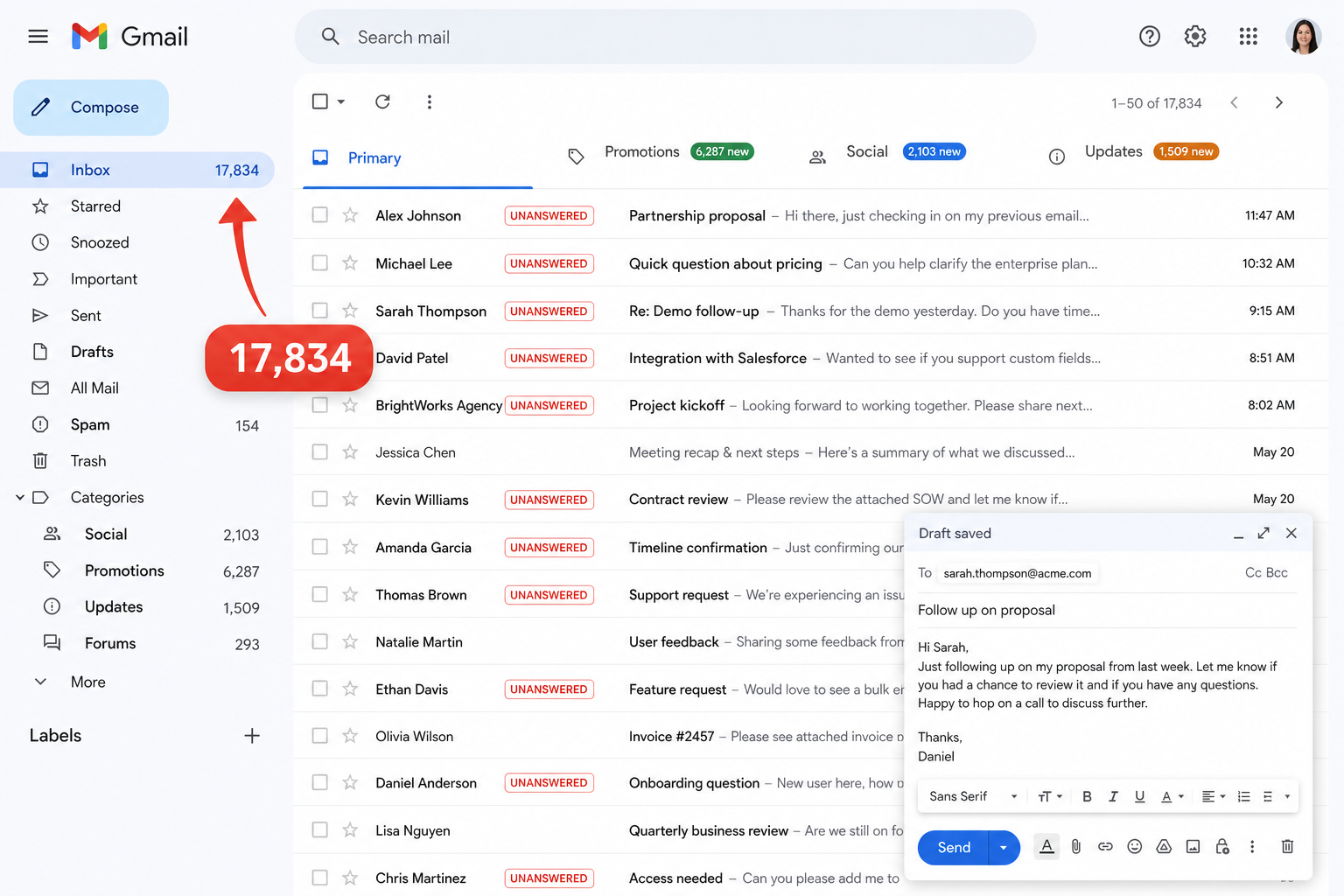
The Anatomy of a 20-Minute Email Reply
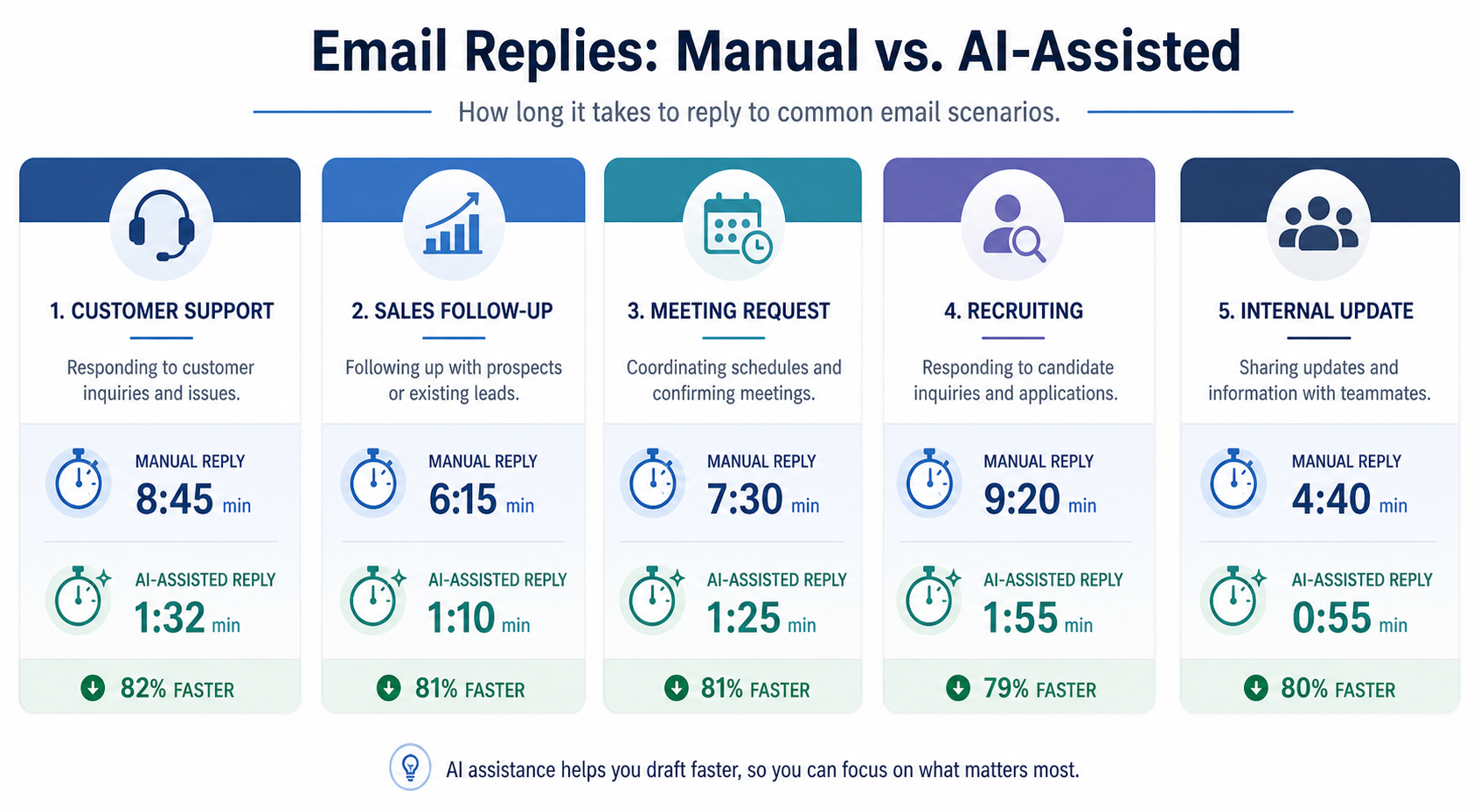
What You Think Is Happening vs. What Is Actually Happening
The surface-level assumption is that writing is slow because writing is hard. But if you time yourself carefully, the actual drafting - fingers on keyboard, constructing sentences - rarely takes more than 2 - 3 minutes for a typical professional reply.
What consumes the rest of the time is a series of invisible pre-writing phases that most people cycle through without ever noticing they are doing it:
- Scrolling back through the thread to remember what was said
- Figuring out exactly what is being asked
- Deciding what kind of response is appropriate
- Calibrating the right tone
- Drafting something
- Second-guessing it
- Editing
- Finally sending - or abandoning it and starting again later
The critical insight here is that most professionals loop between these phases rather than moving through them linearly. They draft a sentence, realize they have not fully reconstructed the thread, go back to re-read, return to drafting, realize they have not made the key decision yet, pause again. Each loop adds time.
The Four Pre-Writing Phases Nobody Talks About
The productivity conversation around email focuses almost entirely on the drafting phase. That is where the templates, typing speed tips, and AI tools get aimed. It is the wrong target.
Here are the four phases that actually consume most of the time - and that almost no productivity advice addresses:
Phase 1 - Thread Reconstruction
Before you can write anything useful, you need to remember the full history of the conversation. What was promised? What is already been said? What is still unresolved? If the thread is more than a few messages long, or if it is been more than a day since you last looked at it, reconstruction takes real time.
Phase 2 - Decision Identification
Many emails require a decision before they can be answered. Not a complicated decision, necessarily - but a decision nonetheless. Does this email require information you have, a commitment you are not sure you can make, or input from someone else? Until you have identified what type of response is needed, you cannot start writing.
Phase 3 - Tone Calibration
Professional emails carry social weight. Before writing, most people unconsciously assess: How important is this relationship? What is the emotional register of this message? Is this person frustrated? Is this high-stakes? Getting this wrong has real consequences. Getting it right takes effort - even when it happens in the background.
Phase 4 - Draft Confidence
Once a draft exists, there is a final evaluation loop: Is this clear? Is this appropriate? Does this say what I actually mean? Will it be misread? This is where the perfectionism loop lives, and it is where many replies either get sent after five rewrites or get saved as drafts and never sent at all.
Key takeaway: Most productivity advice skips all four phases and jumps straight to "write better emails faster." That is why most productivity advice does not actually solve the problem.
What Most Advice Gets Wrong About Email Speed
Here is the honest version: if you spent 15 minutes deciding what to say, giving someone a faster way to type does not help.
The bottleneck is pre-writing decision fatigue, not drafting time. A faster keyboard, a better template library, even an AI email generator - these tools address the last 3 minutes of a 20-minute problem. They are not useless. But they are treating a symptom, not the cause.
The cause is everything that has to happen in your head before the first word gets typed.
Context Switching Is Not What Most People Think It Is
The Standard Definition and Why It Misses the Point
Most articles define context switching as jumping between applications or tasks - going from email to Slack to a document and back. That is accurate, but it is not the most damaging version of the problem.
In email workflows, the more expensive form of context switching happens inside a single inbox session: moving between emails that each require completely different mental states.
Consider four consecutive emails in a typical professional inbox:
- A frustrated client asking why a deliverable is late
- A vendor negotiating revised terms
- A team update that needs a quick acknowledgment
- A candidate following up after an interview
That is four emails. It is also four completely different modes of thinking, four different relationship contexts, and four different emotional registers. Switching between them is not just about reading - it is about mentally resetting.
The Recovery Cost That Accumulates Silently
Each time you exit one email thread and open another, there is a cognitive recovery cost: rebuilding who sent it, why they sent it, what the prior conversation established, and what the expected next action is.
Per email, this cost feels trivial. Across an inbox with 30 messages requiring attention, it compounds.
We consistently see this pattern across professional inboxes: the sensation of having spent two hours in email and barely having accomplished anything is not caused by any single difficult email. It is caused by the accumulation of small recovery costs across many emails - each one individually manageable, collectively exhausting.
The Difference Between Task Switching and State Switching
There is an important distinction that rarely gets made:
| Type | What It Means | Example |
|---|---|---|
| Task Switching | Moving from one activity to another | Email → document review → Slack |
| State Switching | Changing emotional register within the same activity | Complaint email → candidate outreach email |
State switching is harder to measure and harder to recover from. You carry the emotional residue of one email into the next. The frustration from a difficult client exchange bleeds into the tone of the next message if you do not reset deliberately.
This is why some emails get delayed not because they are unimportant, but because the person just processed something emotionally demanding and has not reset yet.
A Less Obvious Insight - The Email You're Avoiding Is Rarely the Hard One to Write
People assume the hardest emails to reply to are the complex ones. In practice, the most avoided emails are those that require a decision before they can be answered.
"Are you available Friday?" can sit unanswered for two days - not because writing the reply is difficult, but because the person has not checked their calendar, has not confirmed with their team, or is waiting on someone else to lock in first. The email is a proxy for a decision that has not been made.
The email looks like a communication problem. The real problem is a decision problem. These are not the same thing, and solving one does not solve the other.
The Psychology Behind Reply Delay
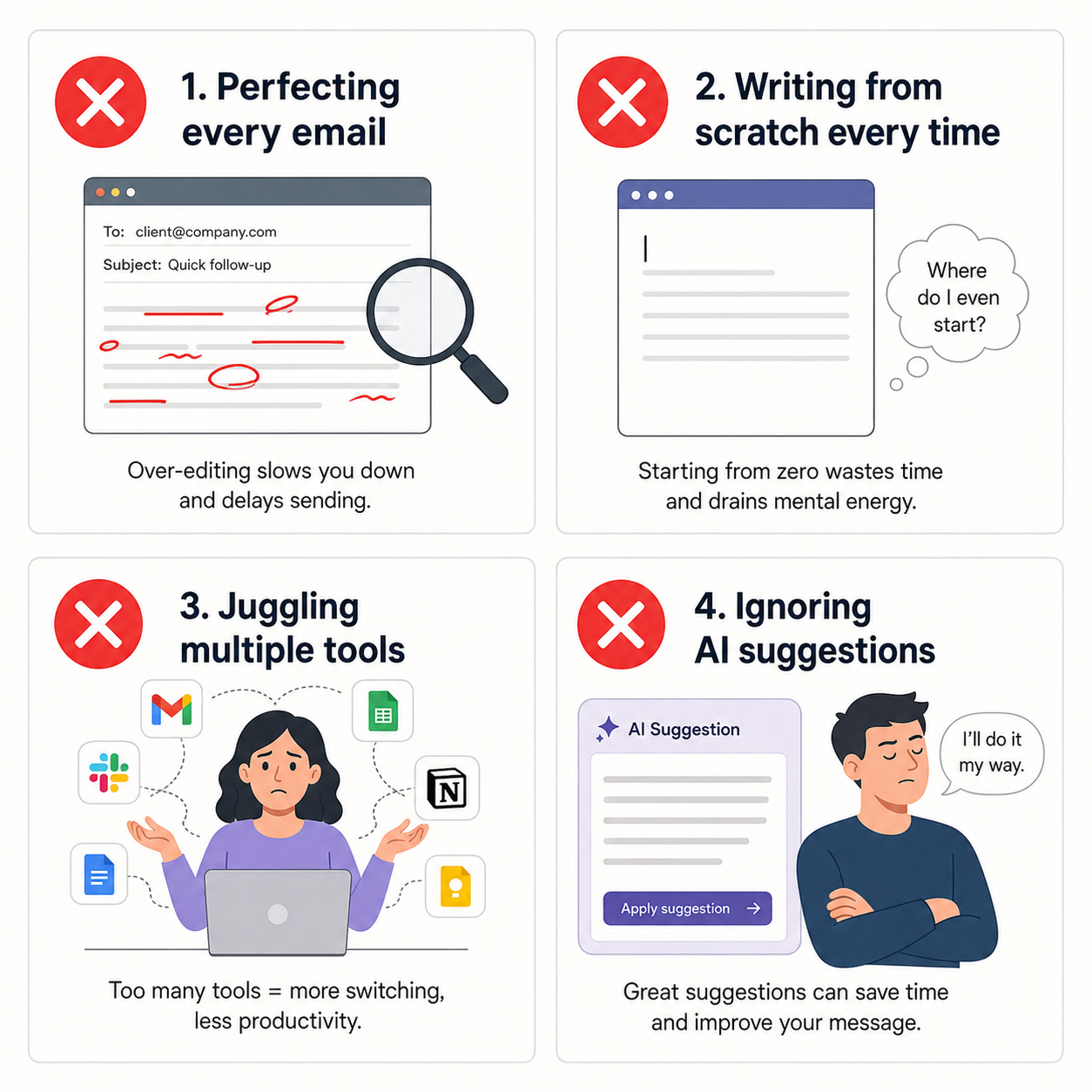
Decision Fatigue Is an Inbox Problem, Not Just a Meeting Problem
Professional discourse about decision fatigue focuses on leadership contexts - too many meetings, too many strategic choices. The inbox rarely gets mentioned. It should.
Every email session generates dozens of micro-decisions: Reply now or later? Reply fully or briefly? Escalate or handle? Ask for clarification or assume intent? Forward or respond directly?
Each micro-decision draws from the same cognitive reserve. By the time someone reaches their 40th email in a session, the quality of decisions - including the decision of whether and how to reply - has degraded meaningfully.
This is not laziness. It is a resource depletion problem. And the inbox is one of the most consistent sources of micro-decision load in a professional workday.
The Uncertainty Avoidance Pattern
Many reply delays are not caused by poor time management. They are caused by uncertainty about what the right response is.
When a professional is not sure whether to agree, disagree, ask for more information, or escalate - the easiest short-term resolution is to close the email and return to it later, when they hope clarity will have arrived on its own.
It rarely does. The email resurfaces in the next inbox session. The same uncertainty is still there. The same loop repeats.
What we see in practice: the emails that stay open the longest are rarely the ones that are hardest to write. They are the ones where the person has not yet made up their mind about what they want to say - or what they are allowed to say.
Tone Anxiety and the Perfectionism Loop
Professional emails carry social weight. The wrong tone can damage a client relationship, create unintended tension, or establish a paper trail that complicates things later.
This stakes-awareness triggers a perfectionism loop:
Draft → Re-read → Edit → Re-read → Second-guess tone → Re-edit → Send (or abandon entirely)
We see this pattern most prominently in a predictable category of emails: delivering bad news, declining a request, following up on an overdue commitment, or responding to someone who is visibly frustrated. These are not difficult to write in terms of information. They are difficult to write because the sender knows the stakes are real and does not want to make them worse.
The trap: spending 20 minutes on an email trying to make it perfect often produces a reply no better than a 5-minute draft would have - because the issue was never the words. It was the underlying anxiety about the outcome.
What We See Across Professional Inboxes - The Avoidance Cluster
Across different roles and industries, a predictable cluster of email types gets disproportionately delayed. These are not the hardest emails to write. They are the ones where the pre-writing cognitive work has not been completed yet:
- Emails that require a decision before an answer can be written
- Emails where the sender is emotionally frustrated or disappointed
- Emails where the professional is uncertain about their authority to respond
- Emails that require coordination with a third party before replying
- Emails where the professional made a mistake and has not decided how to address it
What these have in common: the blocker is not the writing. It is the unresolved thinking that has to happen first.
Field Notes - What We See Across Professional Inboxes
Across customer success, recruiting, sales, operations, and consulting roles, the same structural patterns appear in how email gets stuck. Understanding them makes it easier to spot - and interrupt - the loop before it costs more time.
| Pattern Name | Trigger | What Gets Stuck | Root Cause |
|---|---|---|---|
| The Parked Flag | Starring/flagging an email to return 'later' | Standard, non-urgent replies | Postponing decision feels like progress, but cognitive load remains. |
| Cascading Thread Delay | Waiting on internal colleague input | Multi-party/longer threads | Thread grows/buries request; context has to be reconstructed twice. |
| Tone Mismatch Spiral | Curt/short response sent quickly | Client/manager check-ins | Brevity is ambiguous; recipient reacts defensively, prompting complex follow-up. |
| The Reopened Draft | Draft is written but saved to review later | Sensitive/high-stakes emails | Reopening triggers second-guessing & rewrite loops. |
Role-Specific Observations
| Role | Most Delayed Type | Root Cause | Better Approach |
|---|---|---|---|
| Customer Success | Ambiguous status requests | CSM tries to infer what level of detail is expected. | Send a brief holding reply to acknowledge and buy time. |
| Recruiters | Candidate updates | Waiting on internal stakeholders to align on decisions. | Acknowledge check-in with honest timeline & date. |
| Founders/Leaders | High-context/stakes replies | Agonizing over what NOT to say, filtering is slow. | Batch by email type and accept 'good enough' drafts. |
| Sales Executives | Follow-ups after silence | Over-calibrating tone to avoid sounding pushy. | Keep it to 2-3 direct sentences rather than long sequences. |
Customer Success and Account Management
The most delayed emails in customer-facing roles are not complaints - they are ambiguous status requests. Vague check-in messages like "just wanted to see where things stand" are harder to answer than a clear, specific question because they do not define what level of update is expected.
A clear trigger, a clear request, and a clear deadline produce faster replies. Vague check-ins do not. The bottleneck is the professional trying to infer what is actually being asked before they can answer.
Recruiters and Hiring Teams
Recruiters frequently delay candidate updates not because they lack information, but because internal stakeholders have not aligned on next steps. The email to the candidate is ready to write. The decision behind it is not.
Candidates interpret this silence as rejection. The organization interprets it as an overwhelmed recruiter. Neither interpretation is accurate - but both do real damage. The actual issue is that email cannot be sent until a decision gets made, and the decision has not been made.
Founders and Senior Leaders
High-context email environments - where every reply carries weight, sets precedent, or involves multiple stakeholders - generate the heaviest pre-writing load of any professional role.
Senior professionals often spend more time thinking about what not to say than what to say. The writing is fast. The filtering is slow.
Sales and Business Development
The emails most likely to be over-engineered are follow-ups after silence. A prospect goes quiet. The sales professional rewrites the follow-up five times, trying to find a tone that acknowledges the non-response without pressuring or alienating.
In practice, a direct, low-friction follow-up nearly always performs better than a carefully constructed re-engagement sequence. But the anxiety of not knowing why someone went silent drives disproportionate investment in crafting the reply.
The Hidden Architecture of Email Friction - A Framework
Introducing the Context Recovery Stack
Here is a framework for understanding why email replies take longer than they should. We call it the Context Recovery Stack - the layers of mental work that must be completed before writing can begin.
The Context Recovery Stack
Feeling authorized and comfortable owning the response. If missing, email gets escalated, forwarded, or held.
Assessing the stakes and register. Getting it wrong has consequences; getting it right takes cognitive effort.
Having the info or internal alignment needed. If missing, we delay or send a vague, non-committal reply.
Recalling current status with sender (recent tension, status updates, or prior agreements).
Remembering what was said, by whom, and when. Requires re-reading older emails or tracing the thread history.
The full stack must be cleared before writing begins. Missing any layer creates friction. Friction creates delay.
When the Stack Is Incomplete - What Happens in Practice
This is where the patterns get practical:
- Layer 1 missing: The professional re-reads the thread (adds time) or makes assumptions (risks a misaligned reply that generates another round of emails).
- Layer 3 missing: The reply becomes vague and non-committal - "I'll look into this and get back to you" - which creates a follow-up and restarts the entire cycle.
- Layer 5 missing: The email gets escalated, forwarded, or held while the professional seeks permission to respond. Every handoff adds delay and dilutes accountability.
Understanding which layer is incomplete is often faster than trying to push through the block by forcing a draft.
What Experienced Professionals Do Differently
The professionals who move through inboxes efficiently are not faster writers. They have developed habits that reduce the time spent clearing the stack:
- They batch similar email types together to reduce state-switching costs. Client emails in one block. Internal emails in another. Sensitive messages when they have the mental bandwidth for them.
- They make the decision first, then write the email. They have recognized that the bottleneck is rarely the writing.
- They accept good-enough replies when the stakes do not justify perfectionism. A 90% reply sent quickly often serves the recipient better than a 100% reply sent three days later.
- They build reply patterns for recurring email types - not to avoid thinking, but to reduce the overhead of starting from nothing every time.
What we see repeatedly: the professionals who feel least overwhelmed by email are not the ones with empty inboxes. They are the ones who have gotten better at identifying which layer of the stack is incomplete - and addressing that directly instead of trying to write around it.
The Interruption Recovery Problem - Why Returning to an Email Is Harder Than Starting One
First Read (1x Cost)
Building and acting on context immediately when information and attention are already aligned.
- •Read message and construct mental model of thread context
- •Draft reply immediately while context is hot
- •Send and move on (closes loop immediately)
Returning to Email (2.5x Cost)
Re-opening an email that was parked. Triggers extra cognitive loops to rebuild context.
- •Re-open thread and verify if details changed
- •Re-read past messages to reconstruct context
- •Re-calibrate relationship state and decision needs
- •Draft reply, second-guess, and edit again (looping)
The Cold Start vs. The Warm Start
Returning to an email you previously opened and closed requires more effort than reading a new email for the first time. This surprises most people.
On the first read, your brain builds a mental model of the context. On the second read, it has to verify whether that model is still accurate - whether anything has changed, whether your memory of the thread is reliable, whether your initial interpretation was correct.
This re-verification process is subtle but real. It explains why "I'll come back to this" is often costlier than it appears. You are not picking up where you left off. You are reconstructing the context you had before.
How Interruptions Compound Into Inbox Paralysis
Each unfinished email in the inbox creates an open loop - a mental commitment that has not been resolved. The accumulation of open loops creates the sensation of inbox paralysis: being behind everywhere simultaneously, which makes it harder to prioritize and easier to avoid the inbox altogether.
The solution is not to clear the inbox faster. It is to close loops earlier - even with a partial reply or a clear next-step commitment - rather than leaving threads suspended in an ambiguous state.
Suspending a thread does not pause the cognitive load. The open loop persists in the background whether the email is starred or not.
What Most Advice Gets Wrong About Inbox Zero
Inbox zero is often framed as a volume goal. Empty inbox equals productivity.
The problem: reaching inbox zero by moving emails into folders does not close the mental loops. The open commitments migrate into the folder and continue to occupy cognitive space. The inbox looks clean. The unresolved decisions are still sitting there.
True loop-closing requires a decision, a reply, a delegation, or a deliberate choice to let something go - not a folder. Moving an email is not an action. It is a postponement.
Practical Approaches That Actually Address the Root Cause
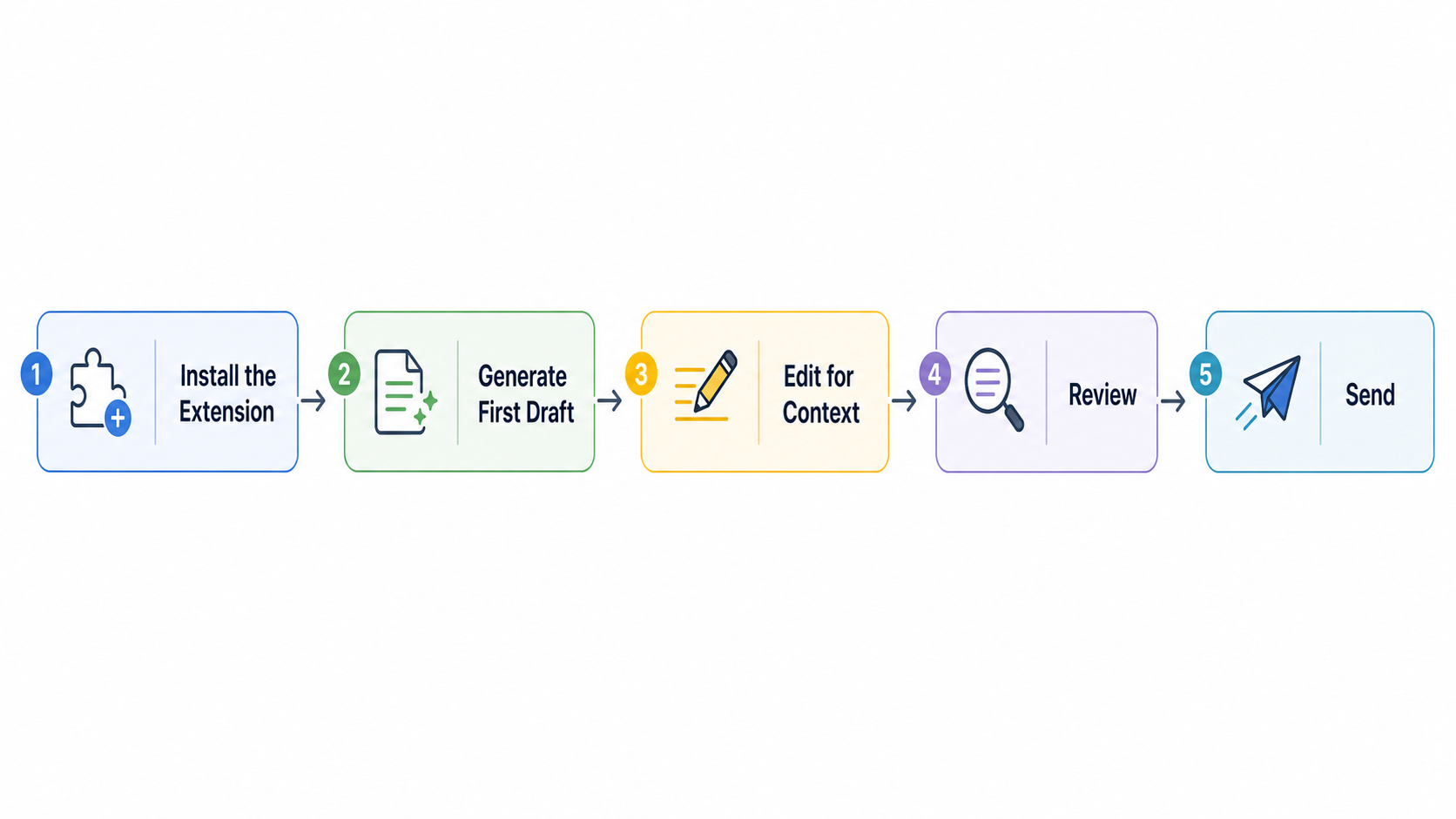
Separate the Decision From the Draft
Most professionals try to decide and write simultaneously. These are different cognitive tasks, and they compete for the same mental resources.
A more effective approach: read the email, identify what decision is required, step away briefly, then return to write. Even a two-minute gap between deciding and drafting can interrupt the perfectionism loop and produce a cleaner first draft.
The writing is easier once the decision is made. The decision is harder when you are also trying to write.
Build a Personal Reply Decision Framework
Before writing any reply, answer three questions:
- What does this person actually need?
- What do I need before I can give them that?
- What can I give them right now, even if incomplete?
These three questions short-circuit the uncertainty loop by making the decision explicit rather than implicit. Most reply delays are caused by people circling implicitly around a decision they have not named yet.
Naming it makes it resolvable. Leaving it unnamed means it stays in the background, consuming attention without producing clarity.
Use Draft States Deliberately
Most email clients treat drafts as unfinished failed attempts. Effective professionals treat them as thinking tools.
The approach: write a rough draft as fast as possible - not to send, but to surface your own thinking. Re-read it. Then write the real reply.
This separates the thinking phase from the editing phase. The rough draft externalizes the decision-making process, which makes the perfectionism loop shorter and the editing phase more focused.
Reduce Context Reconstruction With Inbox Habits
Reply to emails while context is still hot - immediately after reading, or within a short window. The longer you wait, the more reconstruction you will need before you can write.
This is not about responding to everything immediately. It is about identifying which emails decay fastest - time-sensitive decisions, emotionally charged threads, anything requiring coordination - and prioritizing those before the context degrades.
Emails that do not require immediate action often do not require fast replies. Emails that require fast action almost always cost more the longer they sit.
Where AI-Assisted Drafting Reduces Friction - and Where It Doesn't
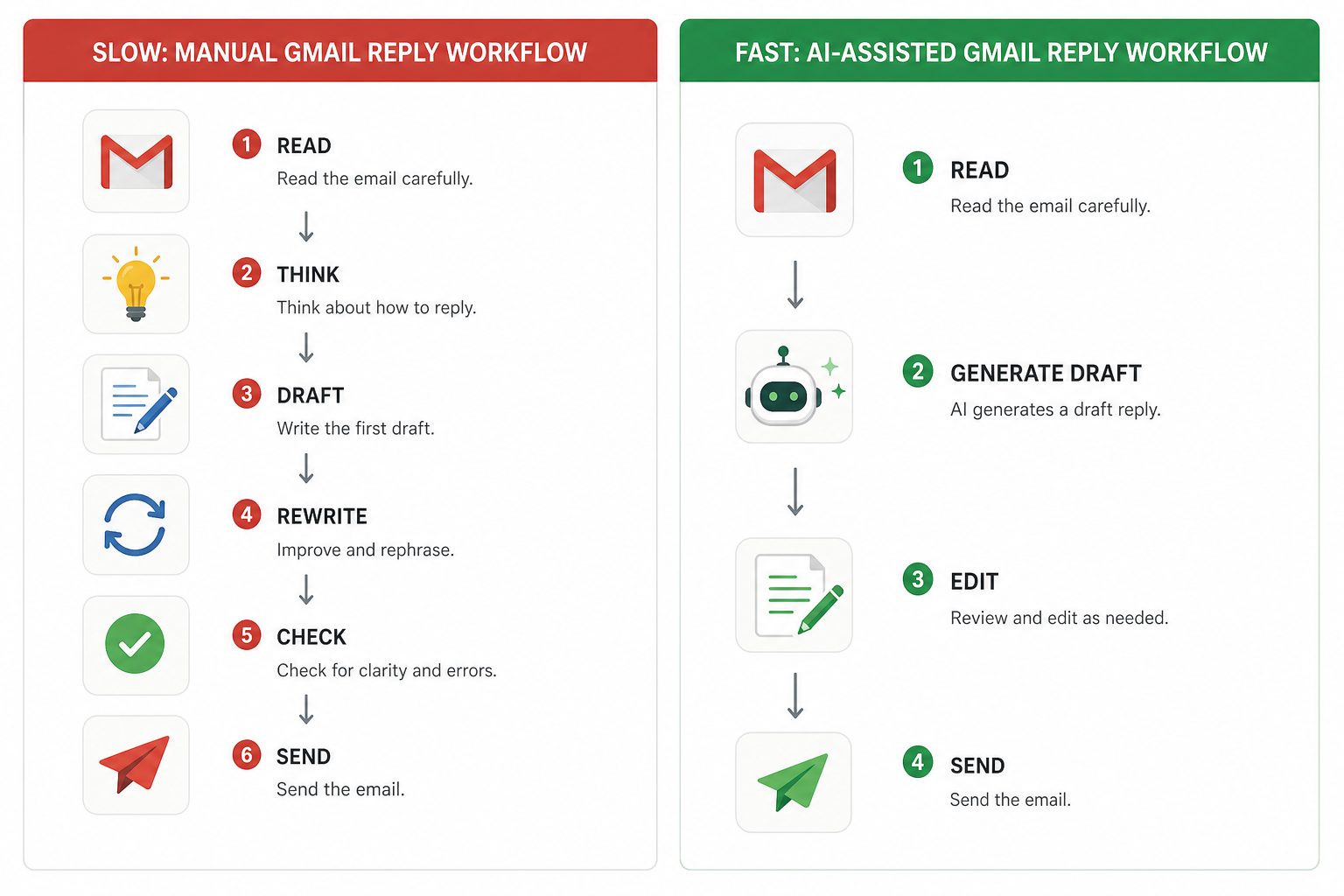
The most useful role for AI in email workflows is not replacing the writer. It is collapsing the blank-page bottleneck.
Starting a reply from zero requires clearing the full Context Recovery Stack before putting words together. Starting from a contextual draft - even an imperfect one - compresses the activation cost significantly. The decision-making still happens. The reconstruction still happens. But having something on the page changes the cognitive task from composition to editing, which is meaningfully easier.
This is where tools like an AI email reply generator make a genuine workflow difference - not because they write better than you do, but because they eliminate the blank page at the moment it costs the most.
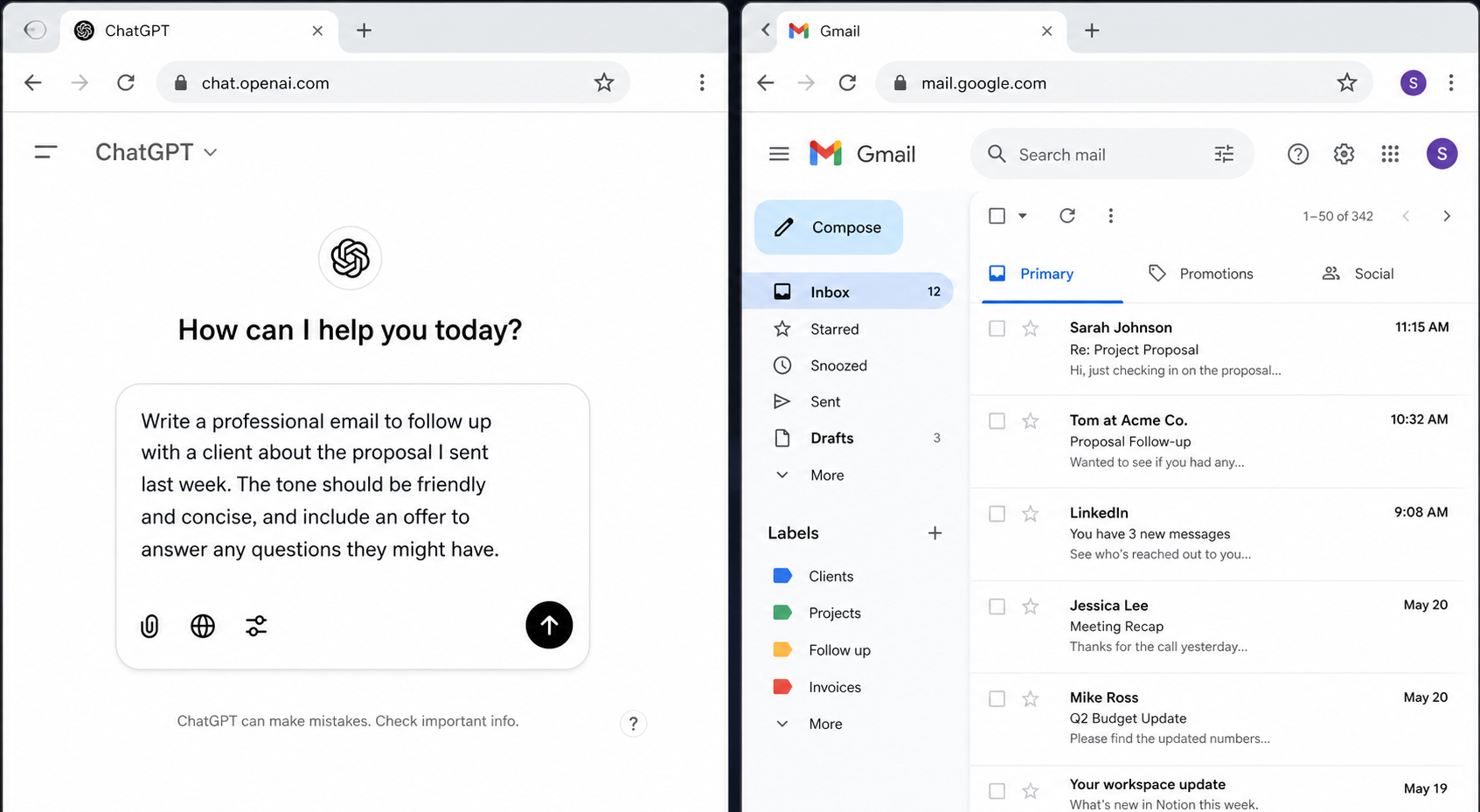
Tools that work directly inside your inbox - rather than requiring you to open a separate tab, copy the email thread, generate a draft, and paste the result back - reduce friction at a second critical point: they do not add a new context switch on top of the one you are already trying to manage.
A Gmail AI writing assistant that generates the draft where the conversation already lives means the context reconstruction has already happened by the time you see the draft. That is a workflow improvement, not a writing shortcut.
The honest tradeoff: AI-generated drafts still require review. The draft reduces the starting friction. It does not eliminate the need for judgment. Tone calibration, accuracy, relationship context - those still require a human in the loop. Any tool that suggests otherwise is overpromising.
For Outlook users, the same principle applies: an AI email writer for Outlook that works inside the compose window avoids the copy-paste workflow that adds its own context switch overhead.
Scenarios - The Context-Switching Problem in Practice
Scenario A - The Cascading Delay
Setup: A customer success manager receives a client request for a project update. She does not have full visibility because the engineering team has not confirmed the latest milestone.
What happens: She marks it to follow up after the engineering sync. The sync happens. She forgets to follow up. The client follows up first. Now the reply carries additional weight because the silence has introduced doubt.
What actually caused the delay: Layer 3 of the Context Recovery Stack - Decision Readiness - was missing. She could not reply until she had information she did not have.
A better approach: A brief holding reply immediately after the original message: "I'm confirming the latest milestone with the engineering team and will have a full update for you by Thursday." This closes the loop temporarily, buys time, and protects the relationship - all without requiring the information she did not yet have.
Transferable principle: When you cannot answer the question, answer the uncertainty. People can tolerate waiting. What they struggle with is not knowing whether their message was received and acted on.
Scenario B - The Tone Spiral
Setup: A sales executive receives a short, neutral follow-up from a prospect: "Still thinking about it." He interprets this as cold. He spends 25 minutes writing a reply that tries to re-engage without seeming pushy - rewrites it three times - and ultimately sends a message that is longer and more complex than the original email warranted.
What actually caused the delay: Tone anxiety (Layer 4) triggered a perfectionism loop. The prospect's email was almost certainly benign. The time invested was not proportional to the stakes.
A better approach: A brief, warm acknowledgment that removes pressure: "No rush at all - happy to answer any questions whenever you're ready." Short, low-friction, and impossible to misread as pushy.
Transferable principle: Short, ambiguous emails are not invitations to over-invest. In most cases, a 3-sentence reply outperforms a 12-sentence one. The goal of a follow-up reply is to reduce the recipient's effort to respond - not to demonstrate thoroughness.
Scenario C - The Paralyzed Recruiter
Setup: A recruiter is waiting on decision-maker sign-off before extending an offer. The candidate has been waiting for a week and sends a check-in email. The recruiter knows nothing has changed but does not want to say "still waiting" because it might signal disorganization.
What actually caused the delay: Layer 5 - Outcome Ownership - is compromised. The recruiter does not feel authorized to say anything definitive and is uncomfortable sending a partial answer.
A better approach: Acknowledge the check-in directly, with honest context and a specific timeline: "We're in the final stage of our internal review and expect to have a clear update for you by [specific date]. Thank you for your patience."
This is honest. It closes the open loop for the candidate. It buys time without fabricating false certainty.
Transferable principle: Candidates - and clients, and stakeholders generally - are far more tolerant of process than of silence. A clear "we're still deciding, here's when we'll know" almost always performs better than saying nothing.
Frequently Asked Questions
?Why do simple emails take so long?
Because of pre-writing cognitive work like context recovery, decision identification, and tone calibration, not writing speed.
?Is context switching really that costly?
Yes. Within an inbox session, switching between emails with different emotional states compounds mental fatigue silently.
?What's the fastest way to save time?
Separate decisions from drafting, send brief holding replies when waiting, and reply while the context is hot.
?Why do easy emails sit unanswered?
They represent an unresolved decision. The delay is a decision blocker, not a drafting blocker.
?Does AI actually help or just write?
AI reduces starting friction at the blank-page stage. In-box tools save more time by eliminating copy-paste switches.
?Is checking email frequently bad?
Yes, it creates multiple context switches and builds up partially processed threads, increasing cognitive load.
Why do I spend so much time on emails that should be simple?
Most of the time spent on a "simple" email is pre-writing cognitive work - reconstructing context, identifying what is actually being asked, deciding how to respond, and calibrating the right tone. None of that is writing. Improving your writing speed does not address any of it. The fix is identifying which phase of the Context Recovery Stack is incomplete - not trying to write faster.
Is context switching between emails really that costly?
Each switch requires your brain to rebuild a mental model of a new conversation. Per email, this feels trivial. Across a full inbox session of 20 - 40 messages requiring attention, the cumulative recovery cost becomes significant. The sensation of "I've been in email for two hours and accomplished almost nothing" is almost always caused by this accumulation, not by any single difficult email.
What's the fastest way to reduce email reply time without sacrificing quality?
Separate the decision from the draft. Make the decision about what to say, then write. Reply while context is fresh rather than returning to emails hours or days later. Use a brief holding reply when you are waiting on information - it closes the loop and buys time without damaging the relationship.
Why do some emails stay in my inbox for days even when they're easy to answer?
Often because they require a decision - even a small one - before they can be answered. The email itself is not hard. The invisible prerequisite is. Identifying what decision you are avoiding is usually faster than waiting for clarity to arrive on its own.
Does AI help with this problem, or does it just make drafting faster?
AI helps most at the blank-page stage - when the cognitive cost of starting is highest. A contextual draft reduces the activation cost significantly. The remaining work - judgment, tone calibration, accuracy review - still requires human input. AI does not solve the decision problem. It reduces the drafting friction after the decision has been made. Tools that work in-context (inside your inbox, not in a separate tab) provide additional friction reduction by eliminating the context switch of switching tools.
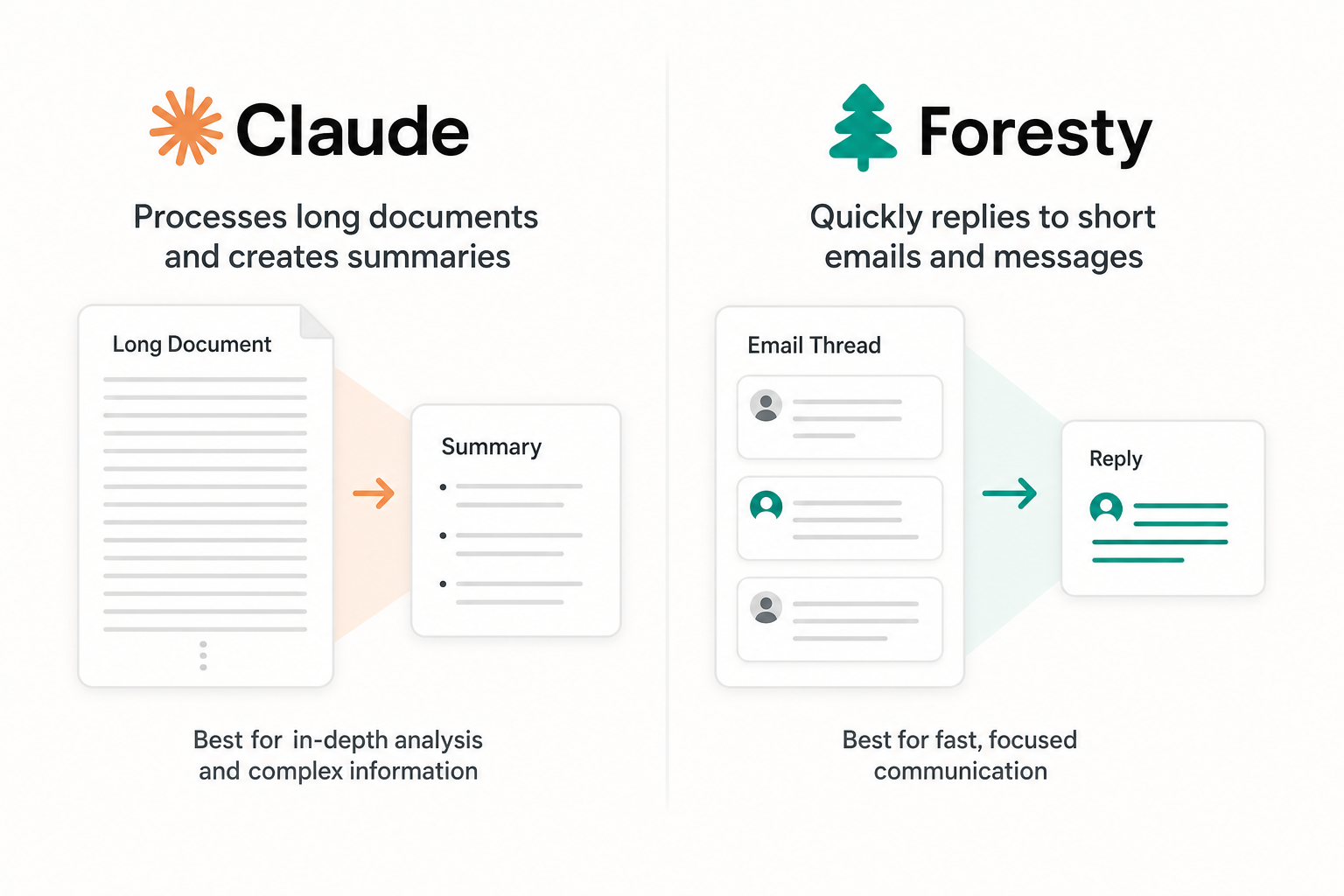
If you are curious how that works in practice, Foresty's AI email autocomplete is built specifically for this - generating drafts inside Gmail and Outlook without requiring you to leave the thread.
Is checking email multiple times a day making this worse?
Yes, in a specific way. Frequent checking increases the number of context-switching events per day, which amplifies cumulative recovery cost. It also increases the number of partially-processed emails - emails you have read but not replied to - which multiplies the reconstruction work in future sessions. Batching email sessions reduces switching frequency and allows you to process similar email types together, which is cognitively cheaper.
How do experienced professionals handle high-volume inboxes without burning out?
They protect decision-making capacity by batching, reducing open loops deliberately, accepting partial replies when full answers are not available, and building reply patterns for recurring email types. The goal is not to reply faster. It is to reduce the cognitive overhead of deciding what to reply before they start typing. The writing is rarely the hard part. Everything before it is.
The Reply Was Never the Hard Part
The 20 minutes it takes to reply to a simple email is almost never about writing. It is about context recovery, decision readiness, tone calibration, and the invisible friction of switching mental states between unrelated conversations.
The core pattern - once you see it - is consistent across roles, industries, and inbox sizes: most delayed replies are delayed decisions. The email is ready to be written. The thinking behind it is not finished yet.
The practitioner approach that actually works is not about optimizing the writing. It is about:
- Separating decisions from drafts - making the decision first, then writing
- Closing loops early even with partial information, rather than letting threads sit unresolved
- Batching by email type to reduce state-switching costs
- Reserving perfectionism for the emails that genuinely warrant it - not every follow-up
There is no system that eliminates the cognitive cost of email entirely. Every substantive reply requires thought. The goal is to reduce unnecessary overhead - not to automate judgment.
On that note: for professionals who draft a high volume of replies, the blank-page moment is one of the most consistent sources of friction. Having a contextual draft generated inside the thread - without switching tools or rebuilding the conversation from scratch elsewhere - compresses the activation cost at exactly the right moment. That is what tools like Foresty are built to do. It is a workflow improvement, not a writing shortcut.
This week, try a small audit: identify the emails you have opened and closed without replying. For each one, ask: what decision am I waiting to make?
That answer will tell you more about your email productivity than any writing tip.
Want to cut down the actual drafting time once the decision is made? See how the AI email reply generator works directly inside Gmail and Outlook - no tab switching required.