
If you are looking at Compose AI and wondering whether it is worth using for your emails, here is the short answer: it works for general writing, but it has real gaps when it comes to email-specific workflows. In this review, we break down exactly what Compose AI does, where it struggles, and which tools actually do the job better - especially if email is your primary use case.
What Is Compose AI?
Compose AI is a Chrome browser extension that helps users write faster by offering AI-powered autocomplete, text drafting, and editing across web applications. It works on Gmail, Google Docs, Notion, LinkedIn, and most web-based text fields.
You trigger it by typing // inside any text box, which opens a prompt menu. From there, you can ask it to write an email, a paragraph, a bullet list, a headline, or a brainstorm.
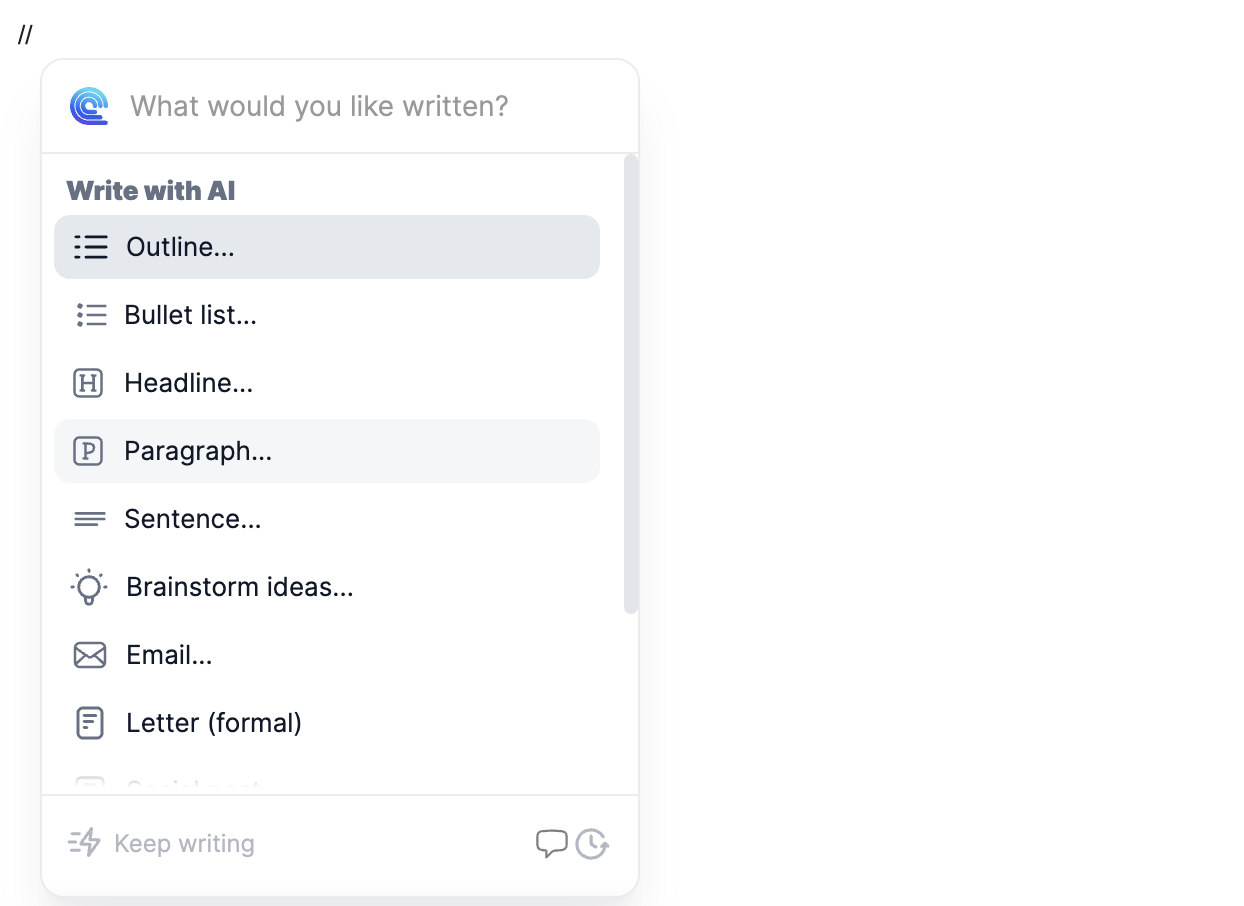
It also offers inline editing: highlight any text, and Compose AI lets you shorten, lengthen, rephrase, fix grammar, or change tone.
On the surface, it covers a lot of ground. The problem shows up when you start using it specifically for email.
How Compose AI Actually Works for Email
Drafting New Emails
To draft a new email, you type // in the Gmail compose window, select "Email" from the dropdown, and enter your prompt. Compose AI generates a draft you can insert into the compose box.
We noticed the generated drafts tend to be noticeably long and somewhat generic in tone. The writing carries a clear AI signature - overly formal, padded with filler phrases, and not particularly context-aware. If you are sending a quick follow-up or a time-sensitive client message, the draft usually needs more editing than it saves you.
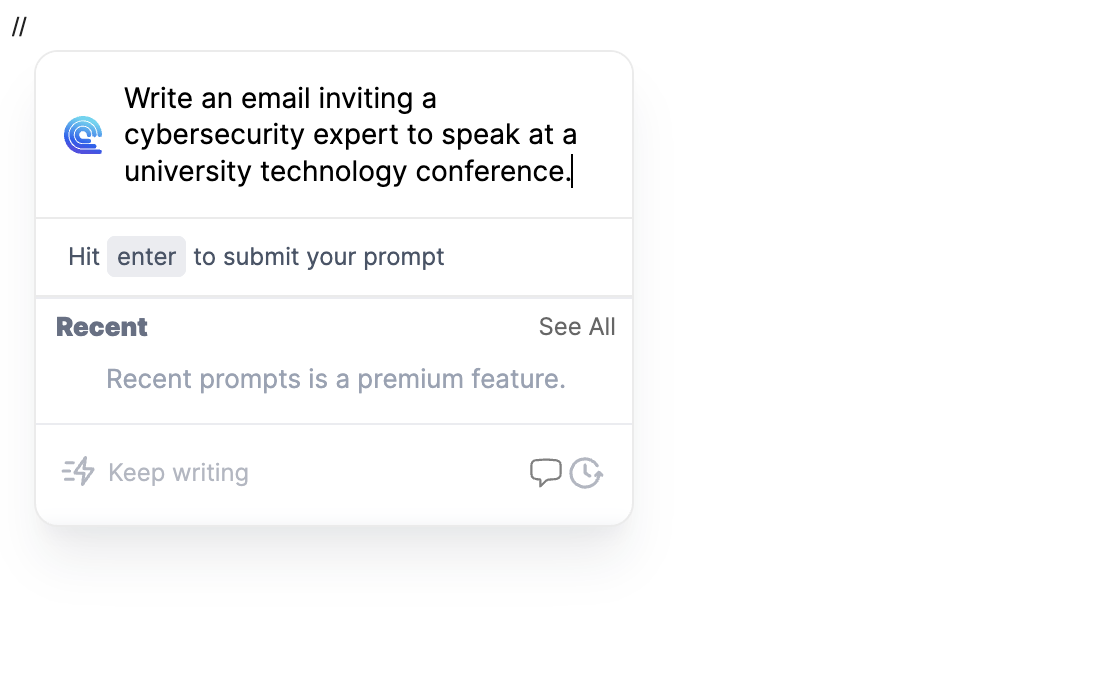
The free version also locks "Recent Prompts" behind the paid plan, which means you lose the convenience of reusing your most common prompt patterns unless you upgrade.
Replying to Emails
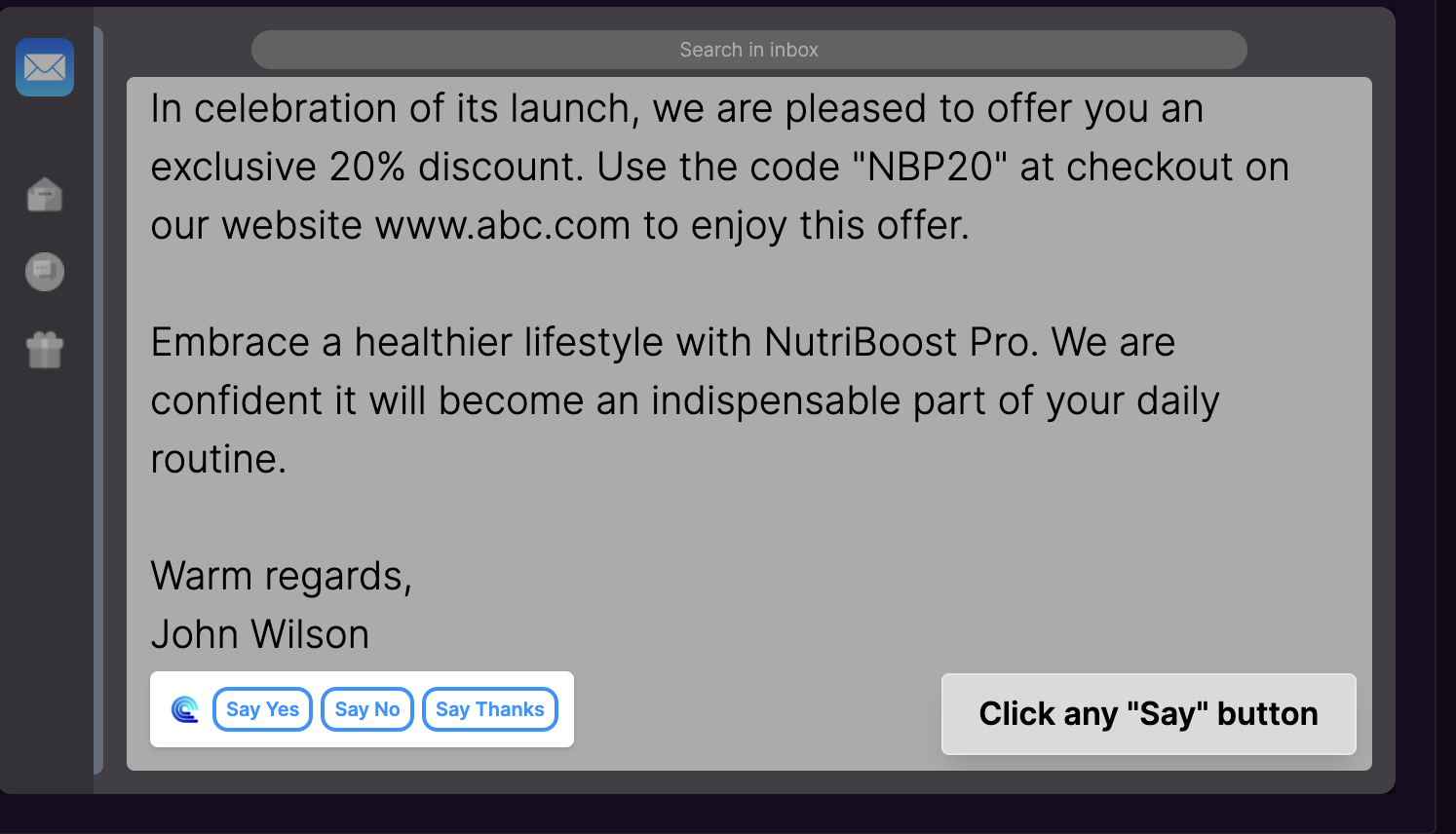
Compose AI offers two reply modes. The first is a quick reply panel at the top of the Gmail thread, where you enter a brief prompt and it generates a longer reply. The second offers quick reply shortcuts like "Say Yes", "Say No", or "Say Thanks."
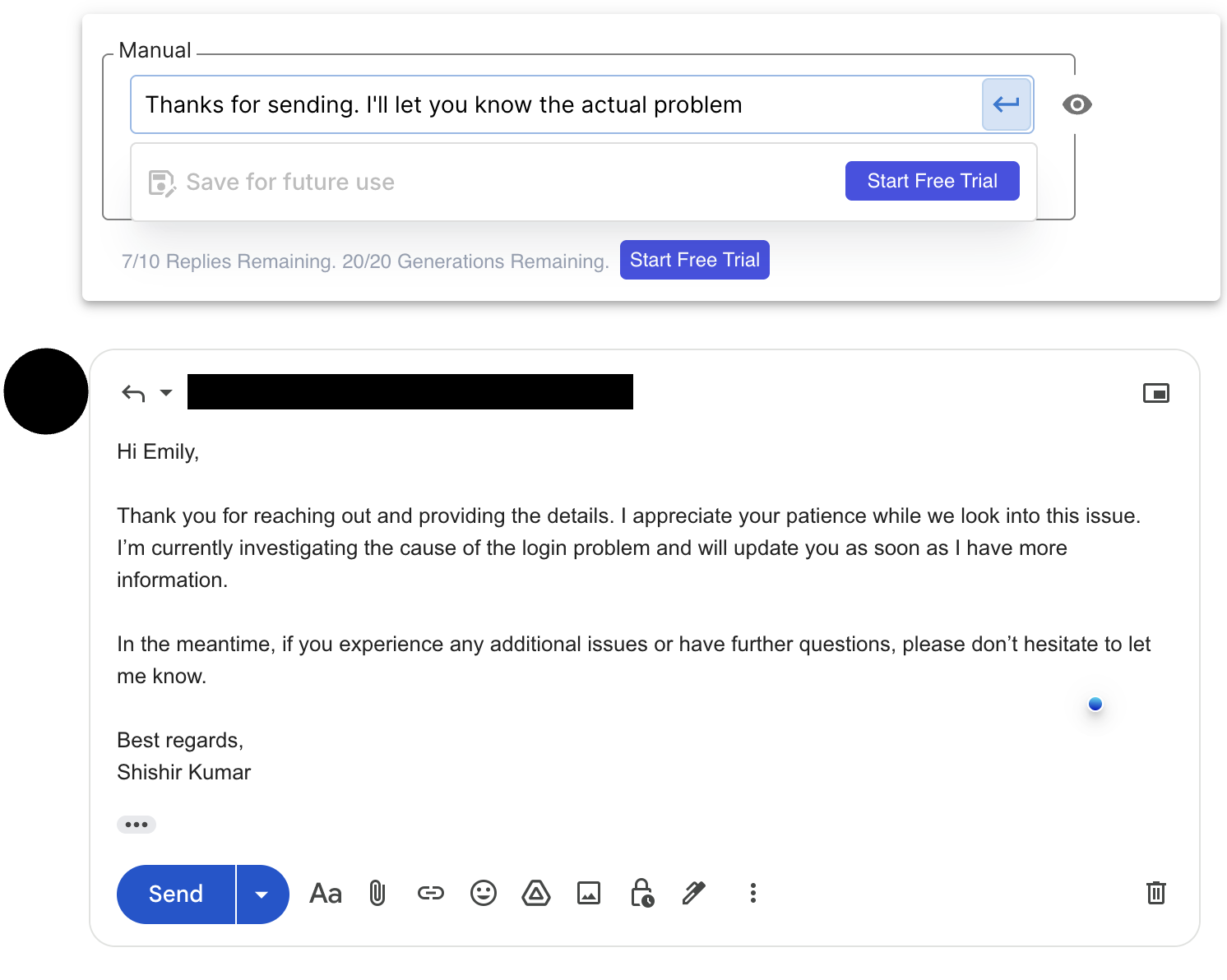
In our analysis, the reply quality is where Compose AI falls most noticeably short. The generated replies lack contextual awareness of the original email thread. A reply to a client asking about a project delay shouldn't read the same as a reply to an internal status update, but in practice, the output feels interchangeable.
There is also no voice input for replies, and no pre-built email templates to start from.
Editing and Rewriting
Highlight any sentence in Compose AI and a popup appears with editing options. The free version includes shortening, lengthening, and grammar fixes. The Pro version adds tone changes, rephrasing, translation, and a "keep writing" expand feature.
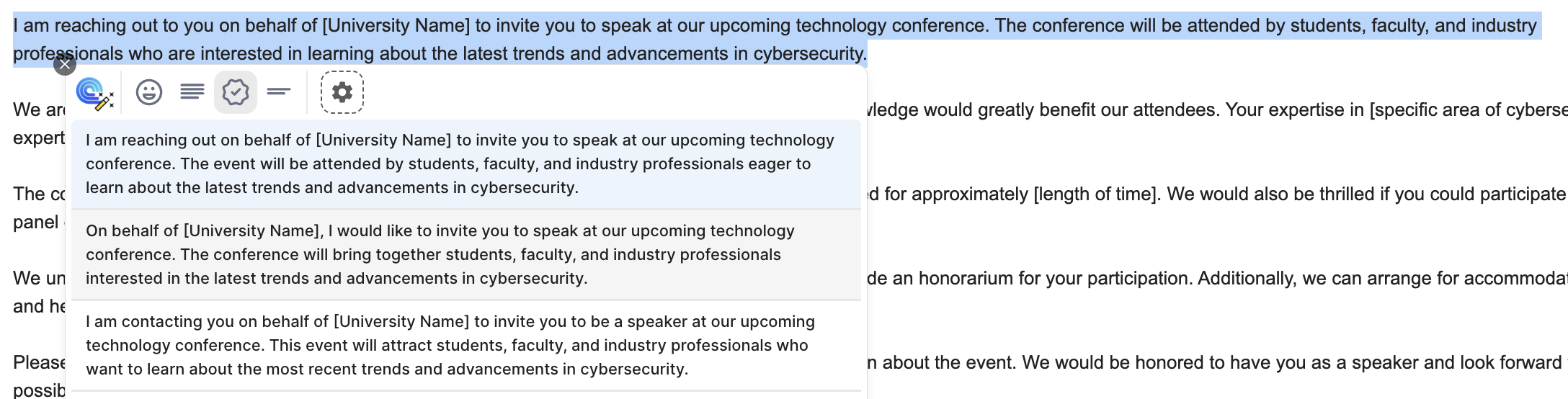
The editing experience generates five variations for each action, which is useful for comparison. The quality of rewrites is decent for generic prose, but falls short on email-specific tone calibration - particularly for professional communication where the difference between "helpful" and "passive-aggressive" in a sentence matters a great deal.
Compose AI: Honest Pros and Cons
What Compose AI Does Well
- •Works across many web platforms, not just email (Google Docs, LinkedIn, Notion, etc.)
- •Affordable pricing compared to some alternatives
- •The
//trigger is fast and easy to remember - •Generates five editing variations for side-by-side comparison
- •Broad utility for non-email writing tasks like blog posts, outlines, and brainstorms
Where Compose AI Falls Short
- •Email writing quality is poor. Drafts are long, generic, and carry a noticeable AI tone
- •No voice assistant. You can't dictate a reply prompt; everything is typed
- •Reply quality is weak. Replies are not context-aware and lack personalization
- •No inline predictive autocomplete inside the Gmail compose window itself
- •No pre-built email templates for common scenarios
- •Free plan is very limited at only 1,500 words per month
- •The tool was designed for general writing, not email-first workflows
Compose AI Pricing
| Plan | Price | Word Limit |
|---|---|---|
| Free | $0/month | 1,500 words/month |
| Premium | $15/month | 25,000 words/month |
| Ultimate | $45/month | Unlimited words |
| Enterprise | Custom | Custom |
The free plan is quite restrictive for daily use. The Premium plan at $15/month is reasonable, but given the email quality limitations, it is worth comparing to dedicated email assistants that offer more targeted features at similar or lower prices.
General Writing Tools vs. Email-First Tools
Compose AI belongs to a category of tools that try to do everything: blog writing, social posts, brainstorming, and emails all through one extension. That breadth is useful for some users, but it creates a tradeoff.
Email communication has specific requirements that general writing tools often miss:
- Thread context. A good reply reads what was said before and responds accordingly.
- Tone matching. A follow-up to a warm lead sounds different from a complaint response.
- Length discipline. Professional emails should be concise. Most AI tools default to long.
- Voice preservation. The draft should sound like you, not like an AI assistant.
Tools designed specifically for Gmail and Outlook embed these considerations into the workflow. General writing tools treat email as just another text field. This is the lens through which the alternatives below were evaluated. Each one was assessed on how well it handles real email scenarios, not just text generation in general.
Quick Comparison: Compose AI vs. Top Alternatives
| Feature | Compose AI | Foresty | MailMaestro | HeyHelp | Grammarly | Jetwriter AI | Hyperwrite |
|---|---|---|---|---|---|---|---|
| Email Draft Quality | Poor | High | Medium | Medium | Editing only | Medium | Autocomplete only |
| Context-Aware Replies | No | Yes | Yes | Yes | No | Partial | No |
| Voice Input | No | Yes | No | No | No | Yes | No |
| Native Gmail Embed | Partial | Yes | Sidebar | Yes | Yes | Popup | Partial |
| Autocomplete in Compose | No | Yes | No | No | No | No | Yes |
| Outlook Support | No | Yes | Yes | No | Partial | Yes | No |
| Free Plan | Yes (1,500 words) | Yes (500 words) | Yes | Trial | Yes | Yes (15 responses) | Yes |
| Starting Paid Price | $15/month | $8.08/month | $12/user/month | $12/user/month | $12/month | $16/month | $20/month |
The 6 Best Compose AI Alternatives for Email
1. Foresty - Best for Email-First Gmail and Outlook Users
Foresty is a Chrome extension built specifically for Gmail and Outlook. It doesn't try to cover blog posts, social media, or website copy. Its entire feature set is oriented around one thing: helping you write better emails faster without leaving your inbox.
Where Compose AI requires you to type // and select a content type, Foresty embeds directly inside the Gmail and Outlook compose window. The AI assistance is contextual by default, not something you have to invoke with a workaround.
Key features of Foresty include:
- AI Email Draft Generation: Describe what you want to say and get multiple polished drafts immediately inside Gmail or Outlook.
- Smart Autocomplete: Real-time sentence completion that appears inline as you type, accepted with Tab.
- Context-Aware Reply Generator: Reads the email thread and generates replies that match the conversation's tone.
- Voice Assistant: Dictate your email prompt hands-free instead of typing it out.
- Inline Editing (Bubble Menu): Highlight any text to shorten, improve, or rewrite it in place.
- AI Subject Line Generator: Analyzes your email body and suggests context-relevant subject lines.
- Grammar and Tone Improvement: Fix grammar and adjust tone without switching tabs.
The most significant difference isn't features. It's where the tool lives in your workflow. Compose AI is a general writing extension that happens to work in Gmail. Foresty is an email assistant that was designed from the ground up for Gmail and Outlook. The output reflects that difference: Foresty's drafts are shorter, more personalized, and require significantly less editing.
We also noticed that Foresty's voice input changes the workflow considerably. Instead of typing a prompt, you can speak it. For professionals handling 30-50 emails a day, that is a meaningful reduction in overhead.
Foresty Pricing:
| Plan | Monthly | Annual |
|---|---|---|
| Free | $0 | $0 (500 words/month) |
| Basic | $12.95/month | $8.08/month |
| Pro | $29.95/month | $21.41/month |
The Basic plan at $8.08/month (billed annually) is noticeably cheaper than Compose AI's $15/month Premium plan and covers 15,000 words per month - more than enough for most professionals.
Foresty is best for: Professionals who primarily use Gmail or Outlook and want email-quality drafts without switching tabs or manually prompting a general AI tool.
2. MailMaestro - Best for Teams Needing Enterprise Features
MailMaestro (by Maestro Labs) is a sidebar-based Gmail and Outlook extension built for enterprise and team use. It doesn't embed inside the compose window directly, but operates from a collapsible side panel.
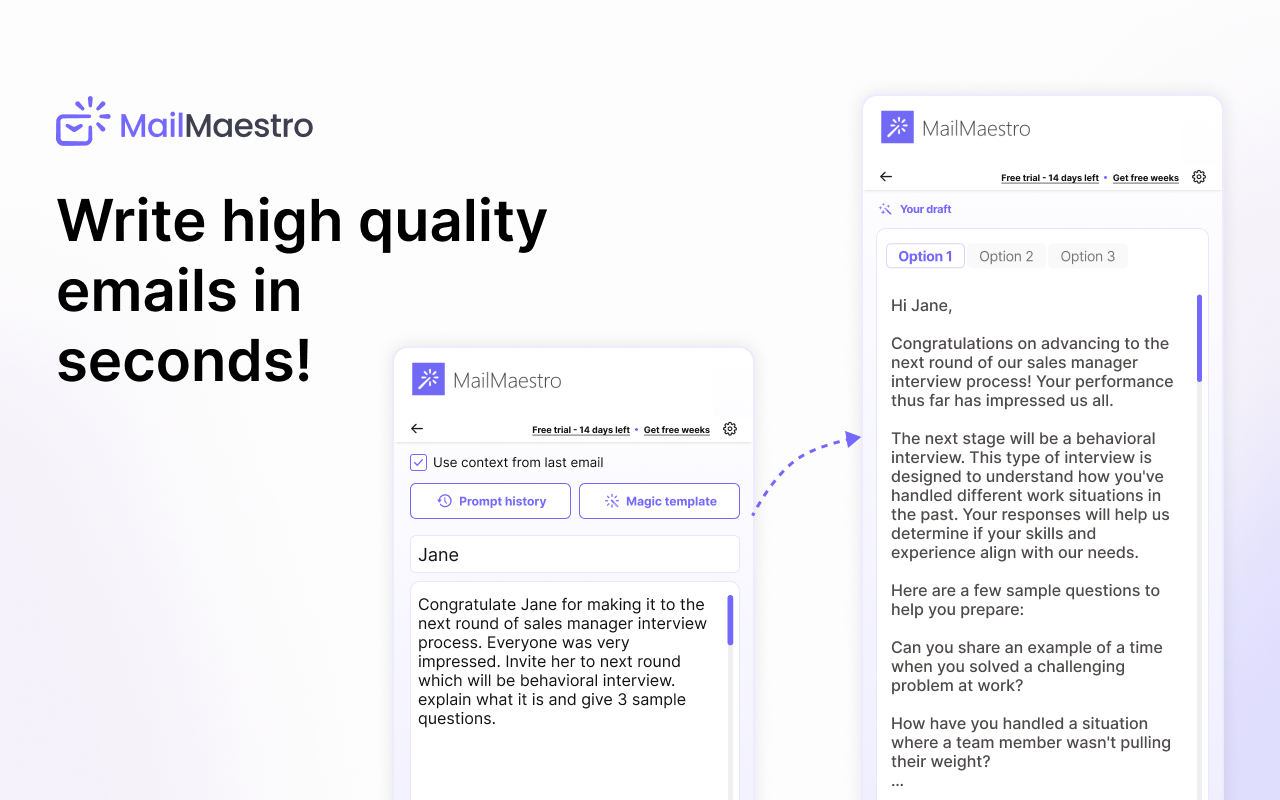
What MailMaestro does well:
- Generates three draft options per email for side-by-side selection
- Reads the email thread for context-aware replies
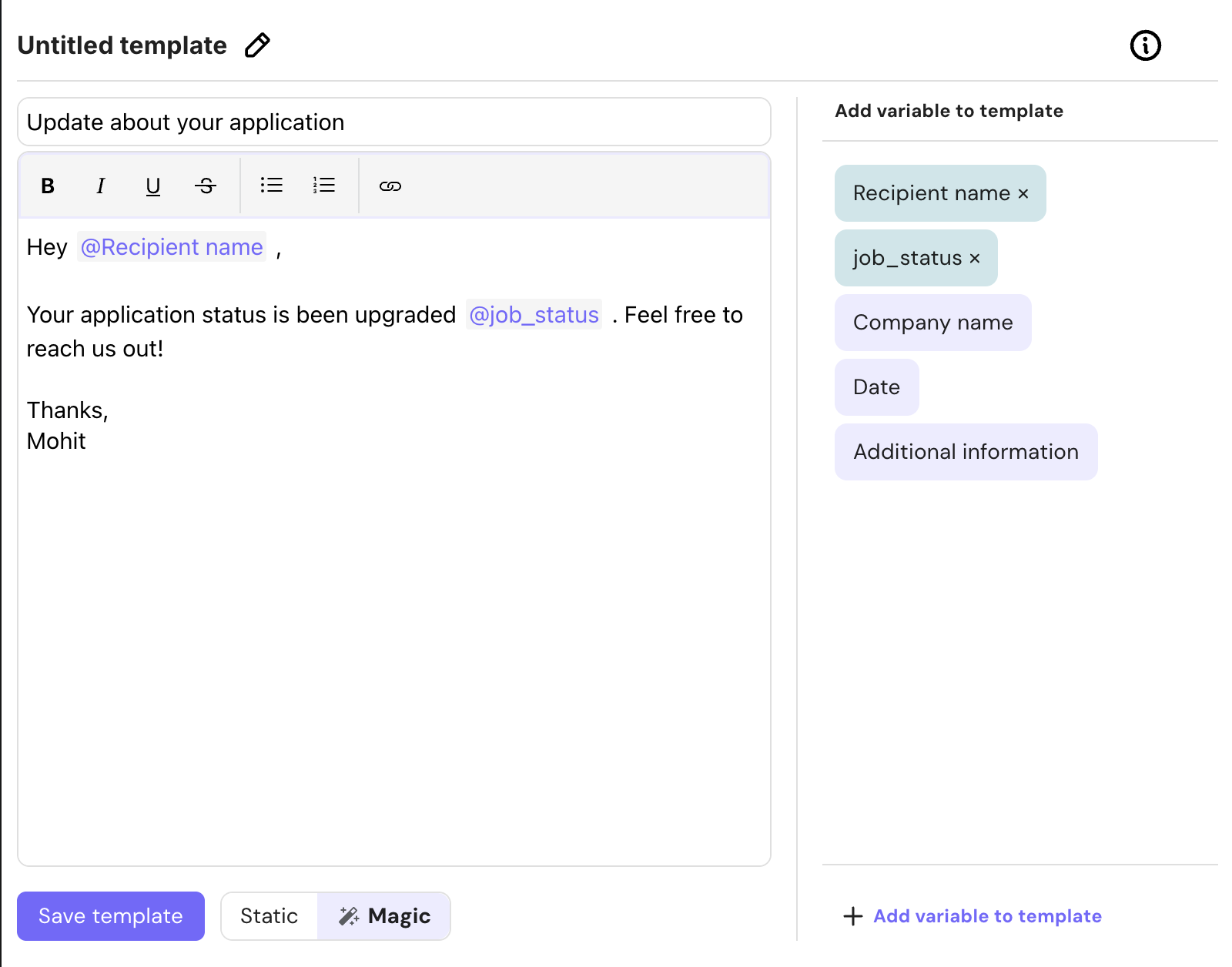
- Supports custom reusable templates with variable placeholders
- Offers email thread summarization and smart inbox labels
- Includes TeamsMaestro, a Microsoft Teams meeting note and action item extractor
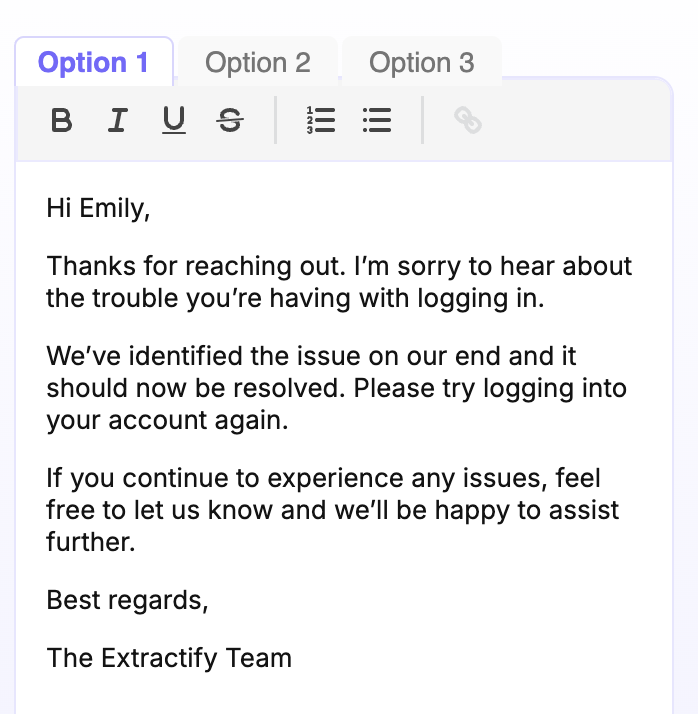
The sidebar interface creates a small but real workflow interruption. Instead of having AI assistance inside the compose box, you are working between two panels. For high-volume email users, this adds up.
The writing quality is medium, meaning the drafts are better than Compose AI but still feel somewhat generic. The tool also requires full inbox access, which may be a consideration for privacy-conscious users or those in regulated industries.
MailMaestro Pricing: Starts at $15/user/month (billed monthly) or $12/user/month (billed annually) for the Professional plan.
3. HeyHelp - Best for Gmail Users Who Want Inbox Management + Drafting
HeyHelp is a Gmail-native AI assistant that goes beyond just writing emails. It organizes your inbox, manages follow-ups, schedules meetings, and syncs with your CRM, all from within Gmail.
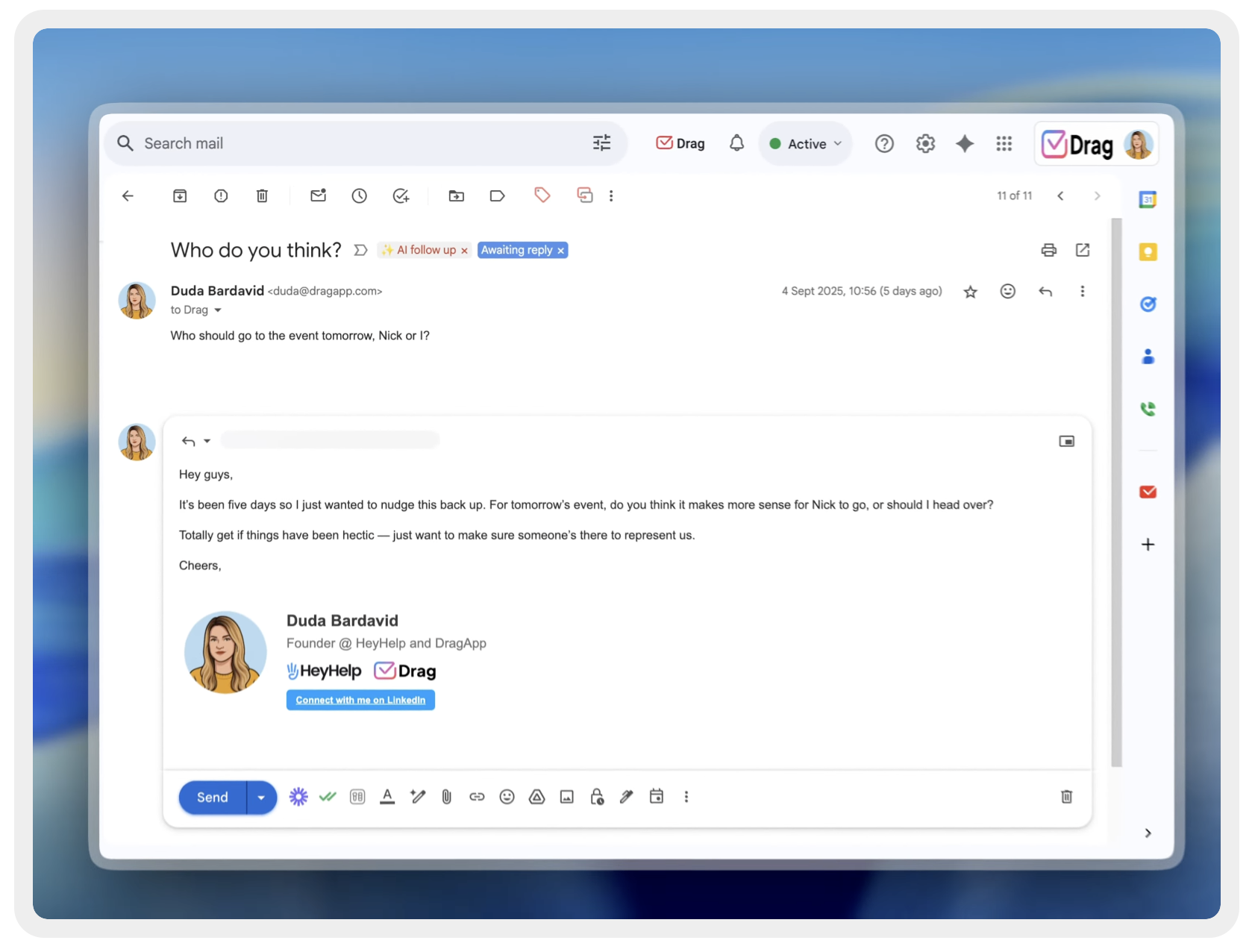
What HeyHelp does well:
- Gmail-native integration (no sidebar switching)
- Learns your personalized writing style over time
- Handles automatic follow-up drafts when you forget to reply
- Integrates with Google Calendar and CRM systems
- Certified as Google Verified and CASA Tier 2 for security
HeyHelp is primarily focused on inbox management. If your goal is purely writing better emails faster, it may have more features than you actually need. The drafting quality is medium, and the tool is more complex to set up than a standard writing extension.
HeyHelp Pricing: Starts at $20/user/month (billed monthly) or $12/user/month (billed annually), with a lifetime payment option at $199.
4. Jetwriter AI - Best for Multi-Platform Writers Needing AI Access Everywhere
Jetwriter AI is a browser-based AI assistant that works across Gmail, Outlook, LinkedIn, Slack, WhatsApp Web, Zendesk, and many other platforms. It provides a ChatGPT-style popup interface that floats over any webpage.
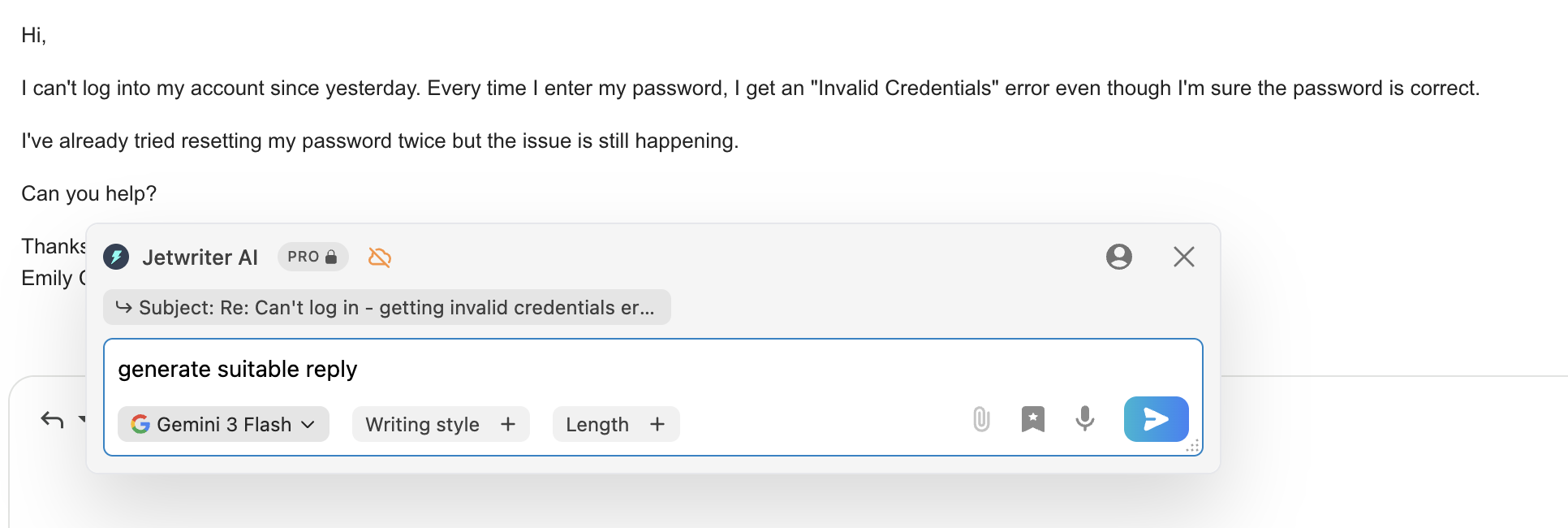
What Jetwriter AI does well:
- Access to multiple advanced AI models (Claude Sonnet, GPT 5.5, etc.) on paid plans
- Works across more platforms than most email-specific tools
- Supports voice input for reply generation
- Good bubble context menu for inline editing and rephrasing
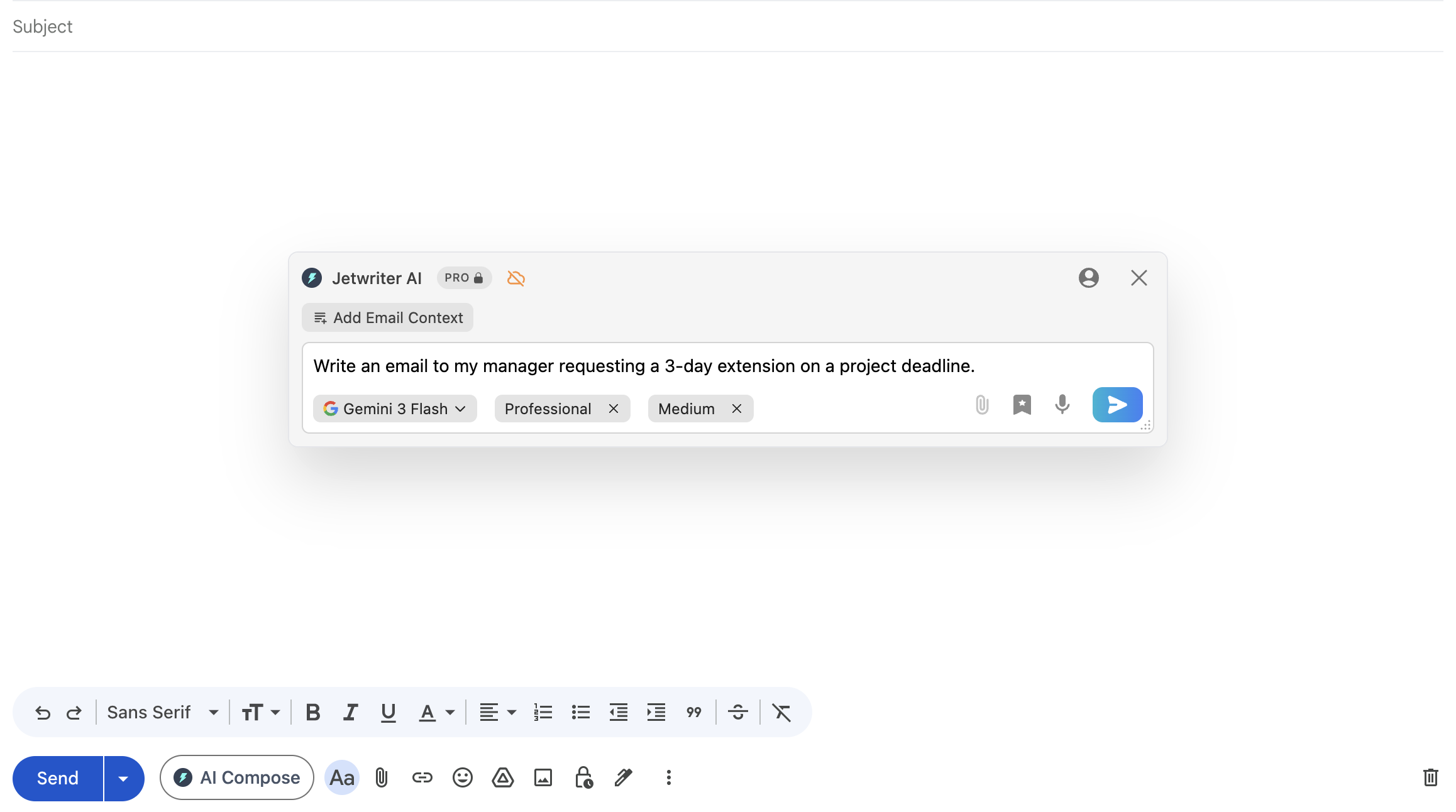
The ChatGPT-style popup workflow requires you to manually enter prompts and often copy-paste content. For pure email use, this is slower than tools that embed directly into the compose window. Free plan users get restricted to cheaper models with noticeably lower writing quality.
Jetwriter AI Pricing: Free plan (15 responses/month), Elite plan ($16/month for 1,000 premium responses), Ultra plan ($30/month for 2,000 responses).
5. Grammarly - Best for Proofreading and Polishing Existing Drafts
Grammarly is the most widely-used writing assistant. It integrates natively inside Gmail and provides real-time grammar, spelling, punctuation, tone, and clarity corrections.
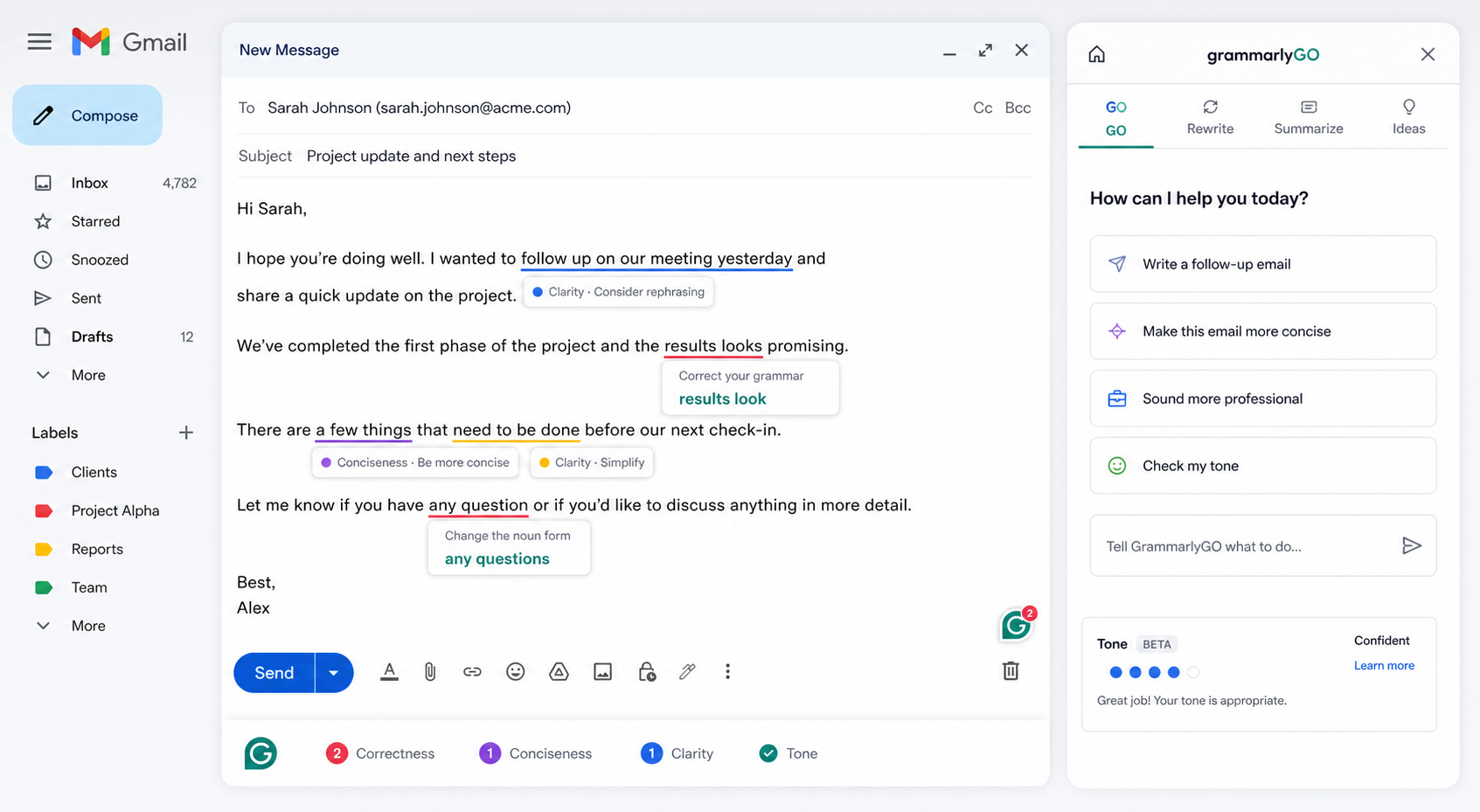
What Grammarly does well:
- Best-in-class grammar correction and proofreading
- Native Gmail integration with inline suggestion overlays
- Tone detection and adjustment suggestions
- GrammarlyGO for AI-assisted draft generation (limited)
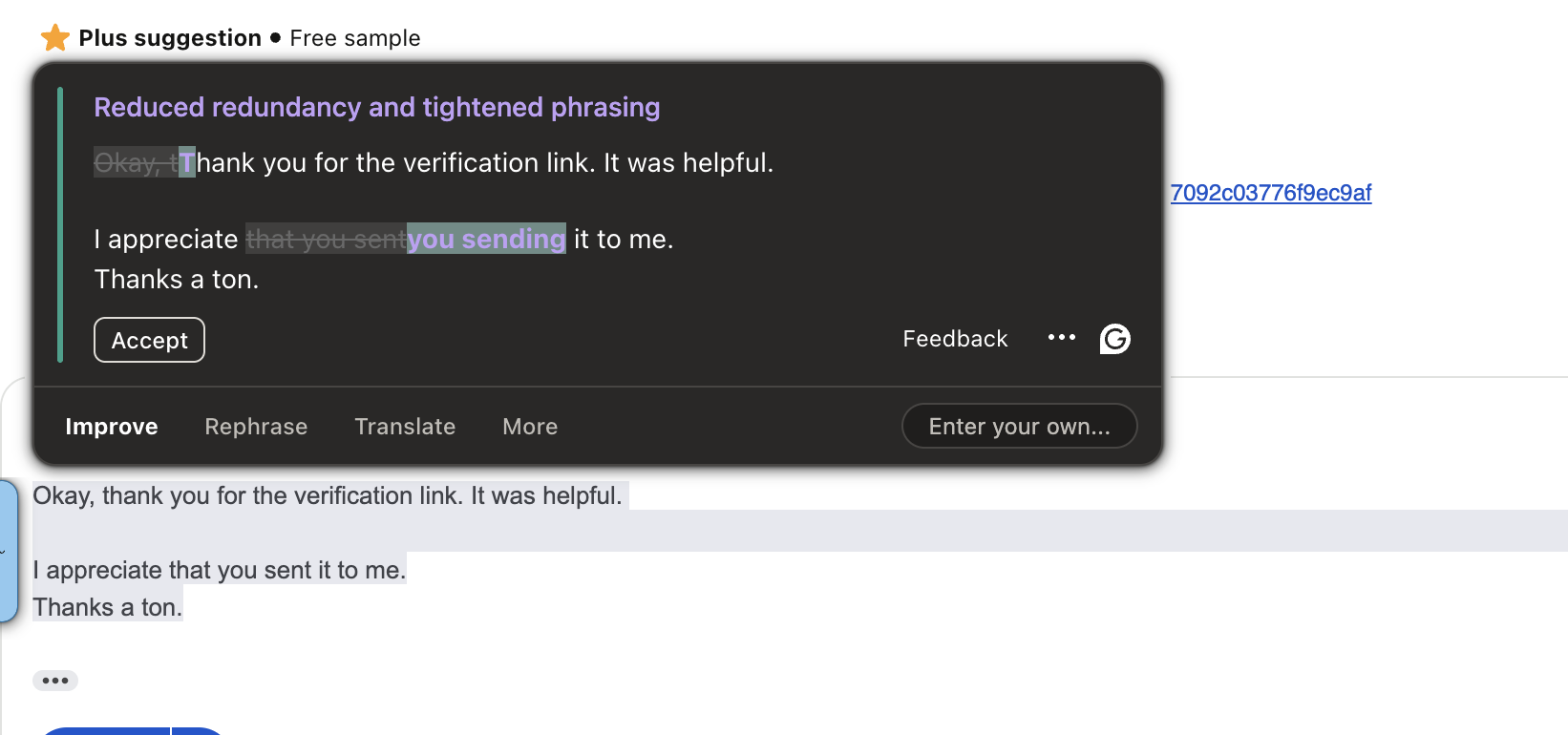
Grammarly is fundamentally a proofreading tool, not an email drafting assistant. GrammarlyGO can generate drafts, but it does so without reading thread context. There is no voice input, no autocomplete inside the compose window, and no personalization for replies.
Grammarly Pricing: Free plan (basic suggestions), Premium plan starting at $12/month (billed annually), and Business plan starting at $15/user/month.
6. Hyperwrite - Best for Fast Typists Who Want AI Autocomplete Only
Hyperwrite is a browser extension that focuses exclusively on predictive text autocomplete. As you type, it suggests how to complete your sentence in real-time. Press Tab to accept or keep typing to ignore it.
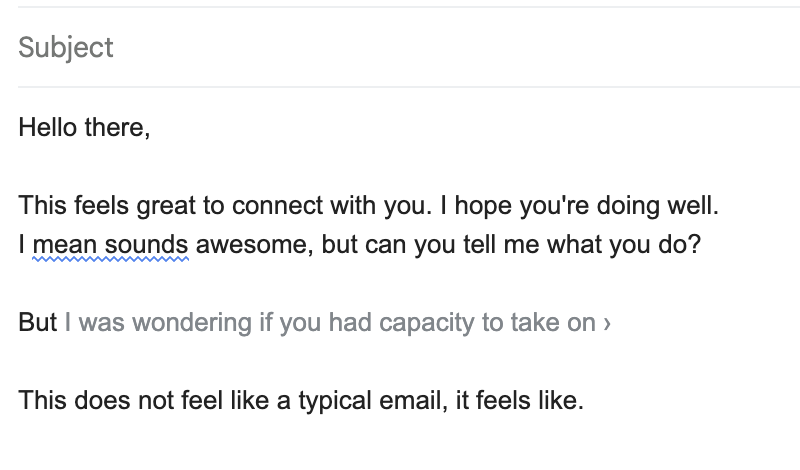
Hyperwrite does one thing: autocomplete. It has no compose workflow, no reply generator, no bubble editing menu, no grammar fixer, and no tone adjustment tools. It is a typing speed utility, not an email assistant.
The free plan is limited to a small number of daily suggestions. The Premium plan at $20/month is expensive for what is effectively one feature.
Hyperwrite Pricing: Free plan (limited daily completions), Premium plan ($20/month), and Ultra plan ($45/month).
Which Tool Should You Actually Use?
Here is a quick breakdown to help you decide based on your specific daily email requirements:
- You mainly use Gmail or Outlook and want high-quality drafts: Foresty
- You need team templates, thread summaries, and enterprise security: MailMaestro
- You want inbox management + drafting + CRM in Gmail: HeyHelp
- You write across Gmail, LinkedIn, Slack, and many other platforms: Jetwriter AI
- You write manually and just need strong proofreading: Grammarly
- You want autocomplete only and type drafts yourself: Hyperwrite
- Your writing spans more than just email (blogs, docs, social): Compose AI
The honest assessment: Compose AI is a reasonable general-purpose writing extension but it was never optimized for email. If email is where you spend your time, you will get better results from a tool built specifically for that workflow.
A Closer Look at What "Email-First" Actually Means in Practice
One thing we consistently see is that users underestimate the cost of workflow friction when choosing a writing tool.
With a general-purpose tool like Compose AI or a standalone AI assistant like ChatGPT, the typical email workflow looks like this:
- Open Gmail and read the email
- Switch to another tab or open the extension popup
- Paste or describe the context
- Generate a draft
- Copy the draft
- Switch back to Gmail
- Paste and edit
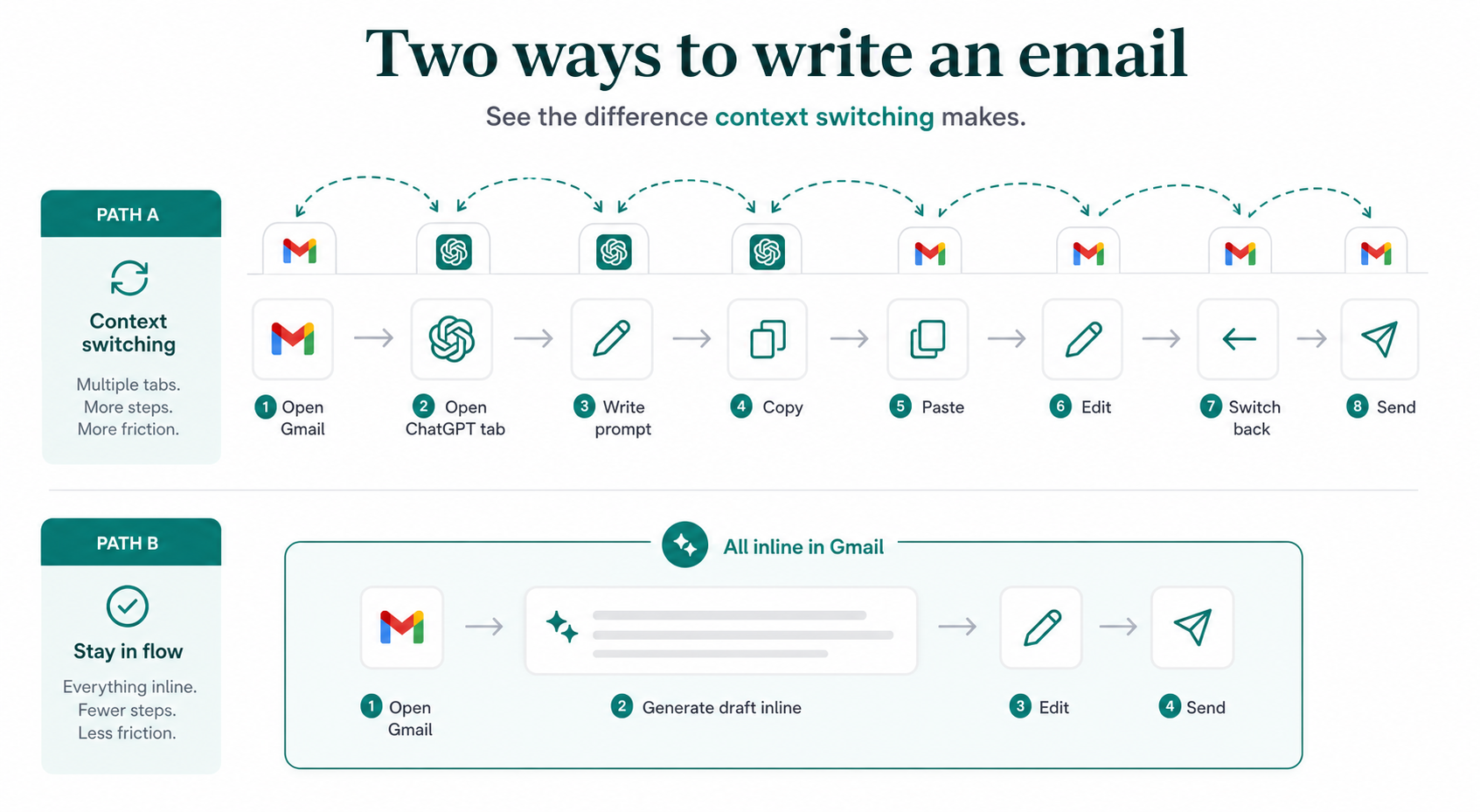
With a purpose-built email assistant embedded inside Gmail, the workflow shortens considerably:
- Open the email in Gmail
- Click generate or speak your prompt
- Edit and send
That difference is not just speed. It is also context retention. Every time you switch tabs or copy-paste content, there is a small cognitive reset. You lose the thread of the conversation. You start second-guessing the tone. You reread the original email again to make sure you are responding to the right point.
Eliminating those steps is where tools like Foresty, HeyHelp, and MailMaestro have a real advantage over general writing extensions. You can read more about this in our piece on why a simple email reply takes 20 minutes - it is a pattern that shows up across most professional inboxes.
FAQ
Is Compose AI free?
Yes, Compose AI has a free plan that allows up to 1,500 words per month. For regular email use, this runs out quickly. The paid Premium plan costs $15/month for 25,000 words, and the Ultimate plan is $45/month for unlimited words.
Does Compose AI work inside Gmail?
Yes, Compose AI works inside Gmail via its Chrome extension. You trigger it by typing // in any text field, which opens a prompt dropdown. However, it does not embed natively inside the Gmail compose window the way dedicated email assistants do.
What is the best alternative to Compose AI for email?
For email-specific use, Foresty is the strongest alternative. It is built specifically for Gmail and Outlook, embeds natively inside the compose window, supports voice input, and generates context-aware replies. For teams, MailMaestro is worth considering. For general proofreading, Grammarly remains the standard.
Can Compose AI generate context-aware email replies?
Not reliably. Compose AI's reply generation doesn't deeply read the existing thread to craft a contextually matched response. It relies on whatever prompt the user provides, which means you often need to summarize the thread yourself before generating a reply.
Is Compose AI good for professional emails?
It can generate a starting draft, but the output tends to be overly long and generic. For professional communication where tone, length, and personalization matter, dedicated email tools consistently outperform Compose AI.
What's the difference between Compose AI and Grammarly?
Compose AI is primarily a drafting and autocomplete tool that generates text from prompts. Grammarly is primarily a proofreading and editing tool that corrects and improves existing text. For email use, they serve different parts of the writing process.
Does Compose AI work on Outlook?
Compose AI's Chrome extension works across web-based text fields, so it technically works in Outlook Web. However, it does not have a dedicated Outlook integration or a desktop Outlook add-in the way tools like Foresty's Outlook writing assistant do.
Is there a free Compose AI alternative?
Yes. Foresty, Grammarly, Jetwriter AI, MailMaestro, Hyperwrite, and Wordtune all offer free plans. Foresty's free plan includes 500 words per month with no credit card required, covering all core features including draft generation, replies, autocomplete, and voice input.
Final Verdict
Compose AI is a capable general writing extension. If you write across many platforms and want one tool for blog posts, Google Docs, social copy, and emails, it covers that range reasonably well.
But if email is your primary focus, it is not the right tool. The drafts are too long, the replies lack personalization, there is no voice input, and the word limits on the free plan are tight.
For most email users, the better path is a dedicated email assistant that lives inside Gmail or Outlook rather than floating on top of it.
- If you want the best email-first experience for Gmail and Outlook: Try Foresty
- If you need team templates and enterprise security: MailMaestro
- If inbox management matters as much as drafting: HeyHelp
- If you write across many platforms: Jetwriter AI
- If you only need proofreading: Grammarly
- If you want autocomplete only: Hyperwrite
If you are spending 20-30 minutes writing emails that should take 5, the tool choice matters more than most people realize. We covered the specific reasons behind that time gap in detail in why email writing takes so long - worth reading before committing to any tool.
For a deeper look at how Foresty and Compose AI compare side by side, see the Foresty vs. Compose AI review. And if you are evaluating Gmail-specific options more broadly, the best AI email assistant for Gmail guide covers the full market.