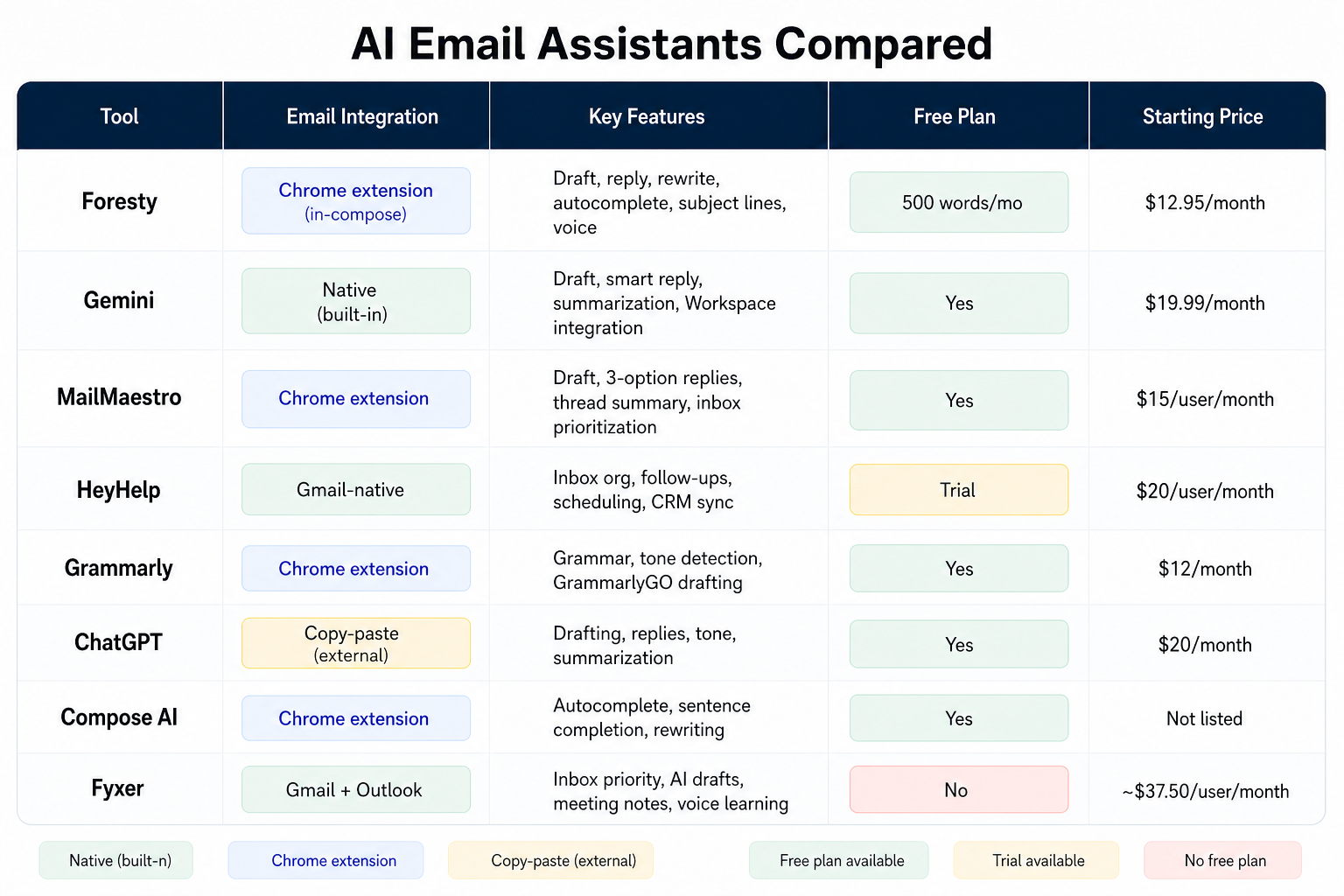
QuillBot's Chrome extension is one of the most widely searched writing tools online. If you are trying to decide whether it is worth using for your email workflow, or whether a more email-focused alternative would serve you better, this review covers everything you need.
We have tested QuillBot directly inside Gmail alongside eight alternatives, and what follows is an honest, specific breakdown of what QuillBot does well, where it falls short, and which tool fits which situation.
What QuillBot's Chrome Extension Actually Does
QuillBot is primarily a paraphrasing tool. Its Chrome extension brings that paraphrasing capability directly into websites like Gmail, Google Docs, LinkedIn, and WhatsApp Web, so you can highlight text and rewrite it without visiting the QuillBot website.
The core paraphrasing modes include:
- Standard - general rewrite
- Fluency - fixes awkward phrasing while preserving meaning
- Formal - shifts tone toward professional language
- Simple - makes writing easier to read
- Creative - introduces more variation
- Expand - lengthens selected text
- Shorten - condenses text
On top of paraphrasing, the extension includes a grammar checker, a plagiarism checker, a summarizer, a translator, and a co-writer workspace.
It is worth noting from the start: QuillBot was built for students and writers who need to rephrase existing content. It was not built as a dedicated email assistant. That distinction matters a lot when you are evaluating it for professional email workflows.
How QuillBot Works Inside Gmail
When you install QuillBot's extension and open Gmail, three main interactions are available:
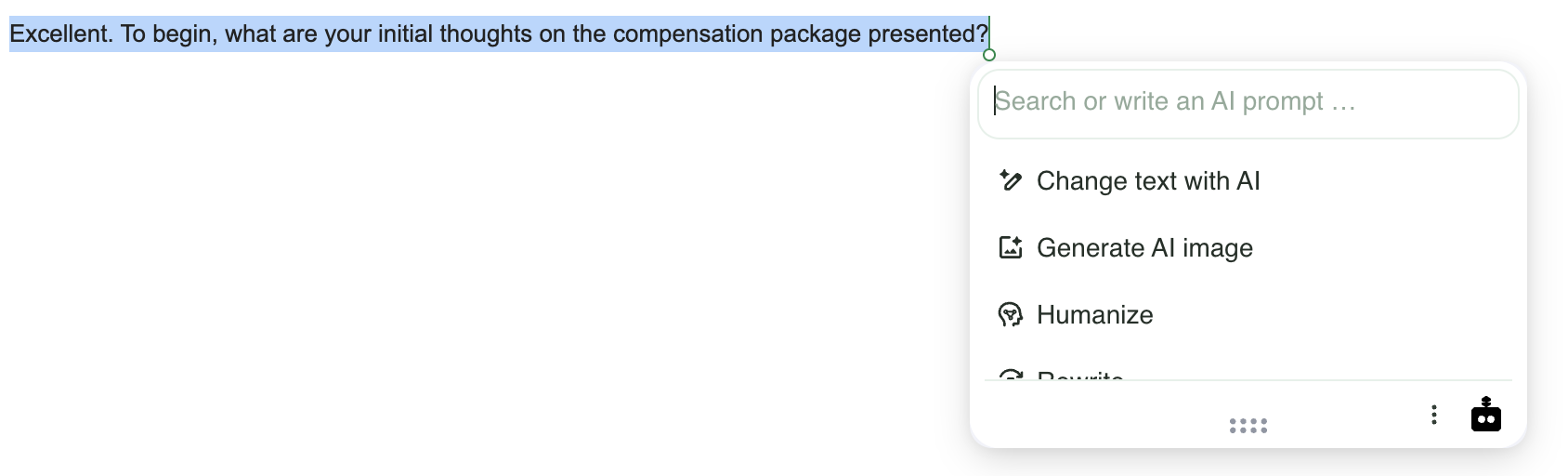
1. Highlight-to-Rewrite. You highlight any text in the compose box, and a small QuillBot popover appears with options to change the text with AI, humanize it, or rewrite it.
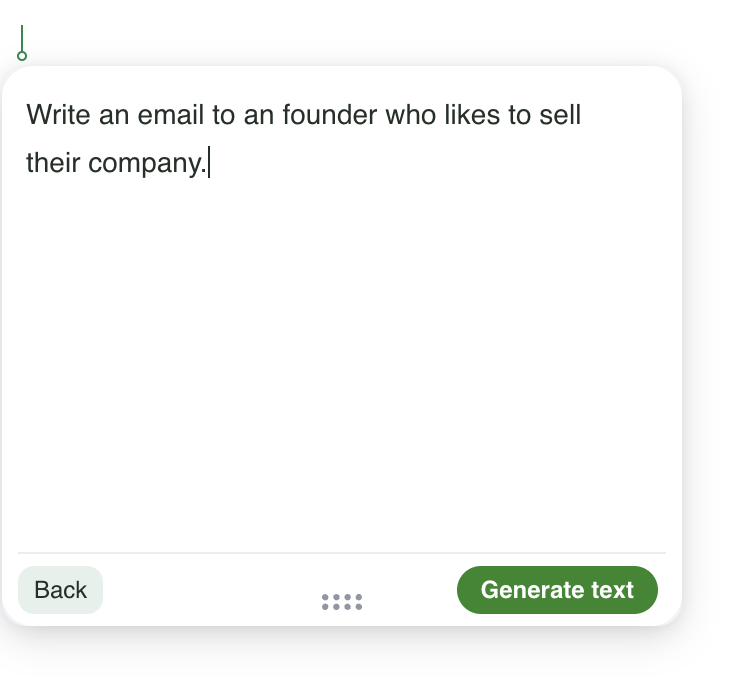
2. Email Generation from Scratch. You can open a generation window inside Gmail and enter a prompt to draft a new email. For example: "Write an email to a founder who wants to sell their company." QuillBot will produce a draft you can insert.
3. Humanize. You highlight AI-generated text and ask QuillBot to make it sound more natural and human-written before inserting it.
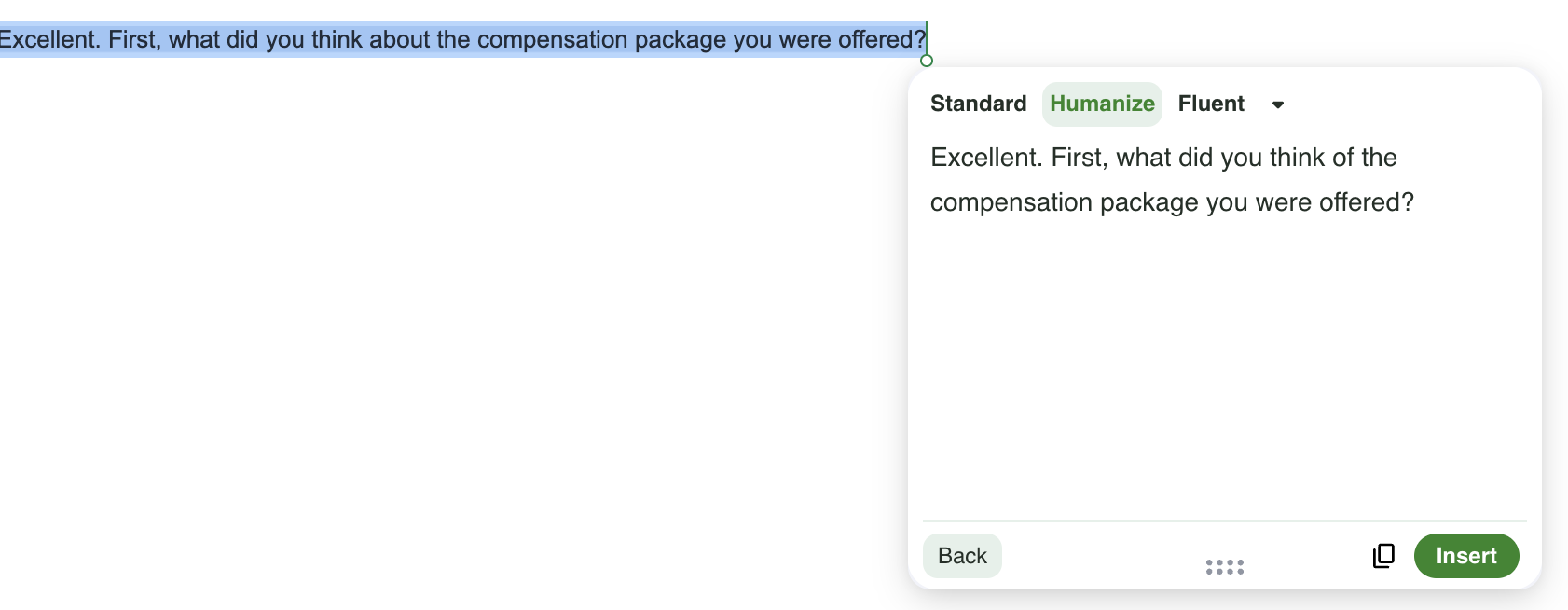
These are genuinely useful for editing and polishing drafts. The limitations become apparent once you try to use QuillBot for full email workflows, which we cover next.
QuillBot Chrome Extension: Pros and Cons
What QuillBot Does Well
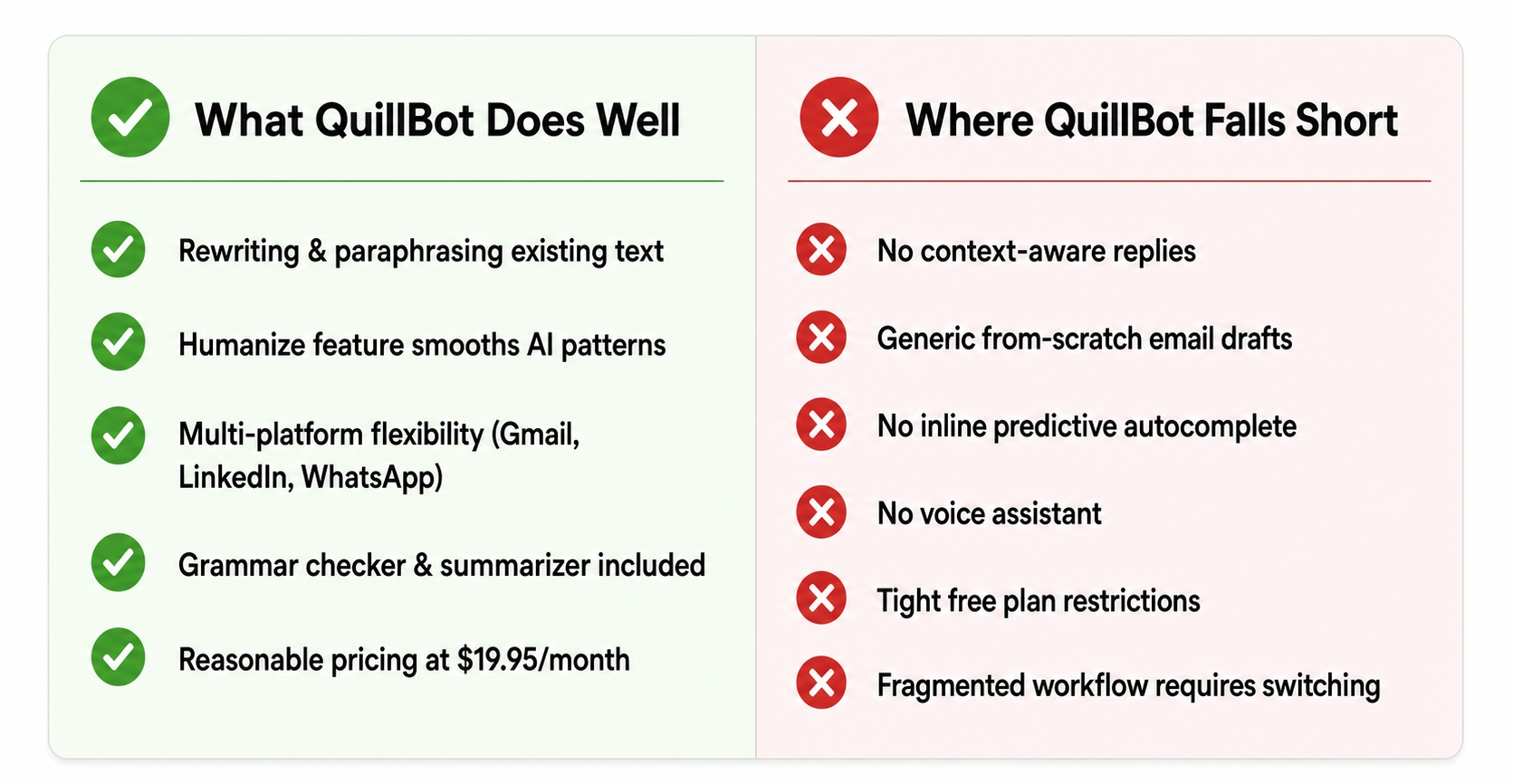
Strong paraphrasing quality. The rewriting, shortening, expanding, and fluency adjustments are genuinely good. If you have written a draft and the phrasing feels stiff or awkward, QuillBot can fix it in seconds without you having to rewrite manually.
Humanize feature. If you have used ChatGPT to write something and the output sounds robotic, QuillBot's humanizer is one of the more effective tools for making that text sound natural. This is a practical use case that many professionals encounter.
Broad platform support. The extension works across Gmail, Google Docs, WhatsApp Web, LinkedIn, and other websites. If your writing spans multiple platforms, QuillBot covers them.
Accessible free plan. The free version includes basic paraphrasing and humanizer features with daily limits, which is sufficient for occasional use.
Multiple paraphrasing modes. Having seven distinct modes (Standard, Fluency, Formal, Simple, Creative, Expand, Shorten) gives you real control over the output style, rather than just one generic rewrite option.
Where QuillBot Falls Short for Email
Email draft quality is average. When we tested generating emails from scratch inside Gmail using QuillBot's prompt-based generation window, the results were noticeably below the quality that dedicated email assistants produce. The drafts tend to be generic and lack the context-awareness needed for professional correspondence.
No thread context-awareness. If someone sends you a detailed email and you click reply, QuillBot does not read the thread and understand what you are responding to. You have to manually write a prompt that includes the context yourself. For time-pressed professionals, this is a significant workflow gap.
No inline predictive autocomplete. QuillBot does not offer sentence-level autocomplete as you type inside the Gmail compose box. You have to highlight, request a rewrite, and insert manually every time.
No voice assistant. There is no dictation or voice-to-email feature. If you prefer narrating your email before letting AI polish it, QuillBot does not support that workflow.
Not optimized for email. QuillBot's suggestion engine was designed for long-form writing and academic content. In short business emails, the suggestions sometimes miss the mark or introduce unnecessary complexity.
| What Works | What Doesn't |
|---|---|
| Strong paraphrasing and rewriting quality | Average email draft generation quality |
| Humanize feature for AI-written text | No thread context for replies |
| Works across Gmail, Docs, LinkedIn, WhatsApp | No inline predictive autocomplete |
| Seven paraphrasing modes | No voice assistant |
| Free plan available | Not optimized for email workflows |
| Affordable premium pricing ($19.95/month) | Lacks personalization for email |
Who Should Actually Use QuillBot
QuillBot makes the most sense for:
- Students who need to paraphrase academic content or improve writing fluency.
- Content writers who work across Google Docs and need a fast editing layer.
- Professionals who write first and edit second, meaning people who prefer drafting manually and using AI only to polish the final result.
- Anyone dealing with AI-generated text that needs to sound more human before sending.
QuillBot is not the best choice for professionals who send more than a handful of emails per day and want the AI to help them draft and reply faster from within Gmail or Outlook. For that use case, purpose-built email assistants are meaningfully better.
QuillBot vs Alternatives: Full Comparison
Below is a breakdown of how QuillBot compares to eight alternatives we have analyzed across the same criteria: email draft quality, thread context-awareness for replies, inline autocomplete, voice input, Gmail-native integration, and pricing.
Alternative #1: Foresty
Foresty is a dedicated AI email assistant built exclusively for Gmail and Outlook. It works natively inside the compose window, not as an overlay on top of it.
What it does differently from QuillBot:
- Drafts emails from scratch inside Gmail based on a short prompt, and the quality is significantly higher than QuillBot's generation output.
- Reads email thread context automatically when you reply, so the generated response is relevant to the specific conversation.
- Inline autocomplete predicts and completes sentences as you type, without any highlighting required. See how this works in our Smart Autocomplete feature guide.
- Voice assistant lets you dictate what you want to say and converts it into a polished email draft.
- Subject line generator creates context-aware subject line options based on your email body.
- Grammar and tone improvement works inline inside the compose box via our Email Rewriter tool.
For professionals who write a lot of emails, Foresty removes the gap that QuillBot leaves open: the ability to go from a thread directly to a polished reply without manually copy-pasting or writing prompts.
The AI Email Reply Generator in Foresty, for instance, generates a full reply in 30-60 seconds, compared to the 10-20 minutes a manual reply typically takes. QuillBot does not offer this because it is not designed for it.
We also noticed that Foresty's voice input changes the email workflow considerably, which we explain in detail in our guide on AI Email Assistant for Gmail.
Highlighting and editing drafts in place feels smoother when using an inbox-embedded assistant.
Pricing comparison:
- QuillBot Premium: $19.95/month
- Foresty Basic: $12.95/month (or $8.08/month billed annually)
Best for: Professionals who send emails regularly and want an assistant that handles the full email workflow inside Gmail and Outlook.
Alternative #2: Grammarly
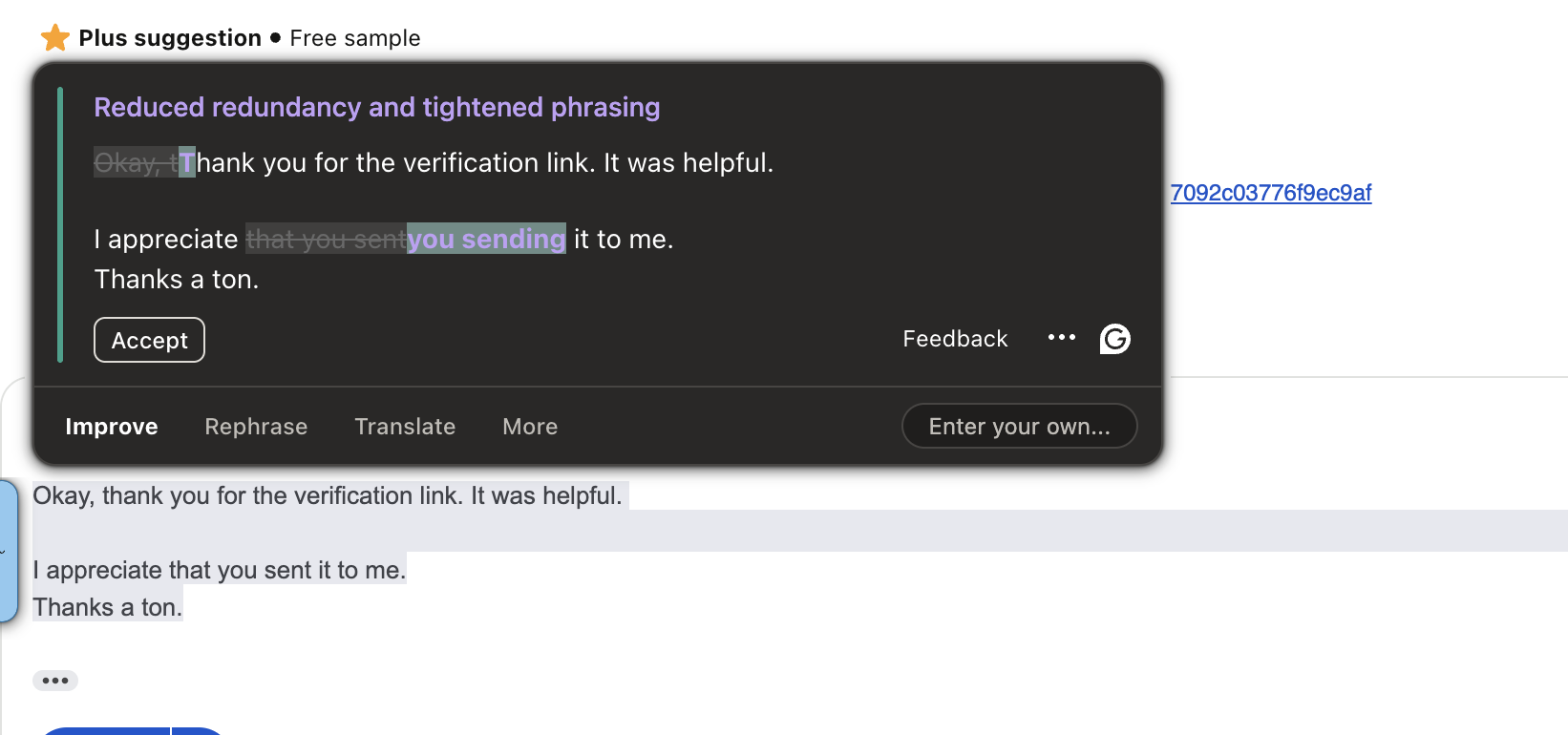
Grammarly is the most well-known writing assistant Chrome extension. It focuses on grammar, spelling, punctuation, clarity, and tone correction, not email drafting or reply generation.
What it does better than QuillBot: Grammarly's grammar and clarity corrections are more polished and accurate than QuillBot's. If your primary need is proofreading, Grammarly is the stronger choice.
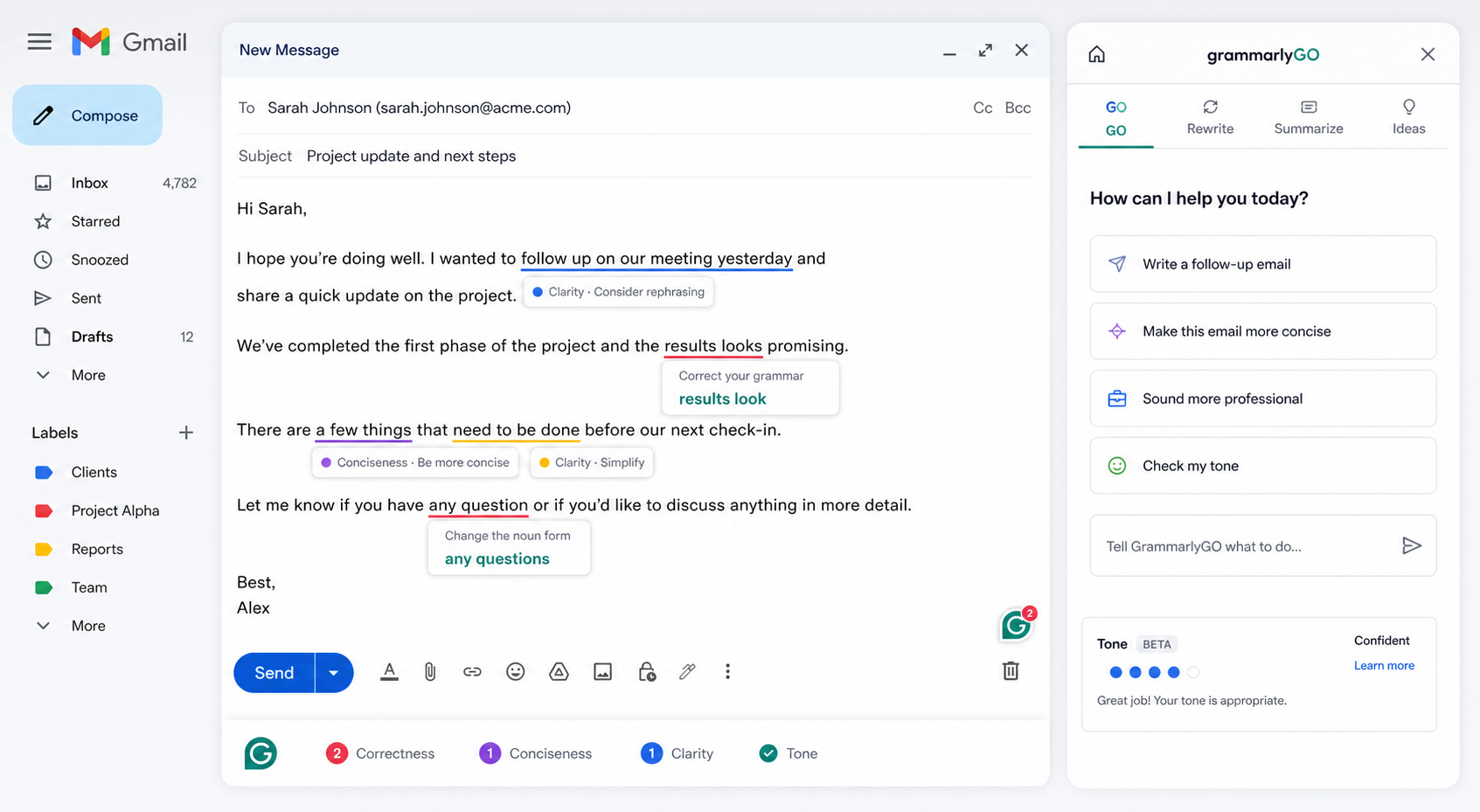
Where it falls short compared to QuillBot: Grammarly does not offer paraphrasing modes, a humanizer, or a summarizer. Its GrammarlyGO feature allows some generative drafting, but it lacks thread-awareness and personalization for email replies.
Pricing:
- Free plan: grammar, spelling, punctuation
- Premium: $12/month (billed annually) or $30/month (billed monthly)
- Business: $15/user/month
Best for: Professionals who write frequently and want strong proofreading and grammar correction layered on top of their own writing.
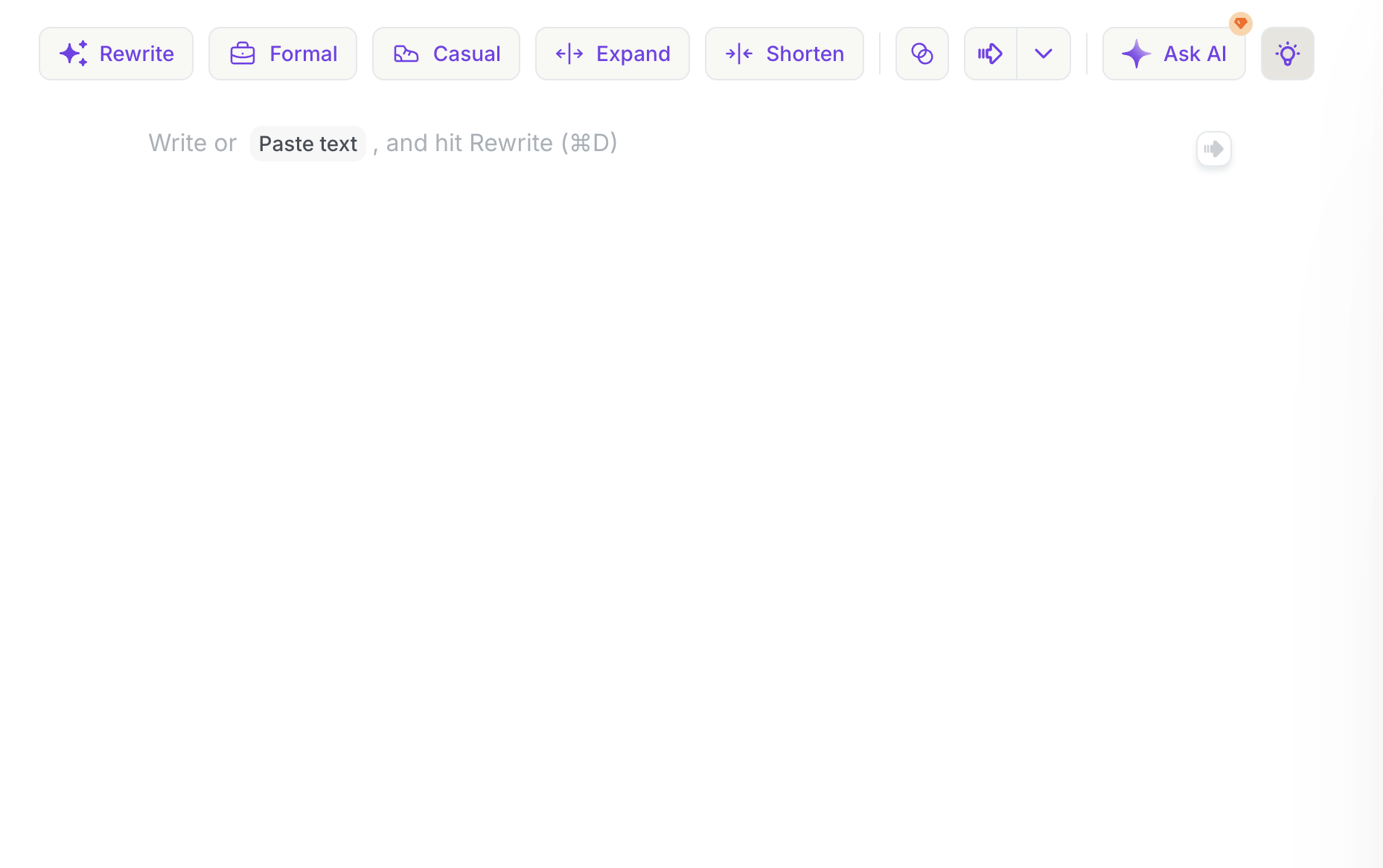
Alternative #3: Wordtune
Wordtune is a rephrasing and rewriting assistant that offers multiple alternative versions of selected text. It works across Gmail, Google Docs, Notion, LinkedIn, and other platforms.
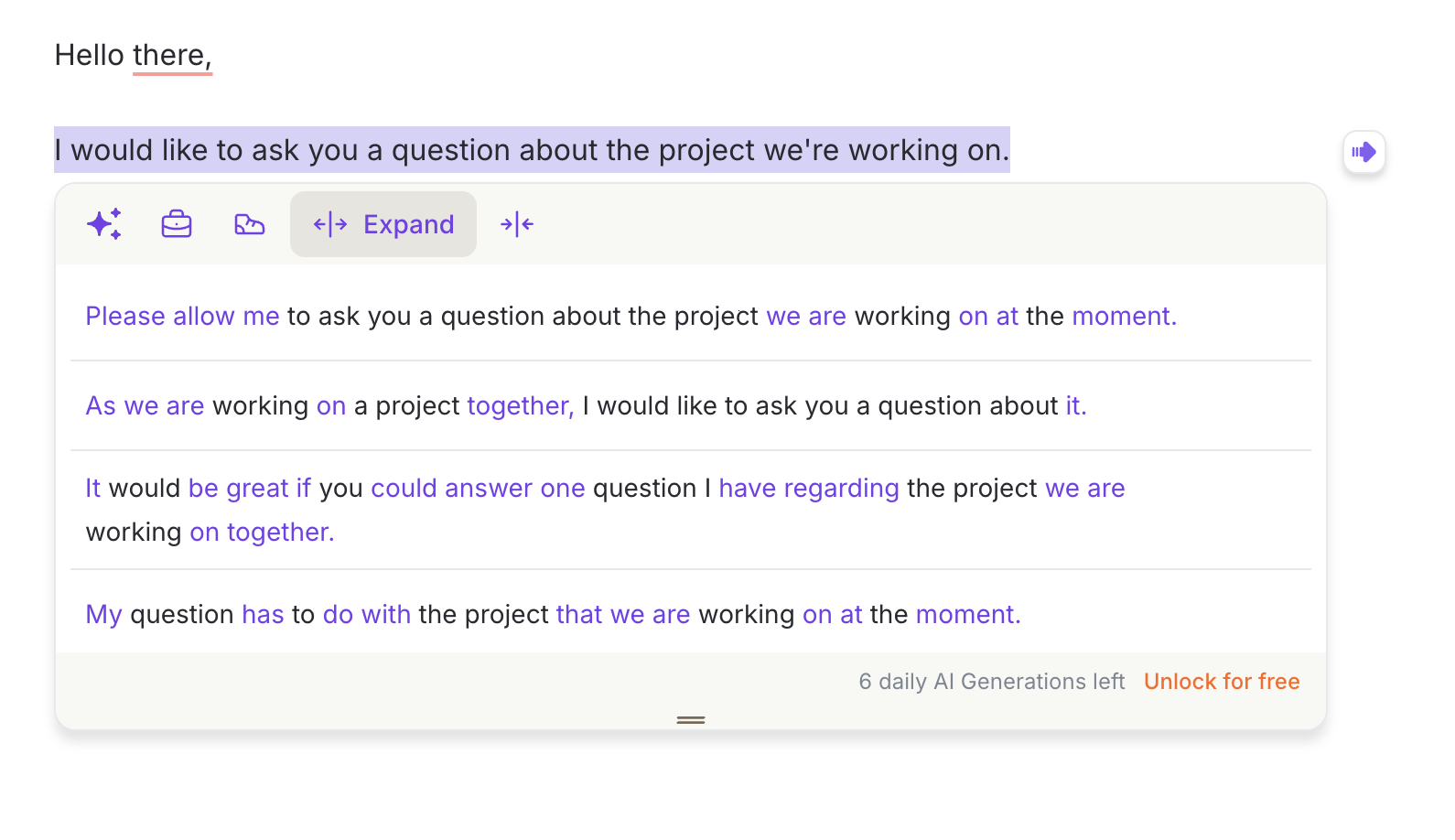
What it does better than QuillBot: Wordtune's rephrasing suggestions tend to feel more natural and offer more usable alternatives per highlight. The variation quality is consistently good.
Where it falls short: Wordtune does not embed smoothly inside Gmail's compose window. Many of its editing flows feel manual. It does not support composing new emails from scratch or generating thread-aware replies. It also has an extremely limited free tier: only 10 AI completions per day.
Pricing:
- Free: 10 AI completions/rewrites per day
- Advanced: $14/month (30 completions/day)
- Unlimited: $20/month
Best for: Writers and professionals who need to rephrase existing content across multiple platforms but do not need full email drafting or reply generation.
Alternative #4: ProWritingAid
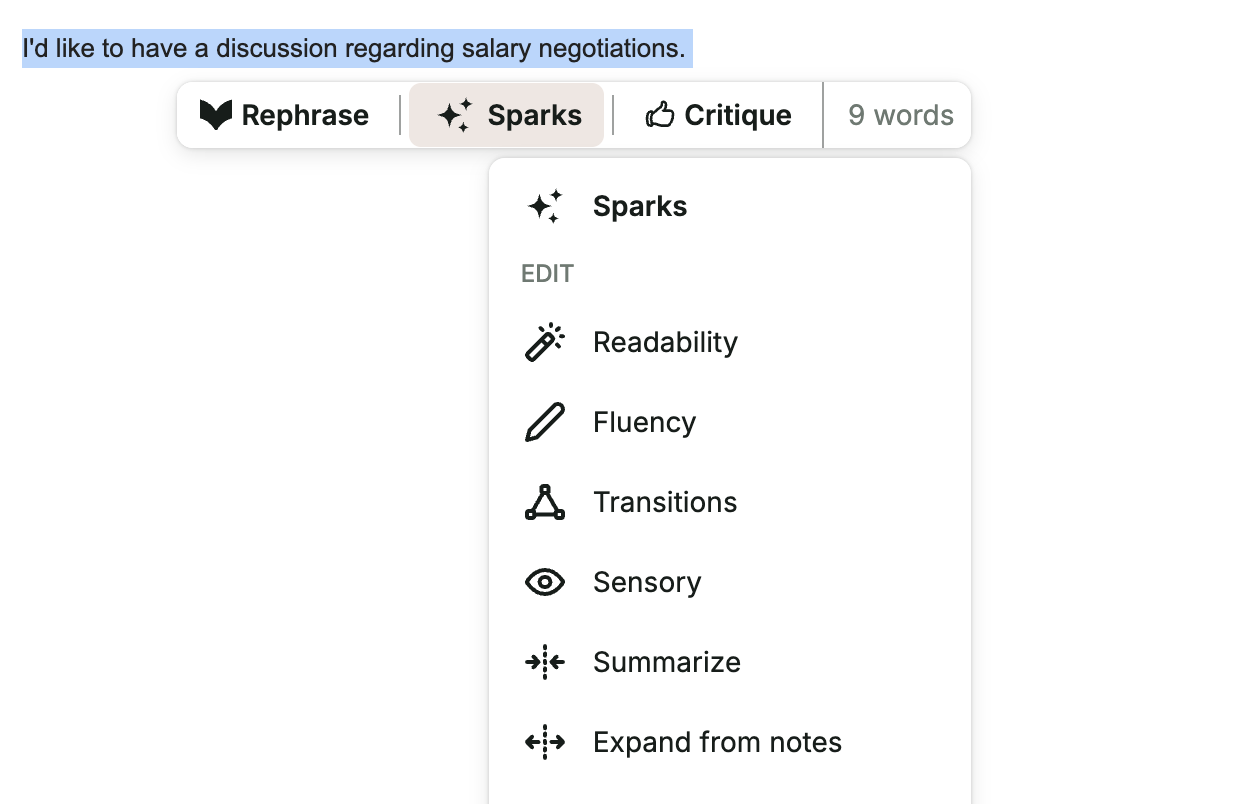
ProWritingAid is a writing assistant originally designed for novelists and long-form writers. It offers style editing, readability reports, fluency improvements, and tone adjustments via a Chrome extension.
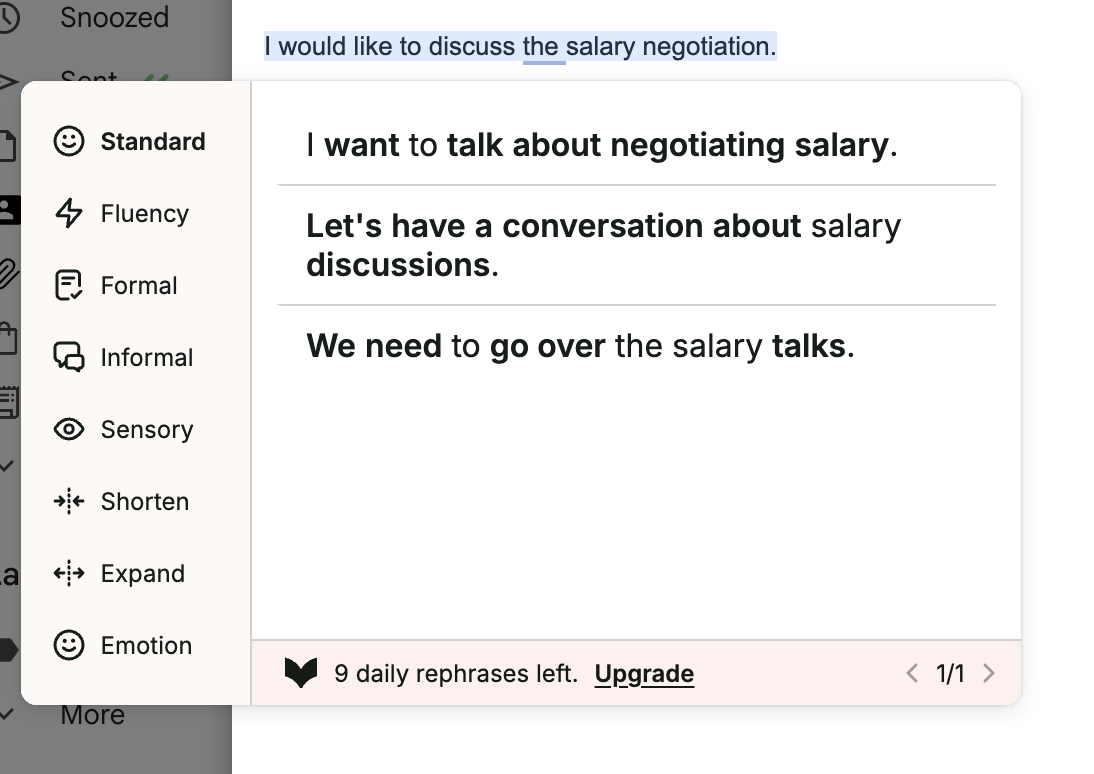
What it does better than QuillBot: ProWritingAid provides a deeper stylistic analysis of writing. If you are sending long-form communications, it offers more nuanced improvement suggestions than QuillBot's paraphrasing modes.
Where it falls short: Because it was built for long-form writing, its suggestions are sometimes irrelevant for short business emails. It has no email compose flow, no thread-context replies, and no autocomplete. The free plan is capped at 500 words per check.
Pricing:
- Free: 500 words per check
- Premium: $18/month (unlimited words, 5 sparks/day)
- Premium Pro: $21/month (unlimited words, 50 sparks/month)
Best for: Writers and editors who produce longer content and want a style-focused analysis layer in their browser.
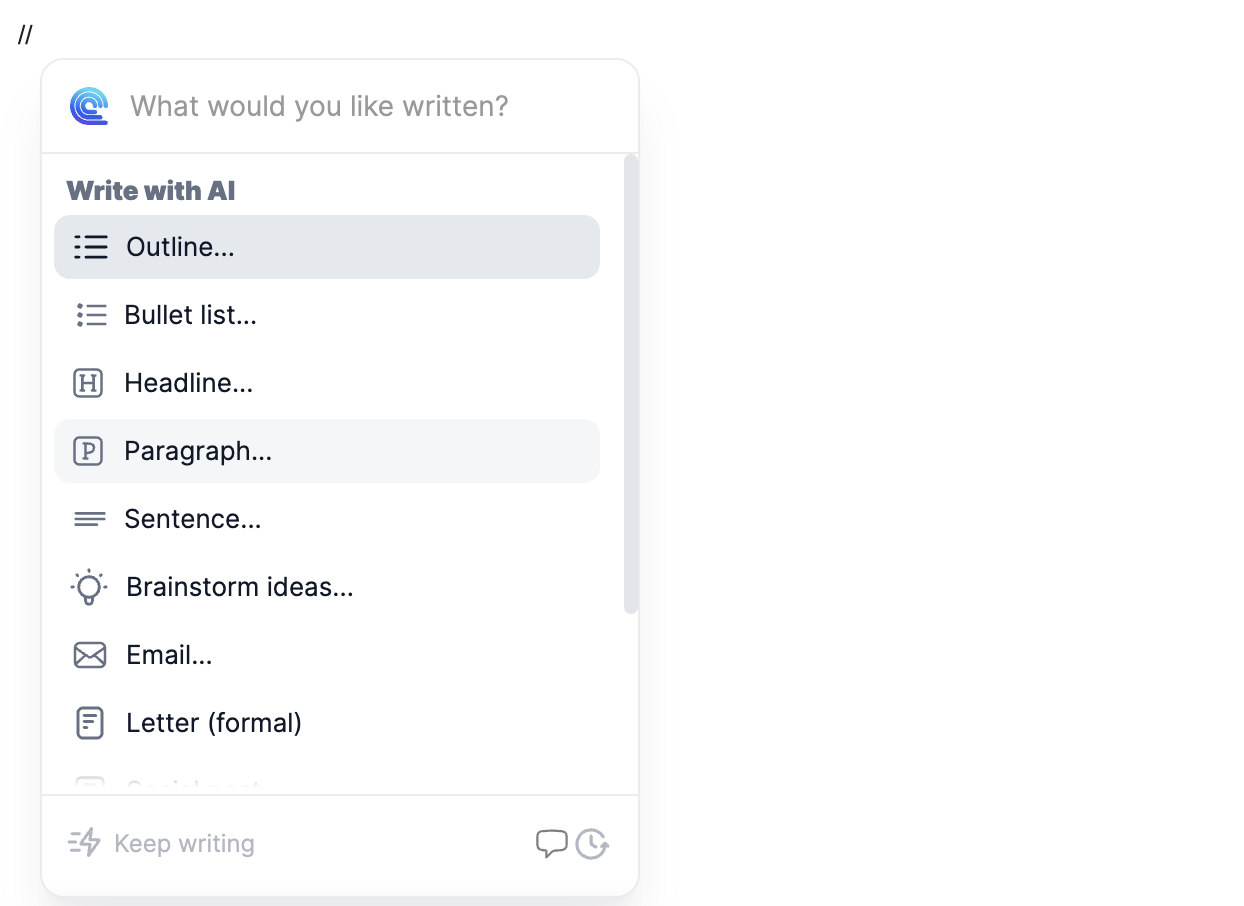
Alternative #5: Compose AI
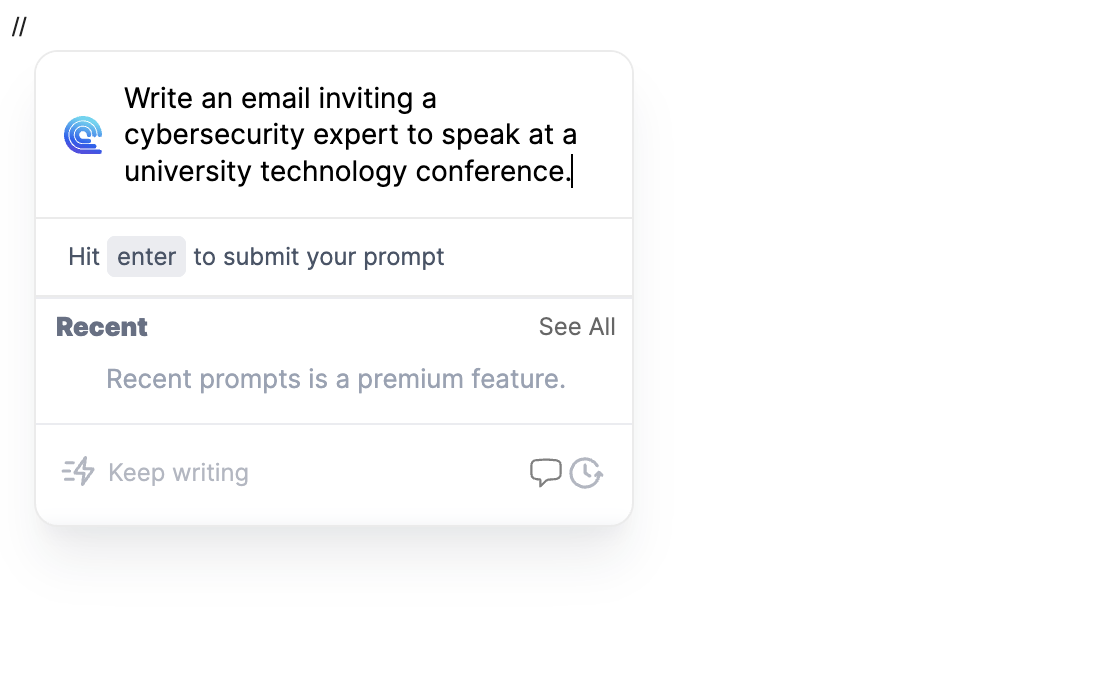
Compose AI is a browser extension that offers autocomplete suggestions and AI drafting across web applications. Unlike QuillBot, it attempts to cover autocomplete, drafting, and rewriting in a single tool.
What it does better than QuillBot: Compose AI tries to provide autocomplete suggestions across all websites, which QuillBot does not. It also offers broader use-case coverage beyond email, including blog drafting and brainstorming.
Where it falls short: The writing quality for email drafts is noticeably poor. Emails tend to be excessively long, jargon-heavy, and not personalized. The free plan is capped at 1,500 words per month. Reply quality is particularly weak. For a deeper breakdown, check out our Compose AI Review or the Foresty vs Compose AI comparison.
Pricing:
- Free: 1,500 words/month
- Premium: $15/month (25,000 words)
- Ultimate: $45/month (unlimited)
Best for: Professionals who want a general-purpose writing autocomplete across all websites, and are comfortable with average email draft quality.
Alternative #6: Hyperwrite
Hyperwrite specializes in one thing: predictive inline autocomplete. As you type, it suggests how your sentences could continue, and you press Tab to accept.
What it does better than QuillBot: The autocomplete suggestions from Hyperwrite are high quality and genuinely useful if you prefer writing manually. It understands context well and provides multiple options.
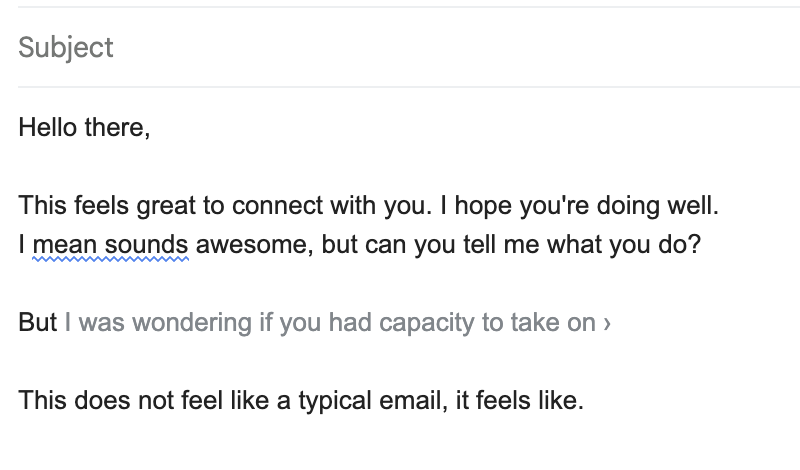
Where it falls short: Hyperwrite is almost exclusively an autocomplete tool. There is no compose flow, no paraphrasing menu, no grammar checker, and no thread-aware reply generation. If you stop typing and need to generate a full draft, Hyperwrite does not help. Its premium plan caps at 250 AI messages per month.
Pricing:
- Free: limited daily suggestions
- Premium: $20/month (250 messages)
- Ultra: $45/month (unlimited)
Best for: Professionals who prefer typing manually and want intelligent sentence completion to speed up that process.
Alternative #7: Jetwriter AI
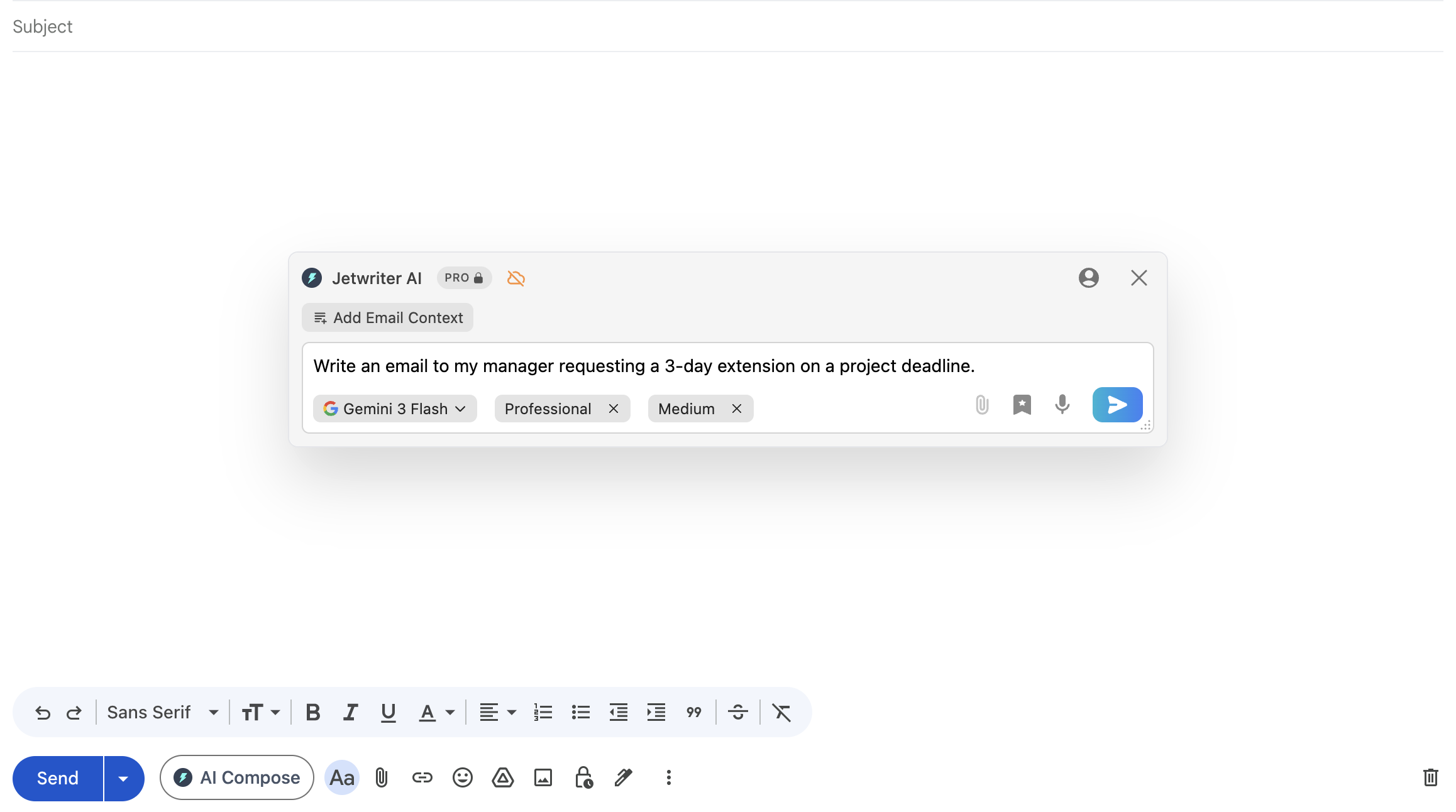
Jetwriter AI is a browser extension that functions as a ChatGPT-style AI assistant across multiple web platforms including Gmail, Outlook, LinkedIn, Slack, WhatsApp Web, and customer support tools like Zendesk.
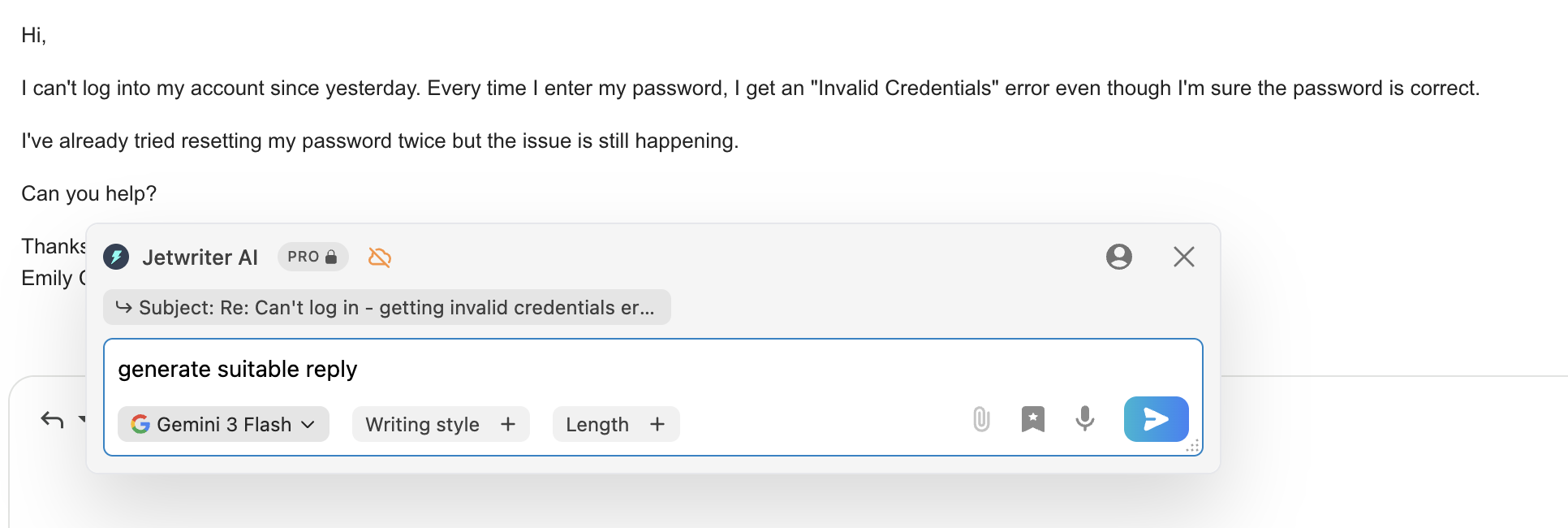
What it does better than QuillBot: Jetwriter AI offers a more complete email workflow than QuillBot. It can generate context-aware replies, supports voice input, and allows access to multiple advanced AI models (Claude Sonnet, GPT 5.5) on paid plans. Editing features are also more refined.
Where it falls short: The interface is a sidebar and popup overlay rather than a native integration inside the Gmail compose window. This creates some friction. Personalization quality is not highly refined. Free users are limited to cheaper models with noticeably lower quality output. Read our Foresty vs Jetwriter AI review for details.
Pricing:
- Free: 15 responses/month (cheaper models)
- Elite: $16/month (1,000 premium responses)
- Ultra: $30/month (2,000 premium responses)
Best for: Professionals who want a versatile AI writing assistant across many platforms and do not mind a popup-based workflow.
Alternative #8: MailMaestro
MailMaestro is a Chrome extension for Gmail and Outlook that operates from a sidebar panel rather than inside the main compose window. It is positioned toward enterprise and team users.
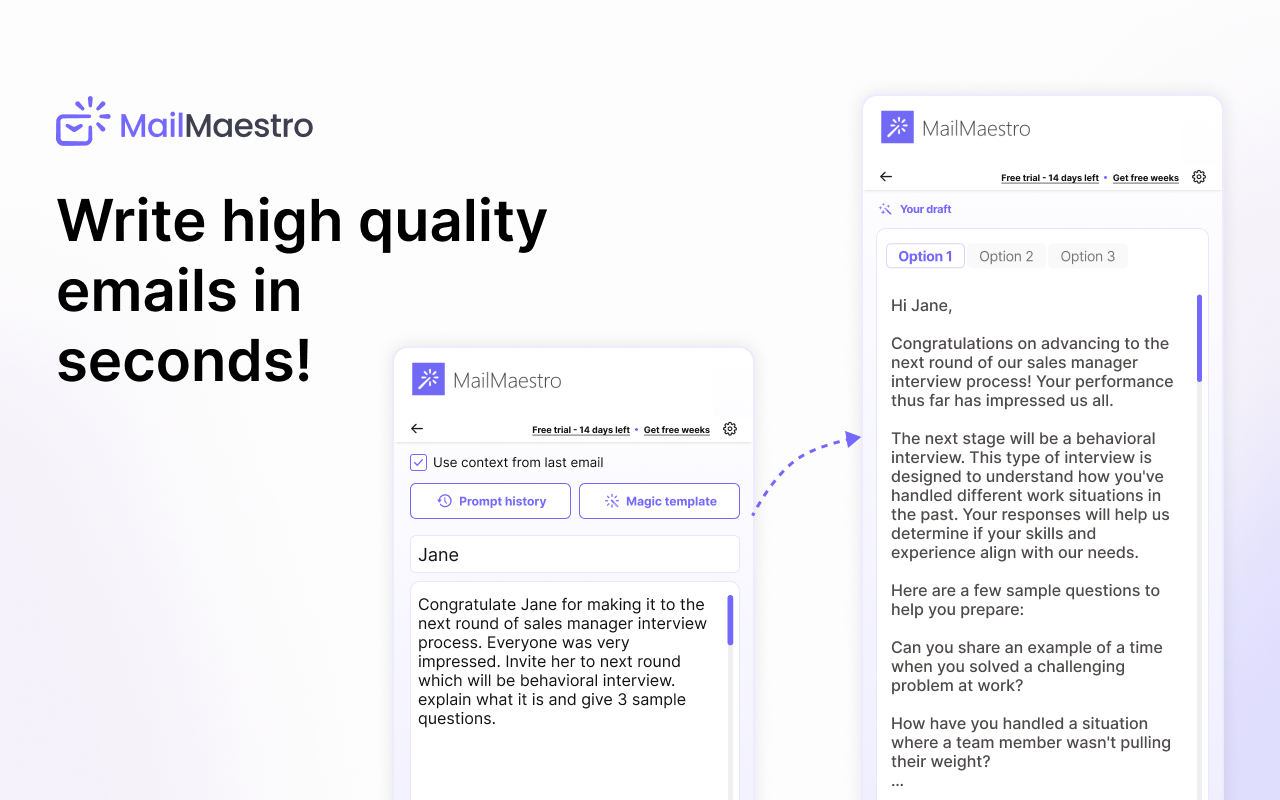
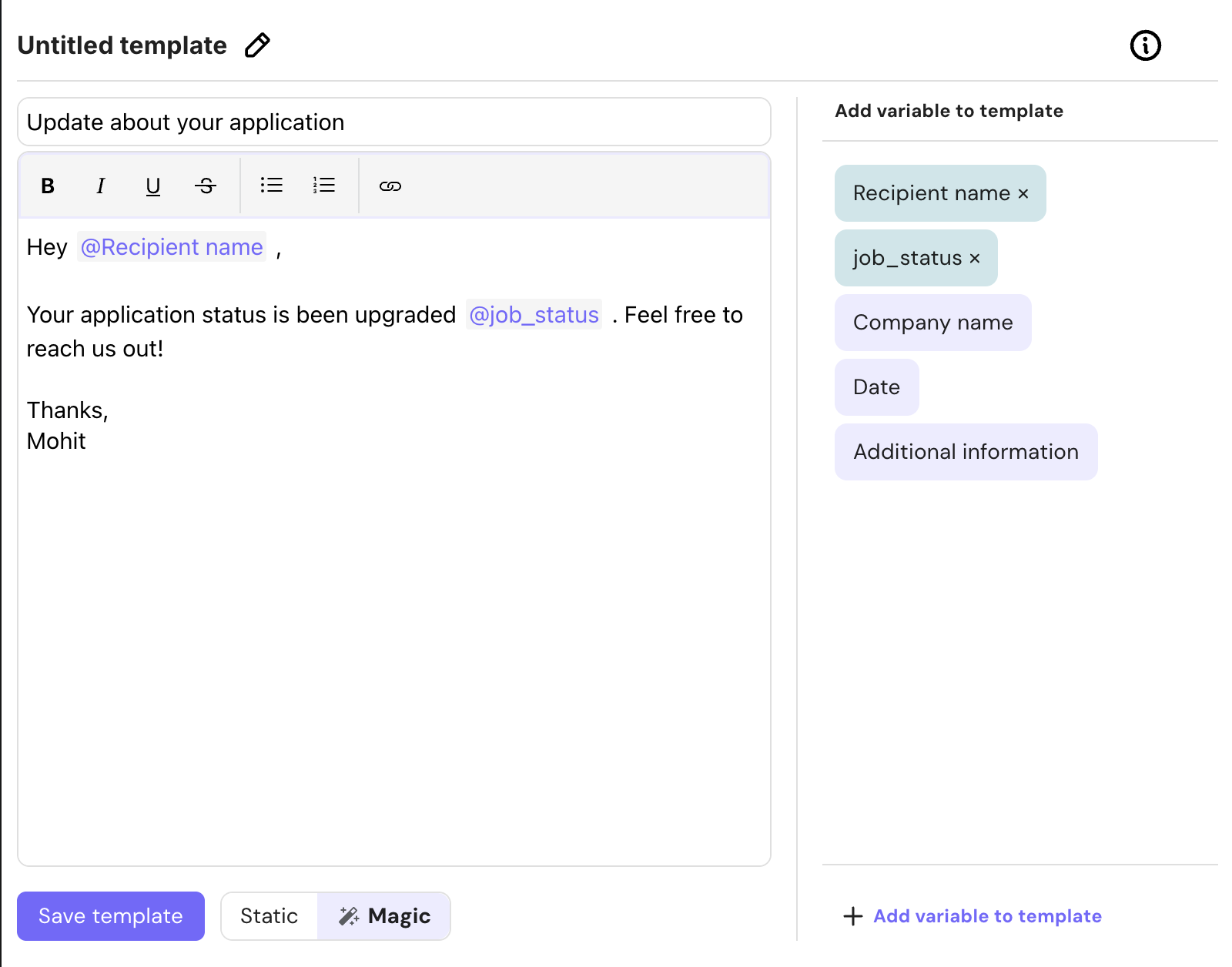
What it does better than QuillBot: MailMaestro is a dedicated email tool, not a general writing assistant. It reads email threads and can generate three draft options for any email. It offers reusable custom templates with variables, inbox prioritization, and thread summarization.
Where it falls short: Writing quality is average to mediocre. The sidebar-based interface means the workflow feels disconnected from the Gmail compose window. It also requires complete inbox access to function, which is a meaningful privacy consideration. Pricing starts at $15/user/month.
Pricing:
- Free: limited usage
- Professional: $15/user/month
- Professional Annual: $12/user/month
- Maestro Duo: $25/user/month
Best for: Enterprise teams that need structured email workflows, reusable templates, and meeting intelligence features.
Side-by-Side Feature Comparison Table
| Feature | QuillBot | Foresty | Grammarly | Wordtune | ProWritingAid | Compose AI | Hyperwrite | Jetwriter AI | MailMaestro |
|---|---|---|---|---|---|---|---|---|---|
| Email Draft from Scratch | Partial | Partial | |||||||
| Thread Context for Replies | Partial | ||||||||
| Inline Autocomplete | |||||||||
| Voice Assistant | |||||||||
| Paraphrasing/Rewriting | |||||||||
| Grammar Correction | Partial | Partial | |||||||
| Humanize Feature | |||||||||
| Subject Line Generator | |||||||||
| Native Gmail Embed | Partial | Partial | Partial | Partial | Partial | ||||
| Outlook Support | |||||||||
| Free Plan | |||||||||
| Starting Price | $19.95/mo | $12.95/mo | $12/mo | $14/mo | $18/mo | $15/mo | $20/mo | $16/mo | $15/mo |
Pricing Comparison at a Glance
| Tool | Free Plan | Starting Price |
|---|---|---|
| Foresty | Yes | $12.95/month (or $8.08/month billed annually) |
| Grammarly | Yes | $12/month (billed annually) |
| Wordtune | Yes | $14/month |
| Compose AI | Yes | $15/month |
| MailMaestro | Yes | $15/user/month |
| Jetwriter AI | Yes | $16/month |
| ProWritingAid | Yes | $18/month |
| Hyperwrite | Yes | $20/month |
| QuillBot | Yes | $19.95/month |
QuillBot is actually one of the more expensive options among browser extension writing tools, especially given its relatively narrow email functionality compared to tools like Foresty or Grammarly, which offer more for a lower starting price.
How to Pick the Right Tool for Your Situation
If you want a practical guide to choosing without reading through every comparison above, here is how to think about it:
Choose QuillBot if:
- Your primary need is paraphrasing and rewriting existing text.
- You regularly deal with AI-generated content that needs humanizing.
- You work across academic writing, Google Docs, and Gmail equally.
- You prefer editing over generating from scratch.
Choose Grammarly if:
- Grammar accuracy and proofreading quality are your top priorities.
- You want deep clarity and tone feedback on your own writing.
- You do not need email generation or reply drafting.
Choose Wordtune if:
- You want multiple rephrasing options for individual sentences.
- You work across platforms like Notion and Google Docs, not just email.
Choose Foresty if:
- You send professional emails regularly in Gmail or Outlook.
- You want to generate full email drafts without copy-pasting or tab switching.
- You want an assistant that reads the email thread before generating a reply.
- You want autocomplete, voice input, and subject line generation in one tool.
If email is your primary focus, and you find yourself spending more than a few minutes per email on writing, Foresty closes the gaps that QuillBot was never designed to fill. You can read more about how this kind of Gmail AI Writing Assistant works inside the compose window without disrupting your flow.
For professionals who want to reply faster specifically, the AI Email Reply Generator workflow is worth understanding in detail.
A Realistic Workflow Comparison
Here is what each workflow actually looks like for a typical reply to a client email:
Using QuillBot to reply to a client email:
- Read the client email.
- Write a rough draft manually in Gmail.
- Highlight the first paragraph.
- Request a rewrite from QuillBot.
- Review and insert the rewrite.
- Repeat for each paragraph.
- Review the full email before sending.
Using Foresty to reply to the same email:
- Read the client email.
- Click reply - Foresty reads the thread automatically.
- Generate a contextual draft in one click.
- Make minor edits.
- Send.
The practical difference is not small. For professionals handling dozens of emails per day, the QuillBot workflow adds meaningful friction because it was designed for editing, not drafting. If you are interested in reducing that friction, the article on how to reply to emails faster in Gmail using AI covers this in detail.
This is also why many people who start with QuillBot for email eventually look for a dedicated alternative. The AI Email Writer for Gmail guide is a good starting point if you want to understand what a purpose-built email workflow looks like.
What QuillBot Does Not Replace
One pattern we have observed is that people use QuillBot in Gmail for a few weeks and then realize they are still manually writing the initial draft. QuillBot helps polish what you have written, but it does not reduce the effort of deciding what to write in the first place.
That distinction matters for professionals who are stuck not because their writing is bad, but because they are starting from a blank compose box repeatedly. If you want to understand why email writing takes longer than it should, the article on why email writing takes so long explains the decision loops involved that tools like QuillBot do not address.
QuillBot also does not support Outlook at all, which is worth knowing if your organization uses Microsoft 365. For Outlook users, the Outlook Writing Assistant covers what is available natively inside Outlook workflows.
FAQ
Is QuillBot's Chrome extension free?
Yes. QuillBot offers a free plan with limited daily paraphrasing and humanizer features. The Premium plan at $19.95/month unlocks unlimited paraphrasing, all seven modes, advanced grammar tools, and the full suite of features.
Does QuillBot work inside Gmail?
Yes. The QuillBot Chrome extension integrates with Gmail, Google Docs, WhatsApp Web, LinkedIn, and other websites. Inside Gmail, you can highlight text to rewrite it or open a generation window to draft an email from a prompt.
Can QuillBot read an email thread and write a reply automatically?
No. QuillBot does not read incoming email threads or generate contextually relevant replies based on what was sent to you. You would need to manually include that context in a prompt yourself. For thread-aware replies, dedicated email assistants like Foresty or MailMaestro are better options.
Is QuillBot good for writing professional emails?
QuillBot is useful for editing professional emails - improving phrasing, adjusting tone, and fixing awkward sentences. It is weaker for writing professional emails from scratch. The draft generation quality inside Gmail is average compared to purpose-built email assistants.
What is the best alternative to QuillBot for email writing?
If email is your primary use case, Foresty is the most direct alternative. It was built specifically for Gmail and Outlook, includes thread-aware reply generation, voice input, inline autocomplete, and subject line generation, all inside the compose window without tab switching.
Does QuillBot work with Outlook?
No. QuillBot does not have a native integration with Microsoft Outlook. If you use Outlook, tools like Foresty, Grammarly, or MailMaestro offer Outlook-specific features.
How does QuillBot compare to Grammarly for emails?
Grammarly is stronger for grammar accuracy and proofreading. QuillBot is stronger for paraphrasing and rewriting. Neither is well-suited for generating email drafts from scratch or producing thread-aware replies. For full email productivity, both fall short of dedicated email assistants.
Is there a QuillBot alternative that also supports Outlook?
Yes. Foresty supports both Gmail and Outlook natively. Grammarly and Jetwriter AI also offer Outlook compatibility. MailMaestro integrates with Microsoft 365 and Outlook as well.
Final Verdict
QuillBot's Chrome extension is a solid paraphrasing tool. If you write content regularly and need to rephrase, shorten, expand, or humanize text across multiple platforms, it delivers real value. The humanize feature specifically is one of the better implementations available.
For email specifically, QuillBot has meaningful gaps. It does not generate contextual replies, it does not read email threads, it does not offer inline autocomplete inside the compose box, and its from-scratch email generation quality is average at best.
If email is your primary workflow, the practical recommendation is to use a dedicated email assistant for drafting and replying, and optionally use QuillBot on top of that for any paraphrasing needs that remain. Most professionals we have seen analyze this choice end up realizing that a dedicated tool like Foresty handles 90% of their email writing needs more efficiently than a general-purpose paraphraser.
You can start with Foresty's free plan at forestmail.me/foresty with no credit card required, and compare the workflow directly against what you are currently using.